Cloud Computing Benefits and Drawbacks: A Comprehensive Guide
Cloud computing has fundamentally altered how businesses and individuals store data, run applications, and manage digital operations. It offers a powerful alternative to traditional, on-premise infrastructure, promising greater flexibility and efficiency. But beyond the marketing buzz, what are the tangible realities of migrating to the cloud? This decision involves significant trade-offs that can impact everything from your budget to your operational resilience.
This comprehensive guide is designed to cut through the noise. We will provide a balanced, practical look at the core cloud computing benefits and drawbacks, moving beyond generic advice to offer actionable insights. We will dissect the most critical factors you need to consider, from the compelling advantages of scalable pricing and enhanced security to the often-overlooked risks of vendor lock-in and performance bottlenecks tied to internet dependency.
Whether you are an entrepreneur planning your startup’s tech stack, an investor evaluating a company's infrastructure strategy, or an IT professional weighing migration options, understanding these dynamics is crucial. Our goal is to equip you with the knowledge to make a strategic, future-proof decision. We'll use real-world examples and clear comparisons to help you determine if a cloud-first strategy truly aligns with your specific operational and financial goals. Let’s dive into the specifics that will empower you to choose the right path.
1. Cost Efficiency and Scalable Pricing
One of the most significant benefits of cloud computing is its transformative approach to IT expenditure. Traditionally, businesses had to invest heavily in on-premise servers, hardware, and software, a process known as Capital Expenditure (CapEx). This required substantial upfront costs and often resulted in over-provisioning to handle potential traffic spikes, meaning companies paid for resources they didn't consistently use. Cloud computing shifts this model to an Operational Expenditure (OpEx) approach.
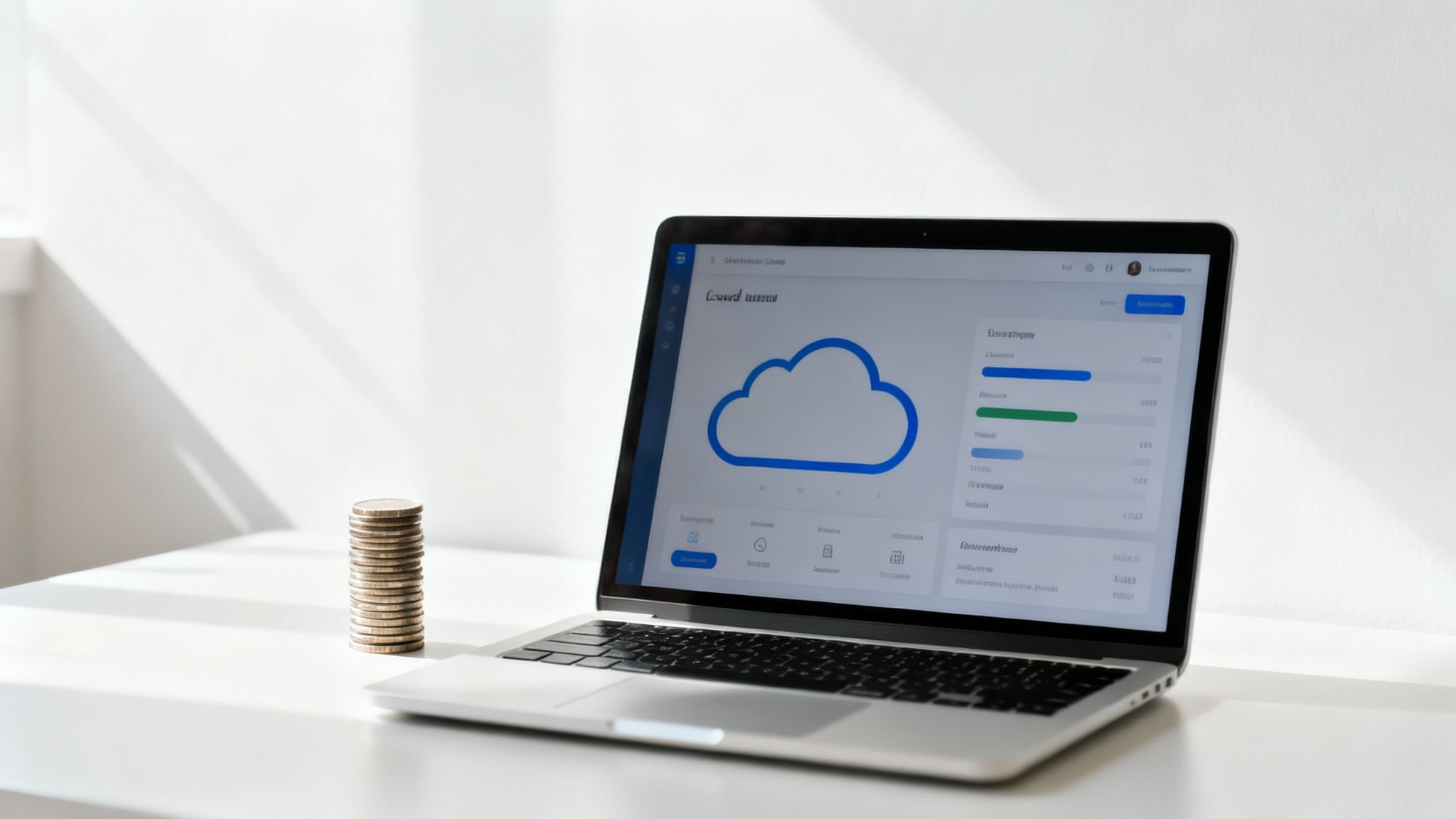
This "pay-as-you-go" pricing model, popularized by providers like Amazon Web Services (AWS), Microsoft Azure, and Google Cloud, allows users to pay only for the computational power, storage, and network resources they consume. This is a game-changer for startups and small businesses, enabling them to access enterprise-grade infrastructure without the prohibitive initial investment.
On-Premise vs. Cloud: A Cost Model Comparison
| Aspect | On-Premise Infrastructure (CapEx) | Cloud Computing (OpEx) |
|---|---|---|
| Initial Cost | High (hardware, software licenses, data center space) | Low (no upfront hardware costs) |
| Pricing Model | Fixed, based on purchased capacity | Variable, pay-as-you-go |
| Scalability | Slow & Expensive (requires purchasing new hardware) | Rapid & Elastic (scale up or down in minutes) |
| Maintenance | Ongoing costs for IT staff, power, cooling, and repairs | Included in the service price (managed by provider) |
| Resource Utilization | Often inefficient (over-provisioned for peak loads) | Highly efficient (pay only for what you use) |
Real-World Impact and Implementation
The principle of scalability is central to this cost efficiency. A company like Netflix leverages AWS to handle massive fluctuations in viewership. During evening peak hours or major show releases, their infrastructure automatically scales up to meet demand. During quieter periods, it scales down, ensuring they aren't paying for idle servers. Similarly, a startup like Canva used Google Cloud to grow from a small user base to millions without facing the financial and logistical nightmare of constantly buying and managing new physical hardware. This agility is a key competitive advantage.
Actionable Tips for Cost Management
To fully capitalize on this benefit, proactive management is crucial. Here are practical steps to control your cloud spending:
- Set Up Alerts: In your provider's console (AWS Budgets, Azure Cost Management), set up spending alerts to be notified when costs exceed a predefined threshold.
- Use Reserved Instances (RIs): For workloads with predictable usage, commit to a 1 or 3-year term for services like virtual machines. This can yield savings of 40-60% compared to on-demand pricing.
- Implement Auto-Scaling: Configure auto-scaling policies to automatically add or remove resources based on real-time demand, preventing costly over-provisioning.
- Regularly Audit Resources: Routinely scan for and terminate unused resources like idle virtual machines, unattached storage volumes, or old snapshots that incur ongoing charges.
2. Enhanced Security and Compliance
Contrary to common misconceptions, enterprise-grade cloud platforms often provide a level of security that surpasses what most individual businesses can achieve on-premises. Major providers like AWS, Microsoft Azure, and Google Cloud invest billions in securing their infrastructure, employing dedicated teams of cybersecurity experts and deploying state-of-the-art physical and digital defenses. This centralized security model is a key advantage among the various cloud computing benefits and drawbacks.

These platforms offer a suite of built-in security tools, including advanced encryption, threat detection, and robust identity and access management. Furthermore, they undergo regular, rigorous third-party audits to maintain compliance with a wide range of global and industry-specific standards, such as ISO 27001, SOC 2, HIPAA for healthcare, and PCI DSS for financial services.
Shared Responsibility Model: Who Secures What?
| Responsibility Area | Cloud Provider (e.g., AWS, Azure) | Customer (You) |
|---|---|---|
| Physical Security | ✔️ Secures data centers, hardware, and networking infrastructure. | ❌ Not your responsibility. |
| Infrastructure Software | ✔️ Manages and patches hypervisors and host operating systems. | ❌ Not your responsibility. |
| Customer Data | ❌ Provides tools, but does not own or manage your data. | ✔️ You are responsible for classifying and encrypting your data. |
| User Access & Identity | ❌ Provides IAM tools. | ✔️ You must configure user permissions, roles, and MFA. |
| Application Security | ❌ Not responsible for your application code. | ✔️ You must secure your applications from vulnerabilities. |
| Network Configuration | ❌ Provides firewall/security group tools. | ✔️ You must configure firewall rules to control traffic. |
Real-World Impact and Implementation
The impact of this robust security framework is profound. For example, a healthcare provider can use an AWS environment configured for HIPAA compliance to store and process sensitive patient data, confident that the underlying infrastructure meets stringent regulatory requirements. Similarly, financial institutions trust Microsoft Azure to handle transaction data because its services adhere to the Payment Card Industry Data Security Standard (PCI DSS). For European companies, using Google Cloud with its GDPR-compliant data centers and data processing agreements simplifies the challenge of meeting complex privacy laws.
Actionable Tips for Security Management
Leveraging cloud security is a partnership. It's crucial to understand the "shared responsibility model," where the provider secures the cloud itself, and you are responsible for securing what you put in the cloud.
- Embrace the Shared Responsibility Model: Clearly understand which security tasks are handled by the provider (e.g., physical hardware security) and which are yours (e.g., user access controls, data encryption).
- Enable Multi-Factor Authentication (MFA): Immediately activate MFA on all user accounts, especially for administrators. This is one of the most effective single steps to prevent unauthorized access.
- Configure Network Access Controls: Use security groups and network access control lists (NACLs) to strictly limit inbound and outbound traffic to only what is necessary for your applications to function.
- Perform Regular Audits: Utilize tools like AWS Trusted Advisor or Azure Security Center to regularly audit your configuration for potential vulnerabilities and ensure alignment with security best practices. Dive deeper into the future of online defense by exploring the trends discussed in our guide on Cybersecurity in 2025.
3. Reliability and Uptime Guarantees
A major drawback of traditional on-premise infrastructure is its vulnerability to single points of failure. A power outage, hardware malfunction, or natural disaster at a single location could bring an entire business to a halt. Cloud computing fundamentally mitigates this risk by providing built-in redundancy and high availability, making it one of the key cloud computing benefits and drawbacks to consider for operational continuity.
Major cloud providers like Amazon Web Services, Microsoft Azure, and Google Cloud Platform engineer their infrastructure for extreme resilience. They operate geographically distributed data centers with redundant power, cooling, and networking. This allows them to offer Service Level Agreements (SLAs) that contractually guarantee uptime, often ranging from 99.9% to an impressive 99.99%. For businesses, this translates to minimal downtime and consistent service for their customers.
Real-World Impact and Implementation
The impact of this reliability is most visible in services that require constant availability. A company like Shopify leverages Google Cloud's infrastructure to ensure its e-commerce platform remains online during high-traffic events like Black Friday, guaranteeing that millions of merchants can process transactions without interruption. Similarly, Uber uses a multi-region strategy across cloud providers to maintain its ride-hailing and food delivery services globally, ensuring that a regional outage in one part of the world does not affect its entire operation.
Actionable Tips for Maximizing Reliability
Simply moving to the cloud doesn't automatically guarantee 100% uptime; you must architect your applications to leverage these features. Here are practical steps to build a resilient system:
- Use Multiple Availability Zones (AZs): Deploy your application across at least two AZs within a single region. AZs are isolated locations, so if one fails, your application can automatically failover to another.
- Implement a Multi-Region Strategy: For mission-critical applications where even regional outages are unacceptable, deploy your infrastructure across multiple geographic regions for disaster recovery.
- Set Up Health Checks: Configure automated health checks that constantly monitor the status of your applications and servers. If a check fails, automated recovery processes can restart or replace the unhealthy component.
- Regularly Test Failover Procedures: Don't wait for a disaster to find out your recovery plan doesn't work. Periodically conduct "game day" exercises to simulate an outage and validate your failover mechanisms.
4. Accessibility and Remote Work Enablement
Beyond cost and scalability, one of the most socially impactful benefits of cloud computing is its power to untether work from a physical location. By hosting applications and data in a centralized, internet-accessible environment, the cloud fundamentally enables employees to be productive from anywhere. This capability has moved from a convenience to a business necessity, powering the global shift toward remote and hybrid work models.
This model eliminates the need for employees to be physically present in an office to access company servers or specialized software. Services like Microsoft 365 and Google Workspace provide a full suite of productivity tools, from email to complex spreadsheets, accessible through any web browser. This democratization of access ensures that a distributed team has the same resources, fostering collaboration and operational continuity regardless of geography.
Real-World Impact and Implementation
The modern workplace is a testament to this cloud-powered flexibility. Slack, for instance, enables real-time, channel-based communication that has become the central nervous system for countless fully remote companies. Similarly, collaborative design platform Figma allows multiple designers to work on the same file simultaneously from different continents, a task that was once impossible without complex, on-premise version control systems. These tools are not just add-ons; they are the foundational infrastructure supporting a new, more flexible way of working. As the hybrid work revolution shows with 65% of companies adopting new models, cloud accessibility is no longer optional.
Actionable Tips for Secure Remote Access
To leverage this benefit without compromising security, a structured approach is essential. Consider these practical steps:
- Implement Device Management: Use Mobile Device Management (MDM) policies to enforce security standards like encryption and passcodes on all devices accessing company data.
- Leverage Collaboration Tools: Fully adopt cloud-native platforms like Slack, Microsoft Teams, and Asana to centralize communication and project management.
- Establish Clear Protocols: Set formal communication guidelines for distributed teams to ensure clarity and efficiency, defining when to use chat, email, or video calls.
- Secure Personal Device Usage: Create a clear "Bring Your Own Device" (BYOD) policy that outlines security requirements, such as mandatory antivirus software and the use of a VPN for sensitive work.
5. Automatic Updates and Maintenance
A significant operational advantage of cloud computing is the offloading of routine IT system management. In a traditional on-premise environment, IT teams spend considerable time and resources on patching servers, updating software, and performing hardware maintenance. This not only incurs direct labor costs but also introduces risks of human error and security vulnerabilities from delayed patches. Cloud computing effectively outsources this entire function to the provider.
This model ensures that the underlying infrastructure and software-as-a-service (SaaS) platforms are always running the latest, most secure, and most feature-rich versions. The cloud provider manages the entire maintenance lifecycle, from security patches to major feature rollouts, freeing up internal IT teams to focus on strategic initiatives that directly drive business value rather than on "keeping the lights on." This continuous improvement cycle is one of the core cloud computing benefits and drawbacks, providing powerful automation but requiring trust in the vendor's process.
Real-World Impact and Implementation
This benefit is most visible in the SaaS world. Salesforce, for example, automatically pushes major updates to all its customers three times a year, delivering new functionality without requiring any customer-side installation or downtime. Similarly, Google Workspace and Microsoft 365 continuously roll out new features and security enhancements to users seamlessly. In the infrastructure space, serverless platforms like AWS Lambda automatically handle all patching and maintenance of the underlying compute environment, so developers never need to manage an operating system.
Actionable Tips for Managing Updates
While automatic updates are a huge benefit, a proactive approach ensures they don't disrupt your operations.
- Subscribe to Vendor Notifications: Follow your cloud provider's official blogs, status pages, and email newsletters to stay informed about upcoming maintenance windows and feature releases.
- Leverage Staging Environments: Before a major update is pushed to your production environment, test it in a separate staging or development environment to identify and fix any potential compatibility issues with your custom code or integrations.
- Review Deprecation Notices: Providers often give advance notice before discontinuing older features or APIs. Regularly review these notices to plan necessary migrations and avoid service disruptions.
- Maintain Automated Testing: Implement a robust suite of automated tests that run regularly. This practice helps quickly catch any regressions or compatibility problems introduced by a platform update.
6. Data Privacy and Vendor Lock-in Risks
While cloud adoption offers unparalleled flexibility, it also introduces significant drawbacks that require careful consideration, namely data privacy and vendor lock-in. When you move data to the cloud, you are entrusting a third-party provider with your most sensitive information, from customer records to intellectual property. This reliance creates a power dynamic where migrating away from that provider becomes a technically complex, expensive, and time-consuming ordeal.
This "vendor lock-in" risk is a major concern among the potential cloud computing benefits and drawbacks. It stems from providers like AWS, Azure, and Google Cloud offering unique, proprietary services and APIs that are not easily transferable. The deeper an organization integrates with these specialized tools, the more difficult it is to switch vendors without a complete and costly architectural overhaul.
Real-World Impact and Implementation
The challenge of vendor lock-in is not theoretical. Some large enterprises have reportedly spent millions of dollars and dedicated years to migrating key applications from one major cloud provider to a hybrid or multi-cloud environment to regain control and reduce dependency. Furthermore, data privacy regulations like the GDPR in Europe add another layer of complexity, often forcing companies to use specific data centers within the EU to comply with data sovereignty laws, further narrowing their provider options. To combat this, many forward-thinking organizations are adopting a multi-cloud strategy, deliberately distributing critical applications across different providers to mitigate the risk of being beholden to a single vendor's roadmap, pricing changes, or outages.
Actionable Tips for Mitigation
Navigating these risks requires a strategic, proactive approach from the very beginning of your cloud journey.
- Prioritize Open Standards: Whenever possible, build your applications using open-source technologies and avoid proprietary APIs. For example, use standard SQL databases instead of a provider-specific database service.
- Negotiate Data Ownership: Before signing any contract, ensure the terms clearly state that you retain full ownership of your data and specify the process and format for data export.
- Maintain Portability: Regularly test your ability to export data in a standard, usable format (like CSV, JSON, or Parquet). This ensures you have a viable exit strategy.
- Implement a Multi-Cloud Strategy: For business-critical workloads, consider using services from more than one cloud provider. This builds resilience and keeps vendors competitive.
- Document Everything: Keep meticulous documentation of your data architecture, dependencies, and configurations. This record is invaluable if a migration becomes necessary.
7. Bandwidth and Latency Considerations
While the cloud offers immense power and flexibility, its performance is fundamentally tethered to the quality of your internet connection. This is a critical drawback of cloud computing that many overlook. High latency, the delay it takes for data to travel from your device to the cloud server and back, can render even the most powerful applications sluggish and unresponsive. Similarly, insufficient bandwidth can bottleneck large data transfers, hampering operations that rely on moving significant files, like video editing or scientific computing.

This dependency means that application performance is not solely determined by the cloud provider's infrastructure but also by the "last mile" of network connectivity. For real-time applications such as online gaming, financial trading platforms, or live video streaming, even a few milliseconds of delay can be the difference between a seamless experience and a frustrating failure. This makes network architecture a crucial consideration when migrating to or building on the cloud.
Real-World Impact and Implementation
Leading companies strategically design their architecture to mitigate these network limitations. Netflix, for example, doesn't stream every movie directly from a central data center. It uses a massive Content Delivery Network (CDN), with edge servers from providers like AWS CloudFront, placing popular content physically closer to viewers worldwide to minimize latency and ensure smooth playback. Similarly, online gaming companies deploy their game servers in multiple geographic regions so players connect to the nearest one, ensuring the low-latency connection essential for competitive play. Financial trading platforms go even further, co-locating their servers in the same data centers as stock exchanges to achieve sub-millisecond response times.
Actionable Tips for Performance Optimization
You must proactively manage network performance to avoid it becoming a major drawback. Here are practical steps to optimize your cloud application's responsiveness:
- Choose Regional Data Centers: When deploying your application, select the cloud region geographically closest to the majority of your users. All major providers (AWS, Azure, Google Cloud) offer global locations.
- Use a Content Delivery Network (CDN): Employ services like Cloudflare, Akamai, or AWS CloudFront to cache static content (images, videos, CSS files) at edge locations around the world, drastically reducing load times for users.
- Implement Caching Strategies: Beyond a CDN, use in-memory caches like Redis or Memcached at the application layer to store frequently accessed data, reducing the need for repeated database queries over the network.
- Monitor Egress Costs: Data transfer out of the cloud (egress) often incurs costs. Monitor this usage closely and use compression techniques to reduce the size of data being transmitted. As network speeds increase, you can learn more about how 5G networks are changing data transfer.
8. Scalability and Flexibility for Growing Businesses
One of the defining advantages of cloud computing is its unparalleled ability to provide on-demand scalability and flexibility. In a traditional on-premise environment, preparing for growth meant purchasing, installing, and configuring physical servers well in advance of actual need. This process was slow, expensive, and often led to either costly over-provisioning or performance bottlenecks when demand outstripped capacity. The cloud fundamentally reverses this paradigm.
Cloud infrastructure allows businesses to dynamically adjust their computing resources, scaling up or down in near real-time based on demand. This elastic capability, offered by major providers like AWS, Google Cloud, and Microsoft Azure, means a business can start with minimal resources and expand its capacity almost infinitely as it grows. This eliminates the constraints of physical hardware and empowers companies to respond instantly to market opportunities or unpredictable workloads.
Real-World Impact and Implementation
The impact of this flexibility is most visible in businesses with fluctuating demand. E-commerce giant Shopify relies on the cloud to effortlessly handle the massive traffic surges during Black Friday, scaling its infrastructure to process millions of transactions per minute and then scaling back down once the peak passes. Similarly, Zoom leveraged AWS to scale its services tenfold within weeks to meet the explosive demand during the 2020 pandemic, a feat that would have been impossible with a traditional data center model. This kind of agility is a key driver for modern enterprises and is especially critical for tech startups aiming for rapid expansion.
Actionable Tips for Effective Scaling
To harness the full power of cloud scalability, a strategic approach is necessary. Here are practical steps to implement it effectively:
- Design Stateless Applications: Build applications where user session data isn't stored on the local server. This allows requests to be routed to any available server, making it easier to add or remove instances without disrupting users.
- Use Auto-Scaling Groups: Configure auto-scaling rules based on metrics like CPU utilization or request count. Set appropriate thresholds to automatically add new instances during high demand and terminate them when traffic subsides to control costs.
- Implement Database Read Replicas: For read-heavy applications, create read replicas of your main database. This distributes the read traffic, improving performance and preventing the primary database from becoming a bottleneck during scaling events.
- Leverage Serverless Computing: For unpredictable or event-driven workloads, use serverless functions (like AWS Lambda or Azure Functions). You only pay for the compute time you consume, and the provider handles all scaling automatically.
9. Compliance Challenges and Regulatory Complexity
While the cloud offers immense flexibility, it introduces significant hurdles when it comes to regulatory compliance, making it a notable drawback for many organizations. Industries like healthcare, finance, and government are bound by strict data protection laws such as HIPAA (Health Insurance Portability and Accountability Act), PCI-DSS (Payment Card Industry Data Security Standard), and GDPR (General Data Protection Regulation). Adhering to these mandates in a cloud environment is a complex, shared responsibility between the cloud provider and the customer.
Simply moving to a "compliant" cloud provider does not make an organization compliant. The provider is responsible for the security of the cloud (e.g., physical data centers, hardware), but the customer is responsible for security and compliance in the cloud. This includes configuring services correctly, managing access controls, encrypting data, and ensuring applications meet regulatory standards. Misconfigurations or a lack of understanding can lead to severe penalties and data breaches.
Real-World Impact and Implementation
The stakes are high. A healthcare provider using AWS must specifically use HIPAA-eligible services and sign a Business Associate Addendum (BAA) with Amazon. They are then responsible for configuring their virtual machines and databases to encrypt patient data both at rest and in transit. Similarly, a European e-commerce company using Microsoft Azure must ensure that customer data is stored in GDPR-compliant data centers, often requiring them to specify European regions for their resources and meticulously document their data processing activities. These steps require specialized expertise and diligent oversight.
Actionable Tips for Compliance Management
Navigating regulatory complexity is challenging but manageable with a strategic approach. Here are key steps to maintain compliance in the cloud:
- Map Requirements Early: Before migration, thoroughly map your specific industry regulations (HIPAA, PCI-DSS, SOX) to cloud service configurations.
- Choose Certified Providers: Select a cloud provider like AWS, Azure, or Google Cloud that offers robust compliance programs and provides certifications and attestations through portals like the AWS Compliance Program or Azure Trust Center.
- Implement Monitoring Tools: Use native cloud tools (AWS Config, Azure Policy) or third-party solutions to continuously monitor your environment for configurations that violate compliance rules.
- Conduct Regular Audits: Perform periodic internal and external audits to verify that your cloud infrastructure and applications remain compliant with all relevant regulations, documenting every finding and remediation step.
10. Dependency on Internet Connectivity and Service Outages
While the cloud offers unparalleled access to resources, it introduces a significant drawback: an absolute reliance on network connectivity. All cloud services, from data storage to application hosting, are accessed over the internet. This dependency creates a critical single point of failure. If your business loses its internet connection or your chosen cloud provider experiences an outage, your operations can grind to a halt, cutting off access to essential data and applications.
This fundamental requirement shifts the risk profile for businesses. Instead of managing hardware failures in a server room, companies must now plan for network downtime and provider-side disruptions. Among the cloud computing benefits and drawbacks, this dependency is one of the most immediate and impactful risks to business continuity, making offline functionality a major challenge.
Real-World Impact and Implementation
The consequences of this dependency are not theoretical. In 2021, a major Amazon Web Services (AWS) outage brought down a huge swath of the internet, affecting services like Netflix, Slack, and even Amazon's own e-commerce operations. Similarly, a global outage at Meta that same year demonstrated how platform dependence can instantly sever connections for billions of users and businesses relying on Facebook, Instagram, and WhatsApp for communication and commerce. These events highlight that even the largest providers are not immune to failure, and the downstream effects can be catastrophic for their customers.
Actionable Tips for Mitigation
To counter this significant risk, a proactive, multi-layered strategy is essential. Here are practical steps to build resilience:
- Establish Backup Connectivity: Implement redundant internet connections from different service providers (e.g., a primary fiber line and a secondary 5G or satellite business connection) to ensure continuity if one fails.
- Deploy Across Multiple Regions/Providers: For mission-critical systems, use a multi-cloud or multi-region strategy. This involves distributing your application across different geographic locations or even between providers like AWS and Azure to isolate your operations from a single point of failure.
- Implement Local Caching: Design applications to cache critical data locally on user devices. This allows for limited "offline mode" functionality, enabling users to continue working with essential information until connectivity is restored.
- Develop a Business Continuity Plan (BCP): Create a detailed plan outlining procedures for a cloud outage. This should include communication protocols, manual workarounds for critical processes, and steps for data recovery once services are back online.
At a Glance: Cloud Benefits vs. Drawbacks Comparison
| Feature | ✅ Key Benefit | ❌ Key Drawback | Ideal Use Case |
|---|---|---|---|
| Cost Model | Pay-as-you-go (OpEx), no upfront hardware cost. | Can be expensive if not managed; data egress fees. | Startups, businesses with variable workloads. |
| Security | Enterprise-grade security from top providers. | Shared responsibility can lead to misconfigurations. | Organizations in regulated industries (finance, healthcare). |
| Reliability | High uptime SLAs, built-in redundancy, and failover. | Provider outages can have widespread impact. | E-commerce, SaaS, mission-critical applications. |
| Accessibility | Enables remote work and access from any device. | Performance is entirely dependent on internet quality. | Distributed teams and global organizations. |
| Maintenance | Automatic software updates and security patching. | Less control over update schedules and features. | Small businesses with limited IT staff. |
| Vendor Relations | Access to cutting-edge, proprietary services. | High risk of vendor lock-in, making migration difficult. | Businesses leveraging a specific provider's ecosystem. |
| Performance | Nearly infinite scalability on demand. | Latency can be an issue for real-time applications. | Media streaming, online gaming, big data analytics. |
| Compliance | Providers offer tools and certifications for regulations. | Compliance is complex and requires customer expertise. | Businesses needing to meet GDPR, HIPAA, or PCI DSS. |
Your Next Move: Making the Final Cloud Decision
The journey through the intricate landscape of cloud computing benefits and drawbacks reveals a fundamental truth: there is no universal "right" answer. The cloud is not a simple on-or-off switch but a spectrum of strategic choices. We've dissected the powerful allure of cost efficiency, the robust promise of enhanced security, and the unparalleled flexibility that enables businesses to scale at a moment's notice. Simultaneously, we've navigated the genuine concerns of vendor lock-in, the operational risks tied to internet dependency, and the complex web of data privacy and compliance. The decision to migrate, expand, or even reduce your cloud footprint is one of the most critical strategic choices you can make, impacting everything from your budget to your competitive agility.
Making an informed decision requires moving beyond a simple pros-and-cons tally. It demands a nuanced, context-specific evaluation. An e-commerce startup preparing for holiday traffic will view the scalability and flexible pricing of the cloud as a non-negotiable lifeline. In contrast, a healthcare provider handling sensitive patient data might prioritize a private or hybrid cloud solution, focusing intently on compliance challenges and data privacy risks before considering cost. The key takeaway is to frame the discussion not as "Is the cloud good or bad?" but as "Which cloud model and provider aligns with our specific operational needs, risk tolerance, and long-term vision?"
Synthesizing Your Strategy: A Practical Checklist
To transition from analysis to action, you need a structured approach. Your final decision should be the result of a deliberate internal audit. Consider the following actionable steps to crystallize your path forward:
- Conduct a Workload Analysis: Not all applications are created equal. Identify which of your operations are "cloud-native" or easily adaptable (e.g., development environments, CRM systems, collaborative tools) versus those that are legacy or have specific hardware dependencies. A phased migration, starting with less critical workloads, can be a pragmatic first step.
- Model Your Total Cost of Ownership (TCO): Look beyond the attractive pay-as-you-go pricing. Factor in potential costs for data egress (transferring data out of the cloud), training your team on new platforms, and hiring specialized cloud talent. Compare this comprehensive TCO against maintaining your on-premises infrastructure to get a true financial picture.
- Evaluate Your Connectivity Resilience: Your reliance on cloud services is directly proportional to your need for stable, high-bandwidth internet. Assess your current connectivity and consider investing in redundant connections or a secondary provider. How would a service outage, even a brief one, impact your revenue and customer trust? Quantify this risk.
- Develop an Exit Strategy: Before you even sign a contract, understand the process of moving your data and applications away from a provider. This isn't about planning for failure; it's about maintaining strategic control. Investigating multi-cloud or hybrid solutions from the outset can be a powerful way to mitigate the very real risk of vendor lock-in.
The Final Verdict: Balancing Innovation and Prudence
Ultimately, mastering the concepts surrounding cloud computing benefits and drawbacks is about achieving a strategic balance. It's about harnessing the cloud's transformative power to innovate, scale, and serve customers more effectively while implementing robust safeguards against its inherent risks. The businesses that thrive will be those that treat cloud adoption not as a purely technical project but as a core business strategy, continuously reassessing their approach as their needs and the technology evolve.
By approaching this decision with diligence and foresight, you position your organization to leverage one of the most powerful technological shifts of our time. You can build a more resilient, efficient, and agile operation, ready to pivot and capture opportunities in an ever-changing market. The cloud is a tool, and like any powerful tool, its value is determined by the skill and strategy of the user.
Ready to turn these insights into a tangible growth strategy? The principles of weighing pros, cons, and long-term impact are central to smart decision-making, both in technology and finance. At Everyday Next, we provide the data, analysis, and tools you need to make informed investment choices and navigate complex market trends with confidence. Explore our resources at Everyday Next to build your financial future on a foundation of clarity and strategy.
Frequently Asked Questions (FAQ)
1. What is the main benefit of cloud computing?
The primary benefit is the shift from a Capital Expenditure (CapEx) model to an Operational Expenditure (OpEx) model. This means you avoid large upfront investments in hardware and instead pay a recurring fee for the resources you consume, allowing for greater financial flexibility and scalability.
2. Is the cloud really more secure than on-premise solutions?
For most organizations, yes. Major cloud providers like AWS, Azure, and Google Cloud invest billions in security infrastructure and personnel, offering a level of protection that is difficult for individual companies to replicate. However, security is a shared responsibility, and customers must correctly configure their own applications and access controls.
3. What is "vendor lock-in" and why is it a major drawback?
Vendor lock-in occurs when a customer becomes dependent on a single cloud provider's proprietary services, making it technically difficult and financially costly to switch to a competitor. This reduces negotiating power and increases risk if the vendor changes its prices or services.
4. Can a small business benefit from cloud computing?
Absolutely. Small businesses are among the biggest beneficiaries. The cloud provides them with access to enterprise-grade technology—like advanced databases, AI tools, and global infrastructure—without the prohibitive upfront costs, leveling the playing field with larger competitors.
5. What are the three main types of cloud computing services?
The three main service models are: Infrastructure as a Service (IaaS), which provides basic computing, storage, and networking; Platform as a Service (PaaS), which offers a platform for developing and deploying applications; and Software as a Service (SaaS), which delivers ready-to-use software over the internet (e.g., Microsoft 365, Salesforce).
6. What happens if my internet connection goes down?
This is a key drawback. If your internet fails, you will lose access to your cloud-based applications and data. Businesses mitigate this risk by having redundant internet connections from different providers and designing applications with some offline functionality.
7. What is a "hybrid cloud"?
A hybrid cloud is an IT environment that combines a private cloud (on-premise infrastructure) with a public cloud (like AWS or Azure), allowing data and applications to be shared between them. This approach offers the security of a private cloud with the scalability of a public cloud.
8. How does cloud computing help with disaster recovery?
Cloud providers have geographically distributed data centers. This allows businesses to easily replicate their data and applications to a different region. If a disaster strikes one location, they can quickly failover to the backup site, ensuring business continuity with minimal downtime.
9. Are there hidden costs to cloud computing?
Yes, the most common hidden cost is "data egress"—the fee charged for transferring data out of the cloud provider's network. Other potential costs include the need for specialized staff, third-party management tools, and underutilized resources that were not shut down.
10. Which cloud provider is the best?
There is no single "best" provider. The choice depends on your specific needs. AWS is known for its extensive range of services and market leadership. Microsoft Azure is popular for its strong integration with enterprise software (like Windows and Office 365). Google Cloud Platform (GCP) is often favored for its expertise in data analytics, machine learning, and containerization.
Previous Post
Next Post









Pingback: Terafab Elon Musk Vision Explained: The Next Industrial Leap
Pingback: TeraFab Project Explained for Beginners: A 2026 Guide
Pingback: Is Terafab the Future of Computing: A 2026 Analysis
Pingback: How Much Power Will Terafab Produce? 2026 Forecast
Pingback: Why Terafab Matters for AI Future: A 2026 Explainer
Pingback: How Terafab Will Change Artificial Intelligence in 2026