12 Best AI Automation Tools for Business to Boost Efficiency in 2026
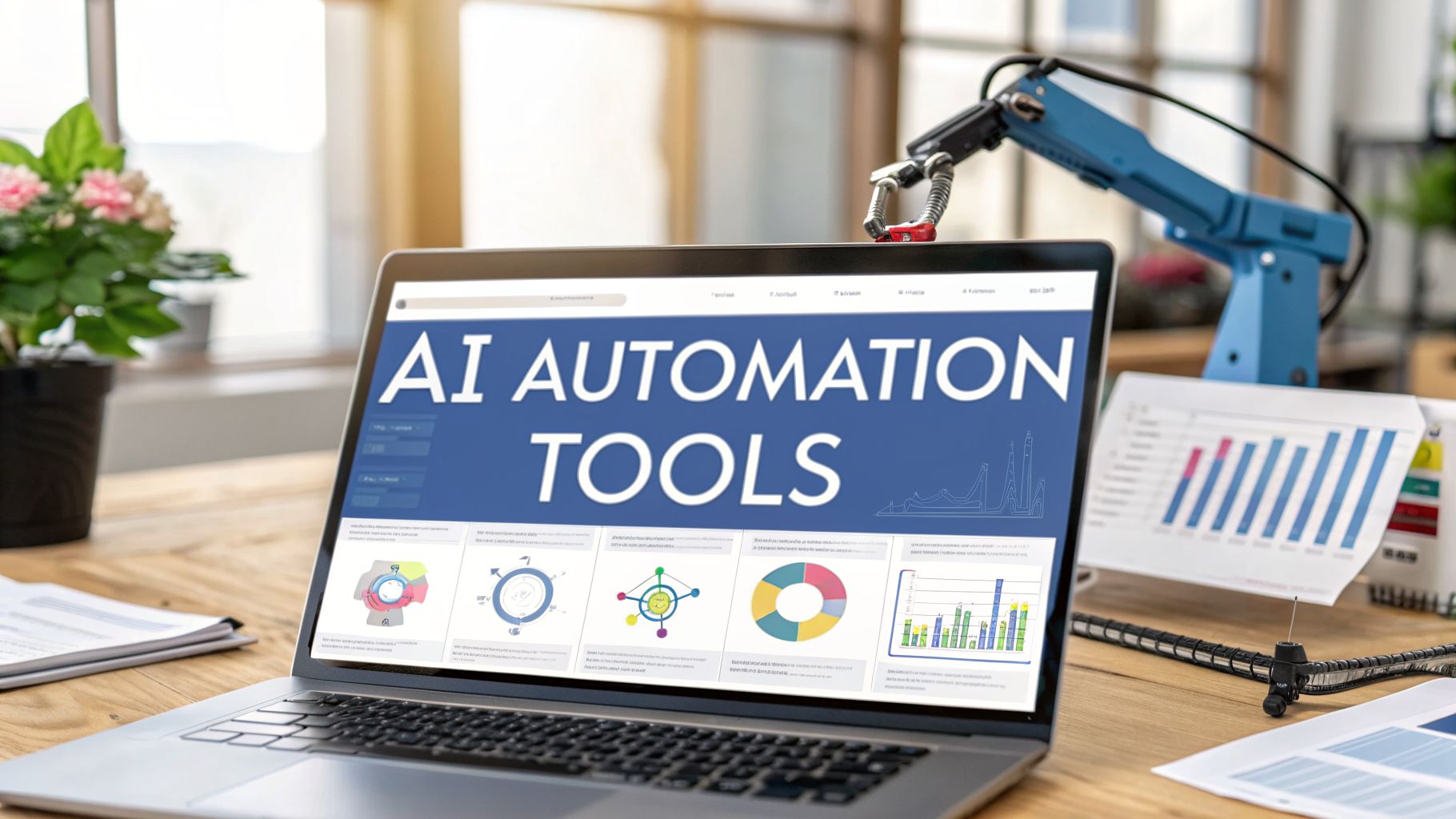
Finding the right AI automation tools for business can feel overwhelming. You need solutions that not only promise efficiency but actually deliver it by integrating smoothly into your existing workflows, saving time, and reducing manual errors. The goal isn't just to add more software; it's to implement intelligent systems that handle repetitive tasks, analyze data, and empower your team to focus on strategic growth. This guide is designed to cut through the noise and provide a clear, actionable roadmap.
We have compiled a comprehensive list of the most effective AI automation platforms available today. Instead of generic descriptions, you will find a detailed breakdown of each tool, complete with screenshots, direct links, and practical analysis based on first-hand experience and in-depth research. We cover everything from robotic process automation (RPA) and marketing automation to AI agents and customer service bots. For a deeper dive into the core concepts before you begin, it's helpful to understand the fundamentals. To understand the fundamental principles, learn more about what is AI automation and how it empowers businesses.
This resource is structured to help you make an informed decision. For each tool, we analyze:
- Core Features: What the platform does best.
- Best-Fit Use Cases: Who benefits most from using it.
- Pricing Tiers: A clear look at the investment required.
- Pros and Cons: An honest assessment of strengths and weaknesses.
- Implementation Guidance: Quick tips to get you started.
Our goal is to equip you with the insights needed to select the perfect AI tools that align with your specific business needs, budget, and technical capabilities. Let's get started.
1. OpenAI
OpenAI serves as a foundational platform for businesses aiming to build custom AI automation tools. While many know it for ChatGPT, its true power for automation lies in its comprehensive suite of APIs, particularly the Assistants API. This allows developers to construct sophisticated, agent-like workflows that can handle complex, multi-step processes without constant human intervention. It stands out by providing direct access to state-of-the-art models like GPT-4o, which excel at reasoning, tool use, and understanding multimodal inputs (text, images, and audio). This makes it a top choice for creating bespoke solutions tailored to unique business needs.
The platform's developer-first approach is evident in its robust documentation and a vibrant ecosystem that simplifies integration. Businesses can use OpenAI to automate tasks ranging from intelligent customer support routing and data extraction from unstructured documents to generating marketing copy and code. The pay-as-you-go, token-based pricing model is highly scalable but requires careful monitoring to manage expenses effectively. While building production-grade automations often demands engineering expertise, the platform's flexibility is unparalleled. For a deeper look into practical uses, you can explore the various generative AI business applications that can be built on platforms like OpenAI.
Key Information:
- Best For: Businesses with development resources looking to create custom AI agents, sophisticated data analysis tools, and advanced content generation workflows.
- Pricing: Pay-as-you-go based on token usage, with different tiers for model performance and rate limits. Enterprise plans are available for enhanced security and support.
- Pros: Access to cutting-edge models, excellent developer documentation, and a highly flexible API for custom solutions.
- Cons: Token-based pricing can become costly without monitoring; requires technical skills to implement effectively.
- Website: https://openai.com
- Real-Life Example: A B2B SaaS company uses the OpenAI Assistants API to build an intelligent onboarding agent. When a new user signs up, the agent proactively guides them through key features via in-app chat, answers their setup questions by referencing the company's knowledge base, and even creates sample project templates for them, dramatically reducing support tickets and improving user activation rates.
2. Microsoft Power Automate
Microsoft Power Automate excels as a comprehensive, low-code platform designed to democratize automation for businesses of all sizes. It powerfully integrates both cloud-based API automation (Cloud flows) and desktop-based robotic process automation or RPA (Desktop flows), allowing users to connect modern cloud services with legacy on-premise systems. Its key differentiator is its seamless integration within the Microsoft 365 and Dynamics 365 ecosystems. This makes it an incredibly intuitive choice for organizations already invested in Microsoft's software stack, enabling employees to automate everyday tasks directly within applications like Teams, SharePoint, and Excel without extensive coding knowledge.
The platform's inclusion of AI Builder and Copilot brings advanced AI capabilities to the forefront, allowing non-developers to build intelligent workflows. For example, users can create flows that extract text from invoices, analyze customer sentiment in emails, or predict business outcomes. Process and task mining features further enhance its value by identifying bottlenecks and suggesting optimal automation opportunities. This makes Power Automate one of the most versatile AI automation tools for business operations.
Key Information:
- Best For: SMBs and enterprises heavily invested in the Microsoft 365 ecosystem seeking a unified platform for both cloud and desktop automation with strong governance.
- Pricing: Offers per-user plans (with and without attended RPA) and per-flow plans. Unattended RPA bots are licensed separately, which can increase costs.
- Pros: Deep integration with Microsoft products, a vast library of pre-built connectors, and strong administrative and security controls for IT management.
- Cons: Unattended RPA licensing can become expensive at scale, and designing highly complex, enterprise-grade automations may still require significant administrative effort.
- Website: https://www.microsoft.com/power-automate
- Real-Life Example: A manufacturing firm's finance department uses Power Automate Desktop to automate its accounts payable process. A bot monitors an Outlook inbox for new vendor invoices, uses AI Builder to extract key details like invoice number, date, and amount, validates the data against an Excel spreadsheet, and finally enters the approved information into their legacy accounting software, saving hundreds of hours per month.
3. Microsoft Copilot Studio
Microsoft Copilot Studio positions itself as a premier low-code platform for businesses seeking to build and deploy custom AI agents, deeply integrated within the Microsoft ecosystem. It empowers teams to create sophisticated conversational copilots that can operate across various channels, including websites, Microsoft Teams, and social media platforms. The studio’s core strength lies in its ability to connect these agents to backend systems through a vast library of pre-built connectors and Power Platform integrations, enabling them to perform actions, not just answer questions. This makes it an exceptional tool for automating both internal and external-facing processes.
The platform is designed for accessibility, allowing both developers and business users to create powerful, generative AI-powered dialogues and workflows. Its tight integration with Microsoft 365 Copilot and Azure provides a secure, governed environment for developing enterprise-grade AI automation tools. Beyond the Power Automate platform, Microsoft has expanded its AI offerings with tools like the release of Microsoft Copilot for Excel, providing intelligent assistance for data analysis and automation within spreadsheets. Copilot Studio’s flexible billing, which includes both credit packs and Azure-based pay-as-you-go options, offers scalability for different business needs.
Key Information:
- Best For: Enterprises invested in the Microsoft ecosystem aiming to build custom internal helpdesks, external customer service bots, and process automation agents.
- Pricing: Offers multiple billing modes, including capacity-based Microsoft Copilot Studio user licenses, Copilot Credits, and a pay-as-you-go model linked to an Azure subscription.
- Pros: Tight integration with Microsoft security and governance stacks, flexible pricing models to match different usage patterns, and suitable for internal and external-facing agents.
- Cons: An Azure subscription is required for pay-as-you-go billing; the credit accounting model can add complexity compared to flat per-seat plans.
- Website: https://www.microsoft.com/microsoft-copilot/microsoft-copilot-studio
- Real-Life Example: A large university builds an internal IT helpdesk bot using Copilot Studio and deploys it in Microsoft Teams. The bot can handle common requests like password resets, software installation guidance, and network troubleshooting by accessing the university's knowledge base. For complex issues, it collects necessary information from the employee and automatically creates a ticket in ServiceNow, assigning it to the correct support tier.
4. Zapier
Zapier has long been the go-to platform for no-code workflow automation, connecting thousands of disparate business applications. It has evolved into a powerful player among AI automation tools for business by seamlessly integrating AI actions directly into its workflows, or "Zaps." This allows non-technical users to build sophisticated automations that not only move data between apps like Slack, Google Sheets, and Salesforce, but also use AI to summarize text, classify leads, draft emails, or make decisions based on natural language instructions. Its core strength lies in its simplicity and the sheer breadth of its integration library, making it incredibly fast to automate processes across a company’s existing SaaS ecosystem without writing a single line of code.

The platform's accessibility makes it a first stop for businesses looking to experiment with automation. You can create multi-step Zaps with conditional logic that trigger AI actions, like sending a new customer email to an AI for sentiment analysis and then routing it to the appropriate team based on the result. While it’s incredibly user-friendly, the task-based billing model requires careful design of high-volume workflows to manage costs effectively. For teams needing to collaborate, features like shared folders and connections streamline the management of complex automation portfolios. Its extensive library of pre-built templates and strong community support significantly lower the barrier to entry, enabling rapid implementation of valuable automations.
Key Information:
- Best For: Teams and individuals without technical expertise who need to quickly connect mainstream SaaS applications and embed AI-powered decision-making into their workflows.
- Pricing: Offers a free tier with limited tasks. Paid plans are based on task volume and access to premium features, with team and enterprise plans for advanced administration.
- Pros: Minimal learning curve with a user-friendly interface, an enormous library of app integrations, and a vast collection of community templates for quick starts.
- Cons: Task-based billing can become expensive for high-volume processes; creating highly complex or custom logic can be more restrictive than low-code platforms.
- Website: https://zapier.com
- Real-Life Example: A marketing agency uses Zapier to automate its lead qualification process. When a new lead fills out a form on their website (via a tool like Typeform), a Zap triggers. It sends the lead's information to OpenAI to classify them as "high," "medium," or "low" priority based on their industry and company size. High-priority leads are instantly added to Salesforce and a notification is sent to the sales team's Slack channel, while others are added to a Mailchimp nurturing sequence.
5. Make (formerly Integromat)
Make, formerly known as Integromat, is a powerful visual automation platform that allows businesses to design, build, and automate complex workflows without writing code. It excels at connecting disparate applications and services, making it one of the most versatile AI automation tools for business. What sets Make apart is its highly visual, drag-and-drop scenario builder, which provides granular control over data flow, error handling, and logical branching. This allows users to build sophisticated, multi-step automations that can handle conditional logic and complex data transformations with ease, moving beyond simple "if this, then that" triggers.

The platform integrates with over 3,000 applications, including many AI services, enabling businesses to automate tasks like extracting text from documents with an OCR tool, enriching lead data with AI, or generating social media posts automatically. Make's detailed run logs and troubleshooting visibility are invaluable for debugging complex scenarios. Its credit-based pricing model offers a generous free tier and competitive entry-level plans, but it requires careful planning to estimate operational costs for high-volume workflows. While advanced scenarios can become intricate to manage, the platform’s visual nature and powerful control make it a top choice for process-oriented businesses seeking deep customization.
Key Information:
- Best For: Businesses needing to create complex, multi-app workflows with detailed conditional logic, data manipulation, and error handling.
- Pricing: Features a free tier with 1,000 operations/month. Paid plans start from $9/month, based on the number of operations and data transfer.
- Pros: Very granular control of complex workflows, competitive entry pricing with generous credit options, and good visibility into runs/logs for troubleshooting.
- Cons: Credit-based metering requires upfront planning; advanced scenarios can become visually complex and hard to maintain.
- Website: https://www.make.com
- Real-Life Example: An e-commerce store uses Make to automate its order fulfillment and customer communication. When a new order is placed in Shopify, a Make scenario is triggered. It checks inventory levels in Google Sheets, generates a shipping label via an API, and then uses an AI module to draft a personalized "thank you" email to the customer, including estimated delivery dates. If an item is out of stock, it routes the information to a customer service agent to handle personally.
6. UiPath
UiPath stands as a heavyweight in the robotic process automation (RPA) space, offering a comprehensive, full-stack platform for enterprise-grade automation. It excels at automating complex, rules-based back-office processes by deploying software "robots" that mimic human actions on digital systems. Beyond simple task automation, UiPath integrates AI through features like Document Understanding for intelligent data extraction and process mining to discover new automation opportunities. This makes it one of the most powerful AI automation tools for business operations at scale, especially in industries like finance, healthcare, and manufacturing.

The platform is designed for large-scale deployments, providing both attended robots (which work alongside humans) and unattended robots (which run complex jobs in the background). Its centralized orchestrator allows for robust management, scheduling, and governance of these digital workers. While its enterprise-focused licensing can be complex and implementation often requires specialized developers, the platform’s scalability and strong community support are significant advantages. The integration of these technologies is a key example of how AI and automation are reshaping the future workforce, moving beyond basic tasks to handle intricate business workflows.
Key Information:
- Best For: Large enterprises seeking to automate complex, high-volume back-office operations, legacy system integrations, and document-heavy processes.
- Pricing: Offers a free Community Edition. Pro, Pro Trial, and Enterprise plans require contacting sales for customized quotes based on robot type and usage.
- Pros: Mature enterprise feature set with strong governance and security, excellent training resources and community support, and highly scalable for mission-critical tasks.
- Cons: Enterprise licensing is complex and can be costly; successful implementation typically requires skilled developers and administrators.
- Website: https://www.uipath.com
- Real-Life Example: A healthcare provider uses UiPath to automate patient eligibility verification. An unattended robot logs into multiple insurance provider portals, enters patient details from the hospital's EHR system, extracts the coverage information, and updates the patient's record. This process, which used to take a human 15 minutes per patient, now runs 24/7 without errors, ensuring accurate billing and reducing claim denials.
7. Automation Anywhere
Automation Anywhere positions itself as a cloud-native Robotic Process Automation (RPA) leader, making it a strong contender for businesses prioritizing scalable, web-based automation. Its platform, Automation 360, is designed for enterprise-grade deployments, enabling teams to build, manage, and scale software bots across the organization with reduced infrastructure overhead. The platform excels at automating repetitive, rules-based tasks across various applications, from legacy systems to modern SaaS tools, effectively bridging data silos and streamlining core business operations.
What truly sets it apart is its commercial Bot Store, a marketplace filled with pre-built digital workers and integrations. This feature significantly accelerates deployment time, allowing businesses to download and customize ready-made solutions for common processes like invoice processing or employee onboarding instead of building them from scratch. This marketplace approach, combined with robust document automation and analytics, makes it one of the most practical AI automation tools for business seeking rapid ROI and a lower barrier to entry for complex RPA initiatives.

The platform's commitment to accessibility is evident through its free Community Edition, which provides a powerful entry point for small teams and individual developers to learn and experiment with RPA. While this edition has limitations, it offers a genuine feel for the platform's capabilities. For larger enterprises, the transition to a paid plan unlocks advanced AI features, governance tools, and comprehensive analytics. However, potential users should be prepared for a sales-led procurement process, as enterprise pricing is not publicly listed and requires a custom quote.
Key Information:
- Best For: Enterprises and mid-sized companies seeking a cloud-first, scalable RPA platform with a marketplace to accelerate bot deployment.
- Pricing: Custom quotes are required for enterprise plans. A free, feature-limited Community Edition is available for small businesses and developers.
- Pros: Cloud-native architecture minimizes infrastructure management, the Bot Store provides ready-made automations to speed up time-to-value, and strong community resources are available.
- Cons: Enterprise pricing can be complex and requires sales engagement; the free Community Edition has significant usage caps and lacks advanced features.
- Website: https://www.automationanywhere.com
- Real-Life Example: A logistics company automates its proof-of-delivery (POD) processing using Automation Anywhere. A bot monitors a shared drive for new scanned POD documents, uses AI to extract the recipient's signature and delivery date, matches it against the order number in their ERP system, and archives the validated document, triggering an automatic invoice generation for the client. This has reduced their billing cycle by three days.
8. Google Cloud Vertex AI
Google Cloud Vertex AI is a comprehensive, managed platform designed for businesses deeply integrated into the Google Cloud ecosystem. It serves as a unified environment for building, deploying, and scaling custom AI automation tools using Google's powerful models, including the Gemini family. Vertex AI stands out by offering a modular, end-to-end MLOps toolkit that supports everything from data preparation and model training to deployment and monitoring. This makes it an ideal choice for enterprises that require robust governance, security, and scalability for their AI initiatives, moving beyond simple API calls to create sophisticated, production-grade solutions.
The platform provides a suite of tools that cater to both data scientists and developers. It offers a serverless approach to training, fine-tuning, and hosting models, which simplifies infrastructure management. Businesses can leverage Vertex AI to build advanced AI agents capable of complex reasoning, grounding responses in enterprise data sources, and executing actions across various systems. While its power is immense, the platform's complexity and pricing structure, which spans multiple services like storage, compute, and model inference, necessitate careful planning and a solid understanding of cloud architecture. For those new to the field, exploring a guide on machine learning for beginners can provide a foundational understanding before diving into such an advanced platform.

Key Information:
- Best For: Enterprises committed to the Google Cloud ecosystem that need to build, manage, and scale custom AI agents and machine learning models with enterprise-grade controls.
- Pricing: Pay-as-you-go based on specific service usage (e.g., per token for Gemini, per hour for training jobs, per GB for storage).
- Pros: Robust enterprise controls and observability, flexible modular components for end-to-end AI workflows, and seamless integration with Google Cloud services.
- Cons: Requires familiarity with Google Cloud and solution design; costs can be complex to track as they span multiple service SKUs.
- Website: https://cloud.google.com/vertex-ai
- Real-Life Example: A retail company uses Vertex AI to build a demand forecasting model. The model analyzes historical sales data from BigQuery, incorporates external factors like holidays and weather forecasts, and predicts product demand for each store. This automated forecast is then fed into their inventory management system, optimizing stock levels, reducing waste, and preventing stockouts of popular items.
9. AWS Marketplace
For businesses already operating within the Amazon Web Services ecosystem, the AWS Marketplace serves as a centralized hub for discovering and deploying third-party AI automation tools. Rather than being a single tool itself, it is a curated digital catalog where you can find, purchase, and immediately deploy thousands of AI and machine learning models, algorithms, and end-to-end solutions. This platform excels by streamlining the procurement and integration process, allowing companies to add specialized AI capabilities-like advanced natural language processing or computer vision-directly into their existing cloud infrastructure with just a few clicks. It's a key resource for teams that need to find vetted, production-ready AI components without a lengthy vendor evaluation process.

The primary advantage of the marketplace is its seamless integration with services like Amazon SageMaker, which simplifies the deployment and management of machine learning models. Listings come with transparent pricing, usage instructions, and customer reviews, helping businesses make informed decisions. This approach significantly reduces the time from discovery to implementation, making it an efficient way to enhance automation workflows. However, leveraging these solutions effectively requires a solid understanding of the AWS environment. As you evaluate different cloud platforms, it's helpful to understand the core cloud computing benefits and drawbacks to ensure it aligns with your strategy.
Key Information:
- Best For: Companies with an existing AWS footprint that need to quickly procure and deploy pre-built AI/ML models and solutions.
- Pricing: Varies by vendor; includes free, bring-your-own-license (BYOL), pay-as-you-go, and subscription models, all integrated with AWS billing.
- Pros: Centralized procurement via AWS billing, quick deployment into existing cloud environments, and a broad choice of vetted vendors.
- Cons: Requires technical AWS skills to deploy and manage solutions; cost control is dependent on instance selection and model runtime.
- Website: https://aws.amazon.com/marketplace
- Real-Life Example: A media company wants to automatically generate subtitles and tag content for its video archive. Instead of building a model from scratch, they use AWS Marketplace to subscribe to a third-party speech-to-text API. They integrate this API into their media processing pipeline on AWS. Now, when a new video is uploaded to their S3 bucket, it automatically triggers the API to transcribe the audio and identify keywords, which are then stored as metadata.
10. Salesforce AppExchange
Salesforce AppExchange serves as a centralized marketplace for businesses already operating within the Salesforce ecosystem to discover and deploy AI automation tools. Rather than a standalone platform, it is an extension of Salesforce, offering a vast library of applications built by both Salesforce (under the "Einstein" and "Agentforce" brands) and third-party partners. This makes it an essential resource for companies looking to automate sales, service, and marketing processes directly where their customer data lives. The primary advantage is the deep, native integration, allowing automations to be grounded in real-time CRM data for unparalleled context and accuracy.

The AppExchange stands out by providing curated collections like "Automate with Einstein," which guide users to relevant AI-powered solutions. Businesses can find everything from RPA bots that handle data entry to sophisticated AI agents that manage customer service inquiries. The inclusion of low-code tools like the Einstein 1 Studio empowers non-developers to build custom automations, while the robust partner ecosystem offers specialized, vertical-specific apps with user reviews and trial options. This makes it one of the most comprehensive AI automation tools for business environments heavily reliant on Salesforce. While powerful, its value is almost entirely dependent on an existing investment in the Salesforce platform.
Key Information:
- Best For: Companies using Salesforce CRM who want to deploy native or tightly integrated AI automations for sales, marketing, and customer service.
- Pricing: Varies widely by application. Some are free, others have per-user/month subscriptions, usage-based models, or require contacting the vendor for a custom quote.
- Pros: Deep CRM-native integration grounds automations in customer data, extensive partner ecosystem offers specialized solutions, and user reviews provide valuable insights.
- Cons: Requires an existing Salesforce subscription to use; pricing is inconsistent across the marketplace and can be complex.
- Website: https://appexchange.salesforce.com
- Real-Life Example: A sales team installs an AppExchange app that uses AI to score leads within their Salesforce instance. The app analyzes factors like lead source, engagement history, job title, and company firmographics to assign a "propensity to buy" score to each new lead. This allows sales reps to automatically prioritize their follow-ups on the highest-scoring leads, increasing their conversion rates and efficiency.
11. G2
While not a direct automation tool, G2 is an essential research platform for any business evaluating AI automation tools. It aggregates thousands of verified user reviews, detailed feature comparisons, and market intelligence reports, making it an indispensable first stop in the procurement process. Instead of building an automation solution, G2 helps you intelligently choose one. Its strength lies in providing real-world feedback on implementation, customer support, and the actual pros and cons of various software, moving beyond marketing claims. This allows decision-makers to quickly shortlist vendors that genuinely fit their use case and technical requirements.
The platform excels at categorizing a rapidly evolving market, with dedicated sections for RPA, AI Agents, and enterprise automation platforms. Users can filter solutions by company size, industry, and feature set, then create side-by-side comparisons to analyze key differences. This is particularly valuable for comparing the nuances of different ai automation tools for business, saving significant time during the evaluation phase. While some product placements are sponsored, the sheer volume of unfiltered, verified user reviews provides an authentic look at how these tools perform in real business environments.
Key Information:
- Best For: Businesses in the research and selection phase, seeking to compare AI automation vendors using verified user reviews and detailed feature grids.
- Pricing: Free to access reviews and comparisons. G2 makes money from vendors who purchase premium profiles and lead generation services.
- Pros: Aggregated buyer feedback useful for due diligence, side-by-side comparisons save evaluation time, and highlights fast-moving AI sub-categories.
- Cons: Pricing information can be outdated or incomplete; sponsored placements may influence product visibility.
- Website: https://www.g2.com
- Real-Life Example: The Head of Operations at a mid-sized company is tasked with finding an RPA solution. Instead of starting with vendor demos, she uses G2 to create a comparison grid of UiPath, Automation Anywhere, and Microsoft Power Automate. She filters reviews by companies of a similar size and reads about their experiences with implementation challenges and customer support, allowing her to disqualify one vendor and proceed with a more informed shortlist for demos.
12. n8n
n8n is a powerful, node-based workflow automation tool that offers a unique value proposition for businesses with technical expertise. Unlike purely no-code platforms, n8n provides a "source-available" model, allowing teams to self-host the Community Edition for complete control over data, operations, and costs. It's designed for creating complex, multi-step automations by visually connecting nodes that represent different applications and functions. Its growing library of AI integrations makes it one of the most flexible AI automation tools for business, enabling advanced tasks like data enrichment, content generation, and intelligent routing within custom workflows.

The platform truly shines for its developer-friendly environment, which allows for custom code execution (JavaScript/Python) and the ability to build custom nodes. This extensibility is perfect for businesses that need to connect to bespoke internal systems or perform highly specific data transformations. While the self-hosted option is incredibly cost-effective at scale (allowing for unlimited users and workflows), it requires a dedicated team with DevOps skills for setup and maintenance. For those who prefer a managed solution, n8n also offers cloud-hosted plans with pricing based on execution credits, providing a more accessible entry point without the infrastructure overhead.
Key Information:
- Best For: Developer-centric teams and businesses that need highly customizable, complex workflows with the option for full data control via self-hosting.
- Pricing: Free, self-hosted Community Edition available. Paid cloud plans start from €20/month, with usage-based pricing for workflow executions and resources.
- Pros: Highly cost-effective when self-hosted, extremely flexible and customizable for developers, and provides complete data ownership and control.
- Cons: Self-hosting demands significant technical and maintenance resources; cloud plans have execution limits that require careful monitoring to manage costs.
- Website: https://n8n.io
- Real-Life Example: A fintech startup with strict data privacy requirements uses a self-hosted instance of n8n to automate user verification. When a new user signs up, an n8n workflow receives the data via a webhook, connects to their internal database to check for duplicates, uses a custom Python script node to perform a proprietary risk assessment, and then updates the user's status in their system—all without the user's sensitive data ever leaving their own servers.
Comparison of Top AI Automation Tools for Business
| Tool | Best For | Key Differentiator | Pricing Model | Technical Skill |
|---|---|---|---|---|
| OpenAI | Custom AI solutions & agents | Access to state-of-the-art models (GPT-4o) | Pay-as-you-go (token-based) | High (Developer-focused) |
| Microsoft Power Automate | Microsoft 365 users | Deep integration with MS ecosystem & RPA | Per-user/per-flow subscription | Low to Medium |
| Microsoft Copilot Studio | Building custom copilots | Native integration with Power Platform & Teams | Capacity-based or PAYG (Azure) | Low to Medium |
| Zapier | Non-technical teams, SMBs | Simplicity and massive app library | Task-based subscription | Low (No-code) |
| Make (formerly Integromat) | Complex, visual workflows | Granular control over logic and data flow | Operation-based subscription | Low to Medium |
| UiPath | Enterprise back-office RPA | Mature, full-stack enterprise platform | Custom enterprise licensing | High (RPA developers) |
| Automation Anywhere | Cloud-first enterprises | Cloud-native architecture & Bot Store | Custom enterprise licensing | Medium to High |
| Google Cloud Vertex AI | Google Cloud users, ML teams | End-to-end MLOps and Gemini models | Pay-as-you-go (multi-service) | High (ML/Cloud engineers) |
| AWS Marketplace | Existing AWS customers | Centralized procurement of AI/ML models | Varies by vendor (via AWS bill) | Medium to High |
| Salesforce AppExchange | Salesforce CRM users | Native integration with customer data | Varies by app (subscription/etc.) | Low to Medium |
| G2 | Buyers in research phase | Verified user reviews and comparisons | Free for users | N/A |
| n8n | Developers, privacy-conscious teams | Self-hosting for data control & cost savings | Free (self-hosted) or usage-based cloud | Medium to High |
Final Thoughts
We've journeyed through a comprehensive landscape of AI automation tools for business, from the foundational power of OpenAI and Google Cloud Vertex AI to the no-code wizardry of Zapier and Make. We've seen how platforms like UiPath and Automation Anywhere are revolutionizing robotic process automation (RPA), and how marketplaces like Salesforce AppExchange and AWS Marketplace provide curated ecosystems for specialized needs. The key takeaway is clear: the question is no longer if you should automate, but how and where to begin.
The tools detailed in this guide represent a paradigm shift. They are not just about saving time on repetitive tasks; they are strategic assets that can redefine operational efficiency, enhance customer experiences, and unlock new avenues for growth. By automating document processing, streamlining marketing campaigns, or providing 24/7 intelligent customer support, these solutions empower your team to focus on high-value, creative, and strategic work that truly drives the business forward.
Your Roadmap to AI Automation Success
Embarking on this journey can feel overwhelming, but a structured approach will ensure you select and implement the right solutions for your unique needs. Don't get distracted by the most popular or feature-rich platform. Instead, focus on your specific business challenges and goals.
Here is a simple, actionable roadmap to guide your next steps:
- Identify Your Biggest Bottlenecks: Before looking at any tool, pinpoint the most time-consuming, repetitive, and error-prone processes in your daily operations. Is it manual data entry? Fielding the same customer questions? Compiling weekly reports? Start with the pain points that offer the highest potential return on investment.
- Define Clear Objectives: What does success look like? Be specific. Your goal might be to "reduce customer service response time by 50%" or "cut down time spent on invoice processing by 10 hours per week." Measurable goals are crucial for evaluating the effectiveness of any tool you implement.
- Start Small and Scale: You don't need to automate your entire business overnight. Select one or two high-impact processes to start with. A pilot project allows you to learn, adapt, and demonstrate value quickly, building momentum and buy-in for broader adoption. A simple Zapier or Make workflow is a great first step.
- Evaluate Scalability and Integration: As you assess potential ai automation tools for business, look beyond your immediate needs. Consider how the tool will grow with you. Does it integrate seamlessly with your existing software stack (your CRM, ERP, communication tools)? A tool that works in isolation can create more problems than it solves.
- Prioritize User Experience and Adoption: The most powerful tool is useless if your team can't or won't use it. Involve your employees in the selection process. Opt for platforms with intuitive interfaces, strong documentation, and reliable customer support to ensure a smooth transition and widespread adoption.
The Future is Automated and Intelligent
The world of AI is evolving at an incredible pace, and the tools we've discussed are becoming smarter, more accessible, and more integrated every day. Embracing AI automation is no longer a luxury reserved for large enterprises; it's an essential strategy for any business aiming to stay competitive, agile, and innovative.
By starting with a clear understanding of your business needs and taking a methodical, step-by-step approach, you can harness the transformative power of AI. You can build a more efficient, resilient, and intelligent organization, ready to thrive in the years to come. The journey starts not with a massive investment, but with a single, well-chosen workflow.
Frequently Asked Questions (FAQ)
1. What is the difference between AI automation and traditional automation?
Traditional automation, like Robotic Process Automation (RPA), typically follows a fixed set of rules to perform repetitive tasks (e.g., "copy data from field A to field B"). AI automation is more advanced; it uses machine learning and natural language processing to handle complex, unstructured data and make decisions. For example, an AI can understand the sentiment of a customer email and route it accordingly, something traditional automation cannot do.
2. How much technical skill do I need to use these tools?
It varies greatly. No-code platforms like Zapier are designed for non-technical users and require minimal training. Low-code platforms like Microsoft Power Automate or Make offer more power but may require some technical aptitude. Pro-code platforms like OpenAI's API or Google Cloud Vertex AI are built for developers and require programming knowledge to use effectively.
3. What is the best AI automation tool for a small business?
For most small businesses, a no-code platform like Zapier or Make is the best starting point. They offer generous free or low-cost plans, connect to thousands of common business apps, and don't require a dedicated developer, allowing you to get immediate value by automating simple workflows.
4. How do I measure the ROI of implementing an AI automation tool?
Measure ROI by tracking key metrics before and after implementation. This includes: 1) Time Saved: Calculate the hours saved on manual tasks multiplied by employee wage. 2) Cost Reduction: Track decreases in operational costs, such as reduced need for temporary staff. 3) Error Reduction: Monitor the decrease in costly mistakes from manual data entry. 4) Increased Output: Measure improvements in sales, lead conversion, or customer satisfaction.
5. Can AI automation replace human jobs?
AI automation is more likely to augment human roles rather than replace them entirely. It excels at handling repetitive, data-heavy tasks, which frees up employees to focus on more strategic, creative, and customer-facing work that requires critical thinking and emotional intelligence. It changes the nature of jobs, requiring a shift towards new skills.
6. Are there security risks with using AI automation tools?
Yes, as with any software. It's crucial to choose reputable vendors with strong security protocols (e.g., SOC 2, ISO 27001 compliance). Be mindful of the data you share with these platforms, especially sensitive customer or financial information. For maximum control, tools like n8n offer self-hosting options, keeping all your data within your own infrastructure.
7. What's the first process I should automate in my business?
Start with a process that is high-volume, repetitive, and rules-based. Good candidates include: processing contact form submissions, routing customer support tickets, generating standard reports, or onboarding new employees. These "quick wins" can demonstrate the value of automation and build momentum for larger projects.
8. How much do AI automation tools typically cost?
Pricing models vary significantly. Some are subscription-based (e.g., Zapier, per task/month), some are usage-based (e.g., OpenAI, per token), and some require custom enterprise licenses (e.g., UiPath). Many offer free tiers, so you can start small and scale your investment as you grow.
9. What is the difference between an API and an integration?
An integration is a pre-built, user-friendly connection between two apps (like connecting Slack to Google Drive in Zapier). An API (Application Programming Interface) is the underlying technology that allows developers to build custom connections. Integrations are for non-technical users, while APIs are for developers who need more flexibility.
10. How long does it take to implement an AI automation solution?
Implementation time can range from a few minutes to several months. A simple workflow in Zapier or Make can be set up in under an hour. A complex, enterprise-wide RPA implementation with UiPath could take months of planning, development, and testing. The key is to start small with projects that can be completed in a few days or weeks.
Finding the right AI talent and insights can be as crucial as selecting the right tool. At Everyday Next, we specialize in connecting businesses with the information and expert perspectives needed to navigate the AI landscape. Explore our resources at Everyday Next to stay ahead of the curve and make smarter decisions on your automation journey.

Previous Post
Next Post