
The 12 Best Personal Finance Apps for Smarter Money Management in 2024
Managing your finances effectively requires the right tools, but the sheer number of options can be overwhelming. From simple budget trackers to comprehensive wealth management platforms, finding the perfect fit for your specific financial situation is a significant challenge. This guide cuts through the noise to provide a detailed, hands-on comparison of the best personal finance apps available today, helping you move from financial confusion to clarity and control.
We've analyzed the top contenders, focusing on real-world usability rather than just marketing claims. You'll find a detailed breakdown for each app, including its ideal user, key features, pricing, and potential drawbacks. Whether you're a student learning to budget, a professional aiming to grow your investments, or a family coordinating complex household expenses, this resource is designed to help you identify the app that aligns with your goals. Beyond basic budgeting, many personal finance apps offer specialized features. For instance, if you're looking to streamline tax preparation and expense logging, you might explore the top choices for best receipt scanning apps and expense tracking.
Each review includes direct links to download the app and screenshots to give you a clear sense of the user experience before you commit. Our goal is to equip you with the insights needed to make an informed decision, saving you time and helping you find a tool that genuinely improves your financial health. Let’s dive into the options and find the perfect app to manage your money.
1. Apple App Store (Finance category)
For anyone with an iPhone or iPad, the Apple App Store is the essential starting point and central hub for discovering the best personal finance apps. It isn’t an app itself, but rather the official marketplace where you can securely download, manage, and compare top-tier financial tools like YNAB, Monarch Money, and Empower Personal Dashboard. Its value lies in its stringent security standards and centralized management system.
The platform excels at simplifying the user experience. You can manage all your app subscriptions directly through your Apple ID, eliminating the need to track multiple billing cycles on different websites. User reviews and ratings provide a crowd-sourced layer of validation, helping you gauge real-world performance before committing to a download.
Core Strengths & Considerations
The App Store's editorial team often curates collections like "Apps for Budgeting" or "Track Your Spending," which can surface high-quality options you might otherwise miss. However, a key limitation is its discovery algorithm. Niche or newer apps can get buried, and developers sometimes offer different subscription pricing directly on their websites compared to the in-app purchase price, which includes Apple’s commission.
Pro Tip: Always check a developer's website for potential direct-subscription discounts before committing to an in-app purchase. This small step can sometimes lead to significant savings over the life of your subscription.
The ecosystem provides a trusted environment, integral to the ongoing fintech revolution reshaping digital payments and financial management.
- Best For: iPhone and iPad users seeking a secure, centralized platform for discovering and managing a wide range of vetted finance apps.
- Pricing: Free to browse and download; app prices vary (free, freemium, or paid subscriptions).
- Platform: apps.apple.com
2. Google Play Store (Finance category)
For Android users, the Google Play Store is the definitive gateway to discovering the best personal finance apps. It functions as the official and secure marketplace for the Android ecosystem, housing an enormous catalog of financial tools from major players like YNAB and Empower to innovative newcomers. Its primary value stems from its integrated security features, like Google Play Protect, and a centralized system for managing apps across all your Android devices.
The platform is designed for seamless integration with the Android operating system. Users benefit from one-tap installations, automatic updates, and transparent permission requests, which clarify what data an app can access. The store's regional rankings and curated collections, such as "Top Free in Finance," offer a straightforward way to see what apps are currently popular and well-regarded by the community.
Core Strengths & Considerations
Google’s use of user ratings, download counts, and editor-curated lists helps surface trustworthy and effective applications. However, the sheer volume of apps can sometimes make discovery challenging, and the visibility of newer, niche apps can be limited by the algorithm. Additionally, app availability and feature sets can occasionally differ based on your specific Android device or OS version, creating minor inconsistencies.
Pro Tip: Before installing, carefully review the "Permissions" section on an app's page. Understanding what data an app wants to access is a critical step in protecting your financial privacy and security.
The Play Store's open yet moderated environment has fueled an explosion of financial tools, contributing significantly to making sophisticated money management accessible to millions.
- Best For: Android users looking for a vast and secure library to find, compare, and manage top-rated personal finance applications.
- Pricing: Free to browse and download; app prices vary (free, freemium, or paid subscriptions).
- Platform: play.google.com
3. You Need A Budget (YNAB)
You Need A Budget, or YNAB, is more than just a tracking app; it’s a complete budgeting methodology built around a proactive, zero-based system. Instead of merely logging past spending, YNAB forces you to “give every dollar a job” before you spend it, transforming your financial habits from reactive to intentional. This hands-on approach is designed to help you gain total control over your money.
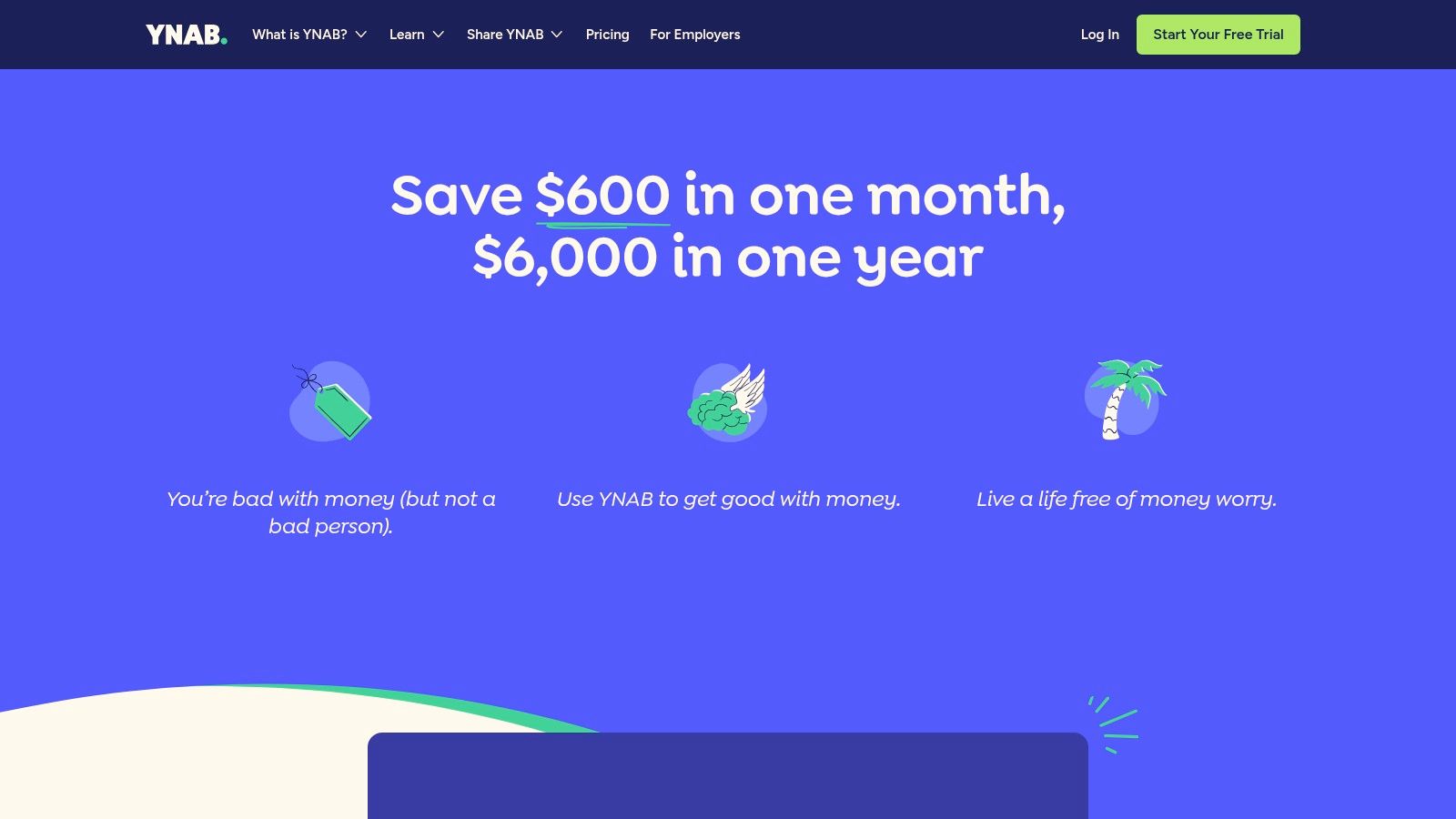
The platform syncs across web, iOS, and Android devices, allowing for real-time updates whether you’re at home or on the go. Its direct bank import feature simplifies transaction entry, while its robust goal-setting and debt-payoff tools provide clear roadmaps for your financial objectives. The ability to share a household budget with up to five other people makes it ideal for couples and families coordinating their finances.
Real-Life Example: Mastering Variable Income
- Scenario: Sarah is a freelance graphic designer with an unpredictable monthly income. She struggled with a boom-and-bust cycle, overspending during good months and feeling stressed during lean ones.
- How YNAB Helped: Using YNAB’s "Age of Money" metric, Sarah focused on building a buffer. When a large payment came in, she didn't see it as a windfall. Instead, she used the "give every dollar a job" rule to fund her expenses for the next month. After three months, her money was over 30 days old, meaning she was living on last month's income. This broke the paycheck-to-paycheck cycle, even with a variable income, giving her stability and peace of mind.
Core Strengths & Considerations
YNAB's greatest asset is its extensive library of educational resources, including live workshops, video tutorials, and a highly engaged user community. This support system is crucial for mastering its unique methodology. However, the learning curve can be steep for those accustomed to passive expense trackers, and its philosophy requires consistent, active participation to be effective.
Pro Tip: Use the generous 34-day free trial to its fullest. Attend a few of their free, live online workshops during this period to quickly grasp the core principles and decide if the hands-on approach is right for you before committing.
The app's focus on behavior change makes it one of the best personal finance apps for anyone serious about breaking the paycheck-to-paycheck cycle.
- Best For: Individuals, couples, and families who want a proactive, hands-on system to gain control over their spending and aggressively pursue financial goals.
- Pricing: A 34-day free trial, then $99/year or $14.99/month.
- Platform: www.ynab.com
4. Monarch Money
For users seeking a premium, all-in-one financial dashboard without ads, Monarch Money has quickly become one of the best personal finance apps available. It elegantly combines account aggregation, budgeting, investment tracking, and goal planning into a single, highly customizable interface. Monarch’s core value is its user-centric design and commitment to being a paid, ad-free platform, ensuring your data isn't monetized.
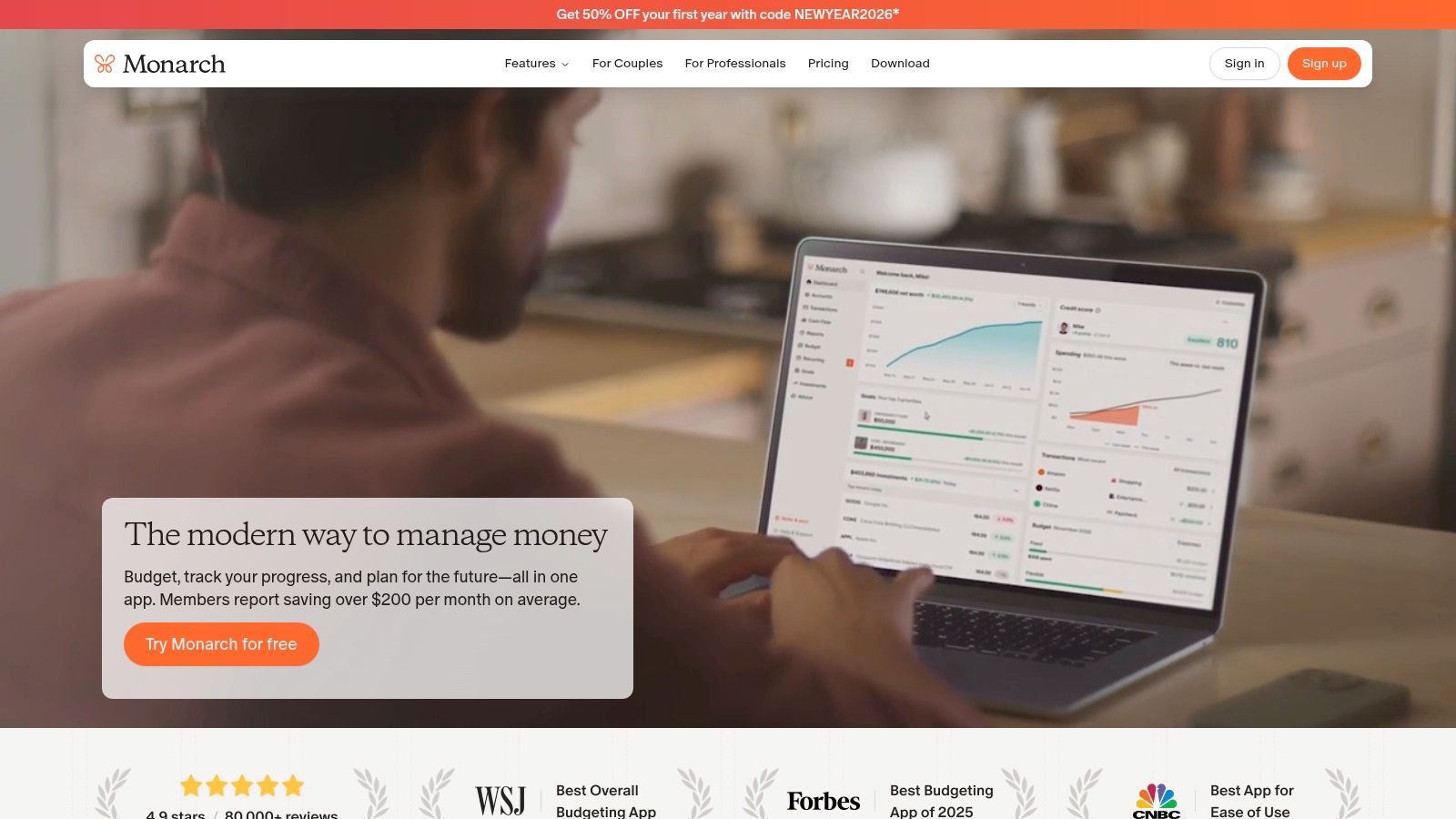
The platform excels at providing a clean, modern user experience with robust connectivity to thousands of financial institutions. Its standout feature is the built-in collaboration tool, which allows partners or family members to share a single plan without extra fees. You can track everything from bank accounts and credit cards to investments and even the value of your home, getting a true real-time picture of your net worth.
Core Strengths & Considerations
Monarch Money's dashboard is its greatest asset, offering customizable widgets that let you prioritize what you see, whether that's cash flow, investment performance, or spending trends. The app supports both traditional and zero-based budgeting styles. A key limitation is its focus on US and Canadian users, which restricts its availability. Additionally, its premium price point is higher than many free or freemium competitors.
Pro Tip: Use Monarch’s custom rules and categories to automate transaction sorting from the start. Taking 30 minutes to set these up will save you hours of manual categorization and provide a much more accurate financial picture over time.
This holistic approach is crucial for those working toward long-term goals, and you can learn more about how tools like this support a path to financial freedom in our guide on how to achieve financial independence.
- Best For: Individuals or couples seeking a premium, ad-free alternative to Mint with strong investment tracking and a highly customizable dashboard.
- Pricing: Starts at $14.99/month or $99.99/year with a 7-day free trial.
- Platform: www.monarchmoney.com
5. Simplifi by Quicken
For those who want powerful financial insights without the manual-entry burden of traditional budgeting, Simplifi by Quicken offers a modern, streamlined solution. It stands out by automatically generating a personalized Spending Plan based on your income and bills, giving you an instant, clear picture of what’s left to spend or save. Its focus is on forward-looking clarity, moving beyond simple transaction tracking to active financial planning.
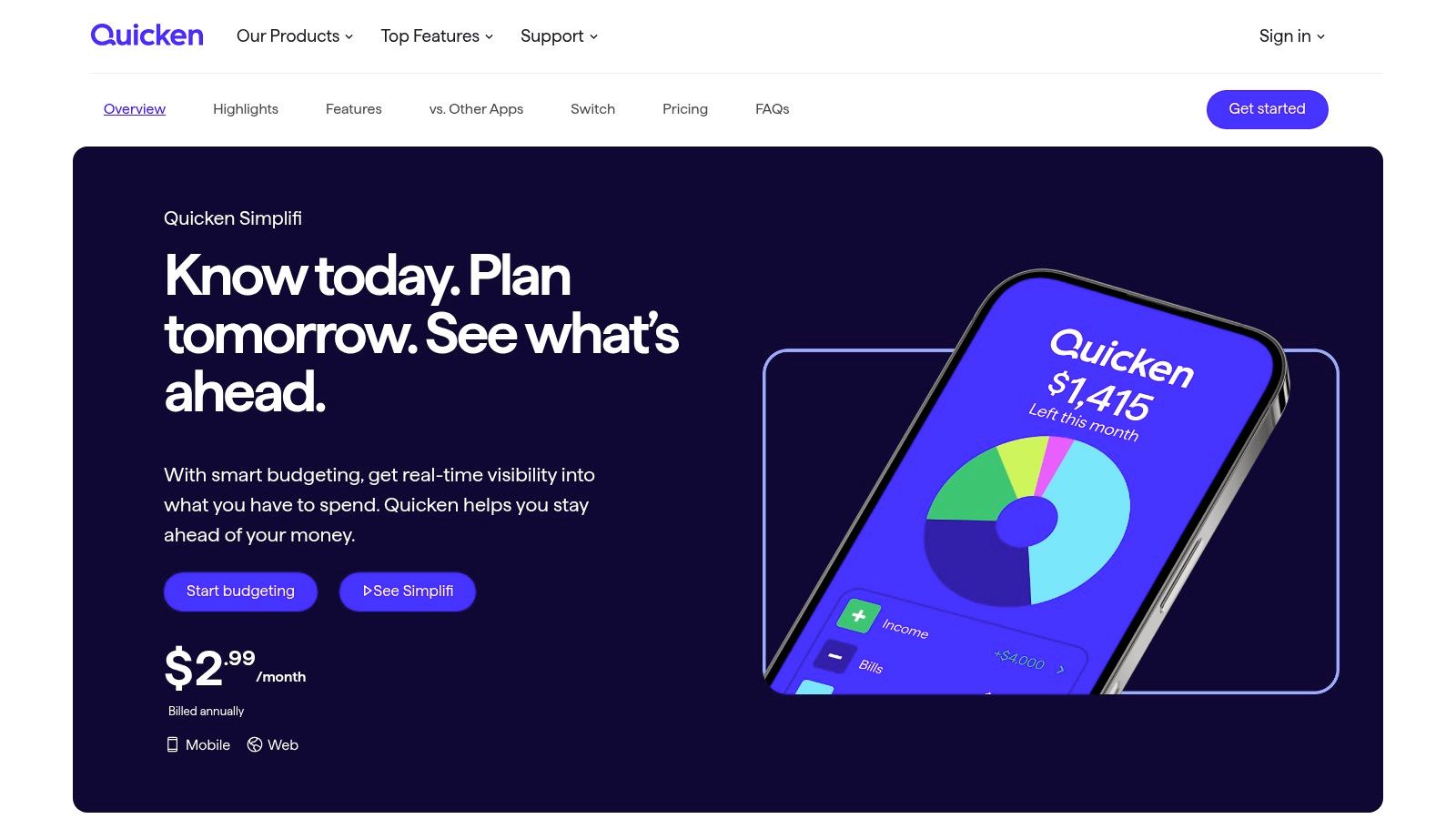
The platform excels at projecting future cash flow, allowing you to run "what-if" scenarios to see how a large purchase or a change in income might affect your balances. This makes it one of the best personal finance apps for proactive decision-making. The user experience is clean, ad-free, and supported by real-time alerts that help you stay on top of spending, goals, and low balances without constant check-ins.
Core Strengths & Considerations
Simplifi's greatest strength is its intelligent automation, which is ideal for users who prefer a hands-off approach to categorization. Its Watchlists feature is also a unique benefit, letting you closely monitor specific spending categories or payees. However, users should note it lacks integrated bill pay functionality, so you can't initiate payments directly from the app. Additionally, its connection method differs from the classic Quicken Desktop software, which is an important distinction for existing Quicken users considering a switch.
Pro Tip: Use the Projected Cash Flow feature before making significant financial decisions. Modeling the impact of a large expense can provide the clarity needed for complex choices, such as deciding whether to pay off your mortgage early or invest the extra cash.
This balance of automation and powerful forecasting tools makes it a top contender for modern financial management.
- Best For: Individuals and couples seeking an automated, forward-looking spending plan with powerful cash flow projection tools.
- Pricing: Paid subscription, typically billed annually after a free trial period.
- Platform: quicken.com/personal-finance/quicken-simplifi
Head-to-Head: YNAB vs. Monarch vs. Simplifi
| Feature | YNAB (You Need A Budget) | Monarch Money | Simplifi by Quicken |
|---|---|---|---|
| Budgeting Method | Proactive Zero-Based | Flexible (Traditional or Zero-Based) | Automated Spending Plan |
| Core Focus | Behavior Change & Control | All-in-One Dashboard | Forward-Looking Automation |
| Investment Tracking | No (Links to trackers) | Yes (Robust, with asset allocation) | Yes (Basic tracking) |
| Collaboration | Yes (Up to 6 users) | Yes (Partner access included) | No (Single user focus) |
| Best For | Hands-on users paying down debt or managing variable income. | Couples/families needing a shared, comprehensive financial hub. | Busy individuals who want automated insights and cash flow projections. |
6. Rocket Money (formerly Truebill)
Rocket Money carves out a unique niche among the best personal finance apps by focusing on a specific pain point: unwanted recurring charges. The app excels at automatically identifying and surfacing all your subscriptions, from streaming services to forgotten free trials, making it easy to see exactly where your money is going each month. Its core value is helping you plug financial leaks with minimal effort.
Beyond subscription management, the platform offers automated bill negotiation services for common household expenses like internet and mobile phone bills. While this service comes with a success fee, it provides a hands-off way for users to potentially lower their monthly costs. Basic budgeting tools and spending insights round out its feature set, giving users a clear overview of their cash flow.
Real-Life Example: Uncovering Hidden Costs
- Scenario: David considered himself financially savvy but felt his monthly expenses were slowly creeping up. He downloaded the free version of Rocket Money to investigate.
- How Rocket Money Helped: The app immediately flagged three subscriptions David had forgotten about: a premium version of a photo-editing app ($9.99/mo), a streaming service he no longer used ($14.99/mo), and an annual software renewal for $79. He canceled them directly through the app's guidance. He then used the bill negotiation feature for his internet service, and they saved him $20/month. In under 30 minutes, he had cut over $600 from his annual spending.
Core Strengths & Considerations
The app’s free version is genuinely useful, providing the subscription finder and basic budget tracking without a fee, which is a great starting point for anyone. However, the most powerful features, like automated cancellation assistance, are reserved for the Premium tier. A key consideration is the bill negotiation fee, which is a significant percentage (35% to 60%) of the first-year savings, so you must weigh the convenience against the cost.
Pro Tip: Before using the negotiation service, call your providers yourself. A five-minute call can often secure a promotional rate or discount, allowing you to keep 100% of the savings without paying a success fee to a third party.
The app's focus on eliminating wasteful spending can quickly free up cash, which can then be redirected to more productive uses, like boosting a high-yield savings account where you can maximize your cash with higher interest rates.
- Best For: Users who suspect they are overpaying for subscriptions and want a simple tool to find and cancel them, plus optional bill negotiation.
- Pricing: Free core app; Premium membership has a user-selected sliding scale price (typically $4–$12/month).
- Platform: rocketmoney.com
7. Copilot Money
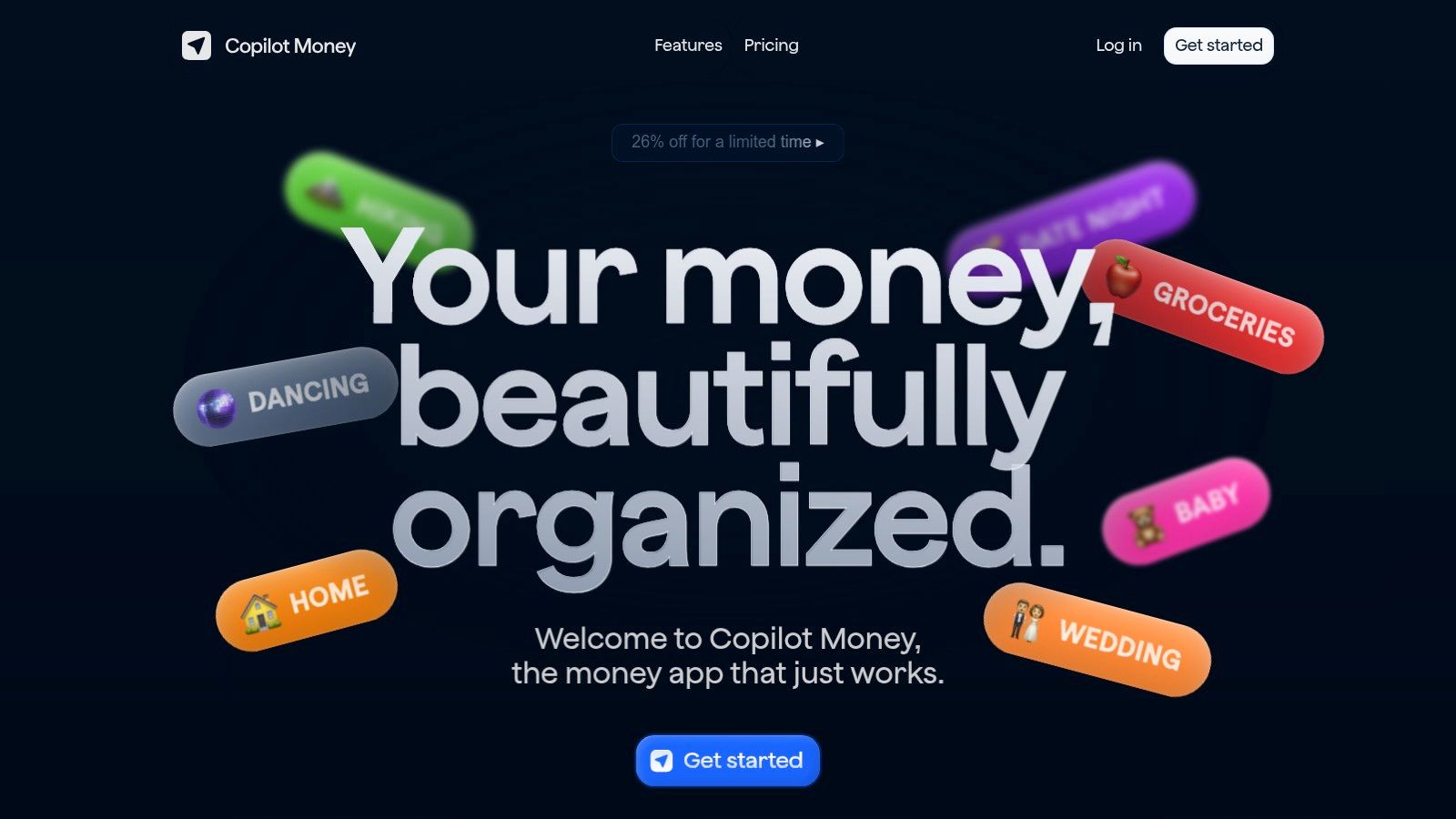
For Mac and iPhone users who crave a visually polished and highly responsive experience, Copilot Money stands out as one of the best personal finance apps available. It merges a design-forward interface with powerful AI-driven features to provide an intelligent, streamlined view of your finances. Its core appeal lies in its speed, smart categorization, and a native app experience that feels deeply integrated with the Apple ecosystem.
The app uses AI to learn your spending habits, automatically categorizing transactions and even predicting future ones with impressive accuracy. This minimizes manual data entry and makes reviewing your finances a quick, almost enjoyable task. Copilot’s dashboard provides a clean, consolidated overview of your net worth, spending trends, and investment performance, all presented through intuitive charts and graphs.
Core Strengths & Considerations
Copilot truly excels with its transaction review workflow and powerful filtering capabilities, allowing you to slice and dice your financial data with ease. Its native Mac, iPhone, and iPad apps are fast and thoughtfully designed, ensuring a consistent experience across devices. The recent addition of a web app has also broadened its accessibility. However, some users have noted occasional connectivity issues with specific financial institutions, a common challenge for account aggregators.
Pro Tip: Use Copilot’s "Recurring" feature to flag all your subscriptions and recurring bills. This gives you a clear, single-screen view of your fixed monthly expenses, making it easy to spot opportunities for savings or identify subscriptions you no longer need.
The app's focus on a premium user experience and smart automation makes it a top contender for those embedded in the Apple ecosystem who are willing to pay for quality.
- Best For: Apple users who prioritize a fast, beautifully designed interface with AI-powered transaction management and robust analytics.
- Pricing: Subscription-based; pricing can vary between direct website offers and App Store purchases. A free trial is typically available.
- Platform: copilot.money
8. Tiller
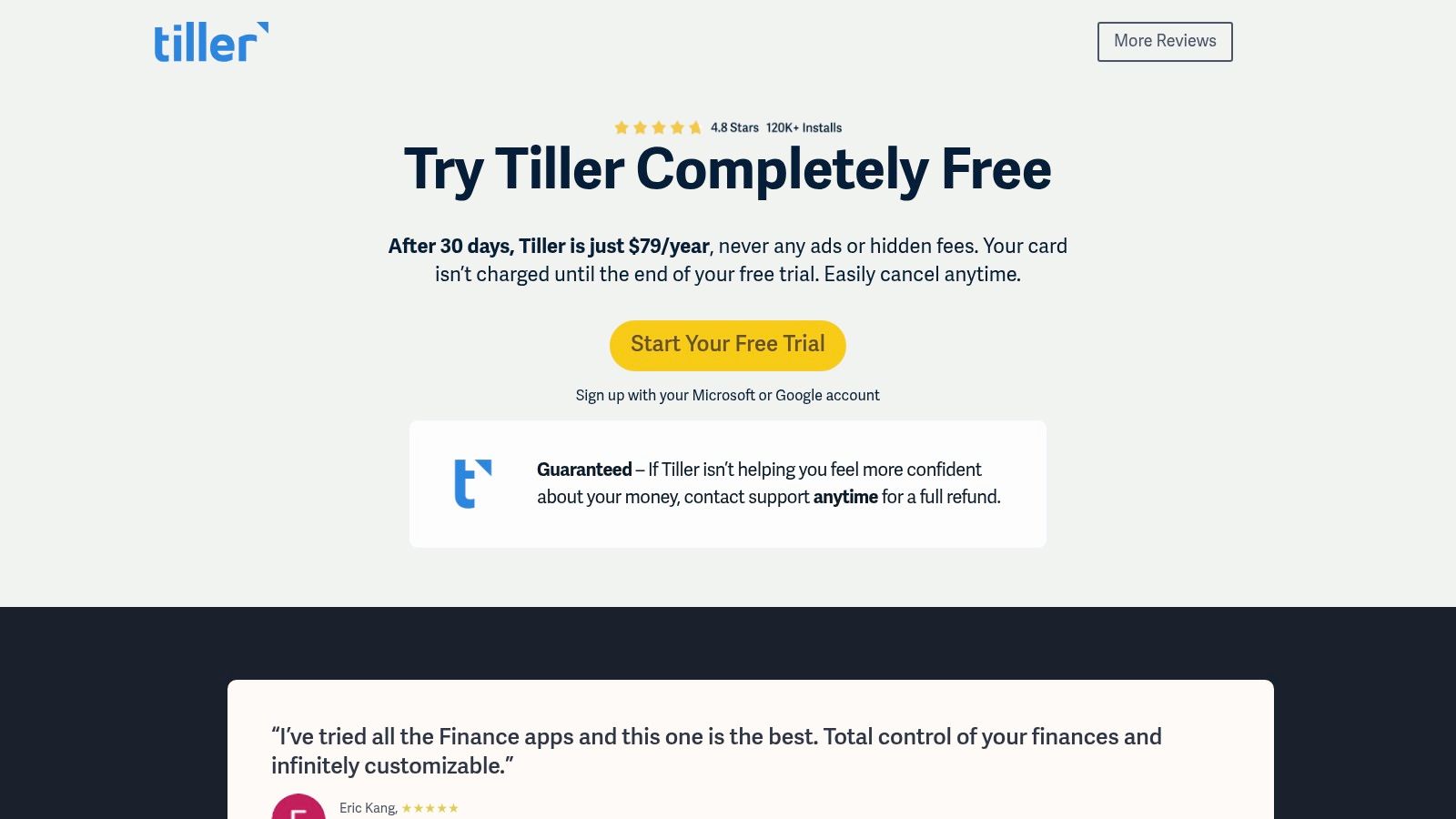
For spreadsheet enthusiasts who crave ultimate control, Tiller stands out as one of the best personal finance apps by not being an app at all. Instead, it’s a powerful service that automatically feeds your daily financial transactions directly into Google Sheets or Microsoft Excel. This unique approach combines the convenience of automated bank data with the infinite flexibility of a spreadsheet, allowing you to build a completely custom financial dashboard.
Tiller provides a robust Foundation Template to get you started, but its true power lies in its customizability and a vibrant user community that shares countless templates for everything from debt payoff to net worth tracking. It’s the perfect solution for those who find traditional apps too restrictive and want to own their financial data completely within their own files.
Core Strengths & Considerations
The platform’s core strength is its AutoCat feature, which lets you create powerful rules to automatically categorize transactions as they are imported, saving significant manual effort. However, this flexibility comes with a steeper learning curve compared to turnkey mobile apps. You are responsible for setting up and maintaining your spreadsheets, which requires a hands-on approach.
Pro Tip: Explore the Tiller Community Solutions gallery early on. You'll find a wealth of free, user-created templates that can add advanced reporting, debt snowball calculators, and more to your primary spreadsheet without having to build them from scratch.
While Tiller is not a mobile-first solution, you can easily access and update your Google Sheets or Excel files on the go using their respective mobile apps, making it a viable system for daily tracking once configured.
- Best For: Spreadsheet power users and data-driven individuals who want full ownership and unlimited customization of their financial tracking system.
- Pricing: $79 per year (or $6.58 per month) after a 30-day free trial.
- Platform: tiller.com/pricing
9. Empower Personal Dashboard (formerly Personal Capital)
For households that want a 360-degree view of their financial life, Empower Personal Dashboard is one of the most powerful free tools available. It excels at aggregating all your financial accounts, from checking and savings to credit cards, loans, and investments, into a single, intuitive interface. Its primary value is its sophisticated net-worth tracker and robust investment analysis tools, making it one of the best personal finance apps for those focused on wealth building.
The platform provides a clear, real-time picture of your financial health, tracking your cash flow, spending habits, and portfolio performance automatically. Its Retirement Planner is a standout feature, allowing you to run various scenarios to see if your savings are on track to meet your long-term goals. While Empower offers paid advisory services, its free dashboard provides immense value on its own, without requiring any commitment.
Core Strengths & Considerations
Empower's free toolkit includes an Investment Checkup that analyzes your portfolio for hidden fees, historical performance, and asset allocation, offering actionable insights. However, the platform's budgeting tools are less granular than dedicated apps like YNAB; they are better for tracking overall spending categories rather than detailed, zero-based budgeting. Some users also reported occasional account syncing issues following platform updates in 2023.
Pro Tip: Use the Investment Fee Analyzer to uncover hidden 401(k) and IRA fees. This free analysis can reveal expense ratios and advisory costs that may be quietly eroding your retirement savings over time, prompting you to re-evaluate your investment choices.
The platform is an excellent educational resource for those looking to deepen their understanding of how to start investing in the stock market for beginners by providing a clear view of their current holdings.
- Best For: Investors and anyone seeking a comprehensive, free tool for tracking net worth, analyzing investment portfolios, and planning for retirement.
- Pricing: The dashboard and its core features are completely free; optional paid wealth management services are available.
- Platform: empower.com/personal-investors/financial-tools
10. PocketGuard
PocketGuard simplifies budgeting down to a single, critical question: "How much is in my pocket?" It’s designed for users who want a straightforward, daily snapshot of their finances without getting bogged down in complex spreadsheets. The app automatically calculates your spendable cash after accounting for bills, goals, and recurring subscriptions, making it one of the best personal finance apps for effortless daily money management.
Its core value is the "In My Pocket" feature, which provides a clear, real-time number for what you can safely spend. This approach removes the guesswork from daily purchasing decisions. The platform also excels at identifying and canceling unwanted subscriptions, helping you find savings you might have overlooked.
Core Strengths & Considerations
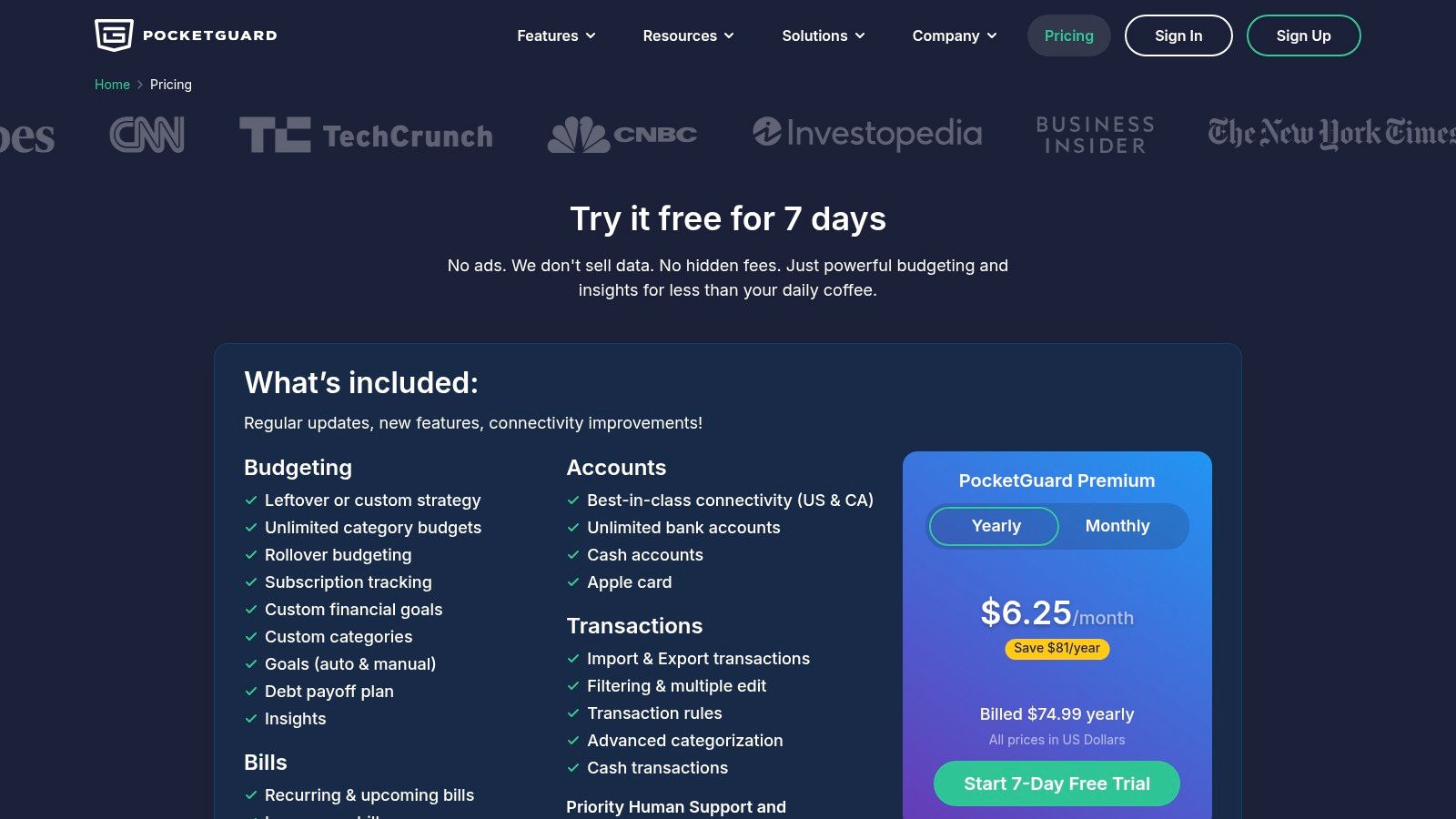
PocketGuard’s main advantage is its focus on clarity. By providing unlimited budget categories with rollover funds and debt payoff planning tools, it helps users build a comprehensive financial picture. It supports bank connections in the US and Canada, including direct integration with the Apple Card, which is a significant plus for many Apple users.
However, the free version is quite limited, pushing most serious users toward the premium plan. Some users have also reported occasional synchronization issues with certain financial institutions, which can temporarily disrupt the automated tracking process.
Pro Tip: Use PocketGuard’s free trial to connect all your accounts and let it run for a week. This will give you a clear sense of its subscription-finding capabilities and whether its "In My Pocket" calculation works well with your specific spending habits before you commit to a paid plan.
The app's straightforward framing makes it a powerful tool for anyone looking to gain immediate control over their spending habits.
- Best For: Individuals seeking a simple, automated way to know exactly how much they can spend daily without complex manual tracking.
- Pricing: Limited free version available; PocketGuard Plus is $12.99/month, $74.99/year, or $79.99 for a lifetime subscription.
- Platform: pocketguard.com
11. NerdWallet (Best Budget Apps roundup)
Instead of being a single tool, NerdWallet serves as an essential research hub for finding the best personal finance apps tailored to your specific needs. It’s an editorial platform that provides detailed comparisons, up-to-date reviews, and clear guidance on the crowded app marketplace. Its value comes from its independent analysis, which helps you narrow down options before you commit to downloading or subscribing.
The platform excels at breaking down complex app features into easy-to-understand pros and cons. You can quickly see how different apps stack up against each other, with clear snapshots of pricing, key features, and platform availability. This pre-purchase research is invaluable for making an informed decision without the trial-and-error of testing multiple services.
Core Strengths & Considerations
NerdWallet's team regularly updates its roundups and individual reviews, ensuring the information reflects current pricing and feature sets. Their "best for" recommendations are particularly helpful, guiding users to the right tool whether they need zero-based budgeting or automated investment tracking. However, it's important to remember that NerdWallet often uses affiliate links, which means they may earn a commission if you click through and sign up.
Pro Tip: Use NerdWallet as your starting point to create a shortlist of 2-3 promising apps. Then, visit the official app websites directly to verify the latest pricing and features before making your final choice.
This approach combines expert editorial guidance with your own final verification, ensuring you select the best possible tool.
- Best For: Individuals who want to research and compare top personal finance apps before committing to a download or subscription.
- Pricing: Free to use; the apps reviewed have their own pricing models.
- Platform: www.nerdwallet.com/article/finance/best-personal-finance-software
12. Engadget (Best budgeting apps guide)
For a consumer-tech perspective on the best personal finance apps, Engadget's buyer’s guide is an excellent resource. Rather than an app itself, this is an editorial roundup that evaluates top contenders like Quicken Simplifi, Monarch, and YNAB through a tech-focused lens. Its value lies in offering concise, well-reasoned recommendations that prioritize user interface, platform performance, and recent market changes.
The guide excels at providing quick, digestible comparisons for busy readers. It uses clear "best for" labels and price callouts to help you rapidly identify which app might suit your needs. The plain-English explanations cut through financial jargon, focusing instead on the practical strengths and technological trade-offs of each platform, such as app design or cross-device syncing capabilities.
Core Strengths & Considerations
Engadget's tech-review approach offers a unique vantage point, highlighting usability aspects that traditional finance sites might overlook. It's a fantastic cross-check to validate choices made on more finance-centric platforms. However, the guide is not exhaustive and is meant to be a starting point. Pricing and feature sets can change, so readers should always verify details on the official app websites before subscribing.
Pro Tip: Use Engadget’s shortlist to quickly identify 2-3 top contenders that align with your tech preferences (e.g., best UI, best for Apple users). Then, visit those apps’ official sites for the most current pricing and a deeper dive into their features.
This guide provides a valuable tech-centric filter, ensuring the app you choose not only meets your financial needs but also delivers a smooth and modern user experience.
- Best For: Tech-savvy users who want a quick, curated shortlist of top budgeting apps with an emphasis on user interface and platform performance.
- Pricing: Free to access the guide.
- Platform: www.engadget.com/best-budgeting-apps-120036303.html
Top 12 Personal Finance Apps — Feature Comparison
| Item | Key features ✨ | UX & quality ★ | Price / Value 💰 | Target audience 👥 | Standout / USP 🏆 |
|---|---|---|---|---|---|
| Apple App Store (Finance category) | Centralized downloads, editorial collections, subscription management | ★★★★ | 💰 Platform free; app prices/subs vary | 👥 iPhone/iPad users, mainstream app shoppers | 🏆 Curated discovery + Apple privacy/security |
| Google Play Store (Finance category) | Play Protect, region rankings, screenshots/changelogs | ★★★★ | 💰 Platform free; regionized pricing & offers | 👥 Android users, broad-device shoppers | 🏆 Wide catalog + region-specific charts |
| You Need A Budget (YNAB) | Zero‑based budgeting, bank import, multi‑device sync | ★★★★☆ | 💰 Paid subscription; 34‑day free trial | 👥 Hands‑on budgeters wanting behavior change | 🏆 Proven zero‑based budgeting methodology |
| Monarch Money | Account aggregation, planning, investment & household sharing | ★★★★★ | 💰 Premium single‑tier; money‑back guarantee | 👥 Households wanting polished dashboards | 🏆 Customizable hub + included household collaboration |
| Simplifi by Quicken | Auto Spending Plan, cash‑flow projections, alerts | ★★★★ | 💰 Subscription (Quicken ecosystem) | 👥 Users who prefer automation & low maintenance | 🏆 Auto‑generated Spending Plan & forecasting |
| Rocket Money (Truebill) | Subscription discovery/cancellation, bill negotiation | ★★★ | 💰 Freemium; negotiation success fees apply | 👥 Users seeking quick subscription savings | 🏆 Strong subscription finder + negotiation service |
| Copilot Money | AI transaction categorization, native Apple apps, web | ★★★★ | 💰 Subscription; pricing varies by platform | 👥 Design‑focused & AI‑savvy users | 🏆 Predictive categorization + fast UI |
| Tiller | Daily bank feeds into Sheets/Excel, AutoCat rules, templates | ★★★★ | 💰 Subscription for feed service; high customizability | 👥 Spreadsheet power users / data owners | 🏆 Full data ownership + template ecosystem |
| Empower Personal Dashboard (Personal Capital) | Net‑worth, investment analytics, retirement tools | ★★★★ | 💰 Free dashboard; paid advisory services optional | 👥 Investment‑aware households | 🏆 Robust investment & fee‑analysis tools (free) |
| PocketGuard | “In My Pocket” spendable snapshot, budgets, subscription tracking | ★★★★ | 💰 Freemium; premium unlocks advanced features | 👥 Casual budgeters wanting daily guidance | 🏆 Clear “safe to spend” framing for daily use |
| NerdWallet (Budget apps roundup) | App‑by‑app comparisons, pricing snapshots, use‑case guidance | ★★★★ | 💰 Free editorial (may include affiliate links) | 👥 Pre‑purchase researchers & beginners | 🏆 Independent, practical comparison to narrow choices |
| Engadget (Budgeting apps guide) | Shortlist format, “best for” labels, tech perspective | ★★★★ | 💰 Free editorial | 👥 Tech‑savvy buyers & quick reviewers | 🏆 Tech‑centric UI/platform tradeoff insights |
Final Thoughts
Navigating the crowded landscape of personal finance apps can feel as complex as managing your finances in the first place. Throughout this guide, we've dissected a diverse range of powerful tools, moving beyond surface-level feature lists to provide a comprehensive look at what makes each platform unique. From the zero-based budgeting philosophy of YNAB to the all-in-one investment and wealth tracking prowess of Empower Personal Dashboard, the key takeaway is clear: there is no single "best" app for everyone. The best personal finance app is the one that aligns with your specific financial personality, goals, and habits.
Our deep dive revealed critical distinctions. For those who crave meticulous control and want to assign every dollar a job, YNAB’s structured methodology is unparalleled. In contrast, if you're seeking a modern, collaborative dashboard for family finances with a premium user experience, Monarch Money and Copilot stand out. For the spreadsheet enthusiasts who demand ultimate customization and data ownership, Tiller offers a unique and powerful solution that bridges the gap between manual tracking and automated data aggregation.
Making Your Decision: A Practical Framework
Choosing the right tool is the first step; committing to using it is what truly drives change. Before you download a single app, take a moment for honest self-assessment.
- Define Your Primary Goal: Are you trying to aggressively pay down debt? Build an investment portfolio? Simply understand where your money is going each month? Your primary objective will immediately narrow the field. For instance, debt-reduction warriors might lean towards YNAB or PocketGuard, while aspiring investors should prioritize Empower.
- Assess Your "Financial Engagement" Level: Be realistic about how much time you're willing to dedicate. If you prefer a hands-off, "set-it-and-forget-it" approach, an app with strong automation and insightful summaries like Simplifi is ideal. If you enjoy the process of categorizing transactions and actively planning your budget, a more hands-on tool like YNAB or Tiller will be more rewarding.
- Consider Your Tech Ecosystem: While most apps are cross-platform, some offer a more polished experience within a specific environment. For example, Copilot’s design philosophy feels most at home on Apple devices. Always check for robust web and mobile versions to ensure you can manage your money wherever you are.
- Don't Underestimate the Free Trial: Nearly every premium app we reviewed offers a trial period. Use this time wisely. Connect your actual financial accounts to get a real feel for the platform’s aggregation capabilities, user interface, and categorization logic. A tool that looks great in screenshots might feel clunky or frustrating in practice.
The Path Forward: From App to Action
Ultimately, the goal of using any of these top-tier personal finance apps is to transform data into decisions. An app can show you that you're overspending on dining out, but it can't make the choice to cook at home. It can highlight your savings potential, but it can’t automatically transfer the funds without your instruction.
The most successful users view these platforms not as a magic bullet, but as an indispensable partner. They provide the clarity and organization needed to build confidence, reduce financial anxiety, and make intentional choices that align with long-term aspirations. By selecting a tool that fits your life and committing to a consistent routine, you can finally move from being a passenger to being the pilot of your own financial journey. The right technology, paired with your commitment, is the catalyst for lasting financial well-being.
Frequently Asked Questions (FAQ)
1. Are personal finance apps safe to use?
Yes, reputable personal finance apps use bank-level security measures like 256-bit encryption and multi-factor authentication to protect your data. Most apps use "read-only" access to your accounts, meaning they cannot move money. Always choose well-known apps and review their security policies before connecting your accounts.
2. What is the best free personal finance app?
Empower Personal Dashboard is widely considered the best free option, especially for tracking investments and overall net worth. For basic budgeting and subscription tracking, the free version of Rocket Money is also very useful. However, free apps often have limitations or include upsells to paid services.
3. Can a personal finance app really help me save money?
Absolutely. These apps help you save money by increasing your awareness of spending habits, identifying forgotten subscriptions (like with Rocket Money), creating savings goals, and providing a clear plan for paying down high-interest debt. The visibility they provide is often the first step to changing financial behavior.
4. What's the difference between a budgeting app and a wealth management app?
A budgeting app (like YNAB or PocketGuard) primarily focuses on tracking income and expenses to manage day-to-day cash flow. A wealth management app (like Empower) provides a broader view, focusing on net worth, investment performance, and long-term retirement planning. Some apps, like Monarch Money, aim to do both.
5. Do I need a different app for budgeting and investing?
Not necessarily. All-in-one apps like Monarch Money and Empower Personal Dashboard offer both budgeting features and robust investment tracking. However, if you want a highly specialized, in-depth budgeting system, you might prefer a dedicated app like YNAB and use a separate platform for your investments.
6. Is it worth paying for a personal finance app?
For many people, yes. Paid apps typically offer a more polished user experience, better bank connections, advanced features (like collaboration or AI categorization), and are ad-free. If the annual fee of an app like YNAB ($99/year) helps you pay off thousands in debt or save more effectively, the return on investment is significant.
7. How much time do I need to commit to using a budgeting app?
This depends on the app. A hands-on app like YNAB or Tiller might require 15-30 minutes per week to categorize transactions and plan your budget. An automated app like Simplifi might only require a few minutes a week to review your spending plan and alerts. The initial setup for any app will take the most time (1-2 hours).
8. What is "zero-based budgeting" and which app is best for it?
Zero-based budgeting is a method where you assign every single dollar of your income to a specific purpose (expenses, debt payments, savings). This ensures no money is wasted. YNAB (You Need A Budget) is the undisputed leader in this category, as its entire platform is built around this proactive methodology.
9. Can I manage a household budget with these apps?
Yes, several apps are designed for couples and families. Monarch Money is excellent for this, as it includes partner access at no extra cost. YNAB also allows up to six users to share a single budget, making it easy to coordinate family finances.
10. What should I do if my bank won't connect to an app?
This is a common issue as banks update their security protocols. First, check the app's support documentation or status page for known issues. If that doesn't work, contact the app's customer support. As a last resort, most apps allow for manual transaction entry or importing bank statements via a CSV file, though this is less convenient.
If you're looking to extend your financial literacy beyond apps and into actionable strategies for growth, Everyday Next provides in-depth guides and resources on investing, career development, and wealth building. We help you connect the dots between tracking your money and making it work harder for you. Discover your next step at Everyday Next.
Previous Post
Next Post