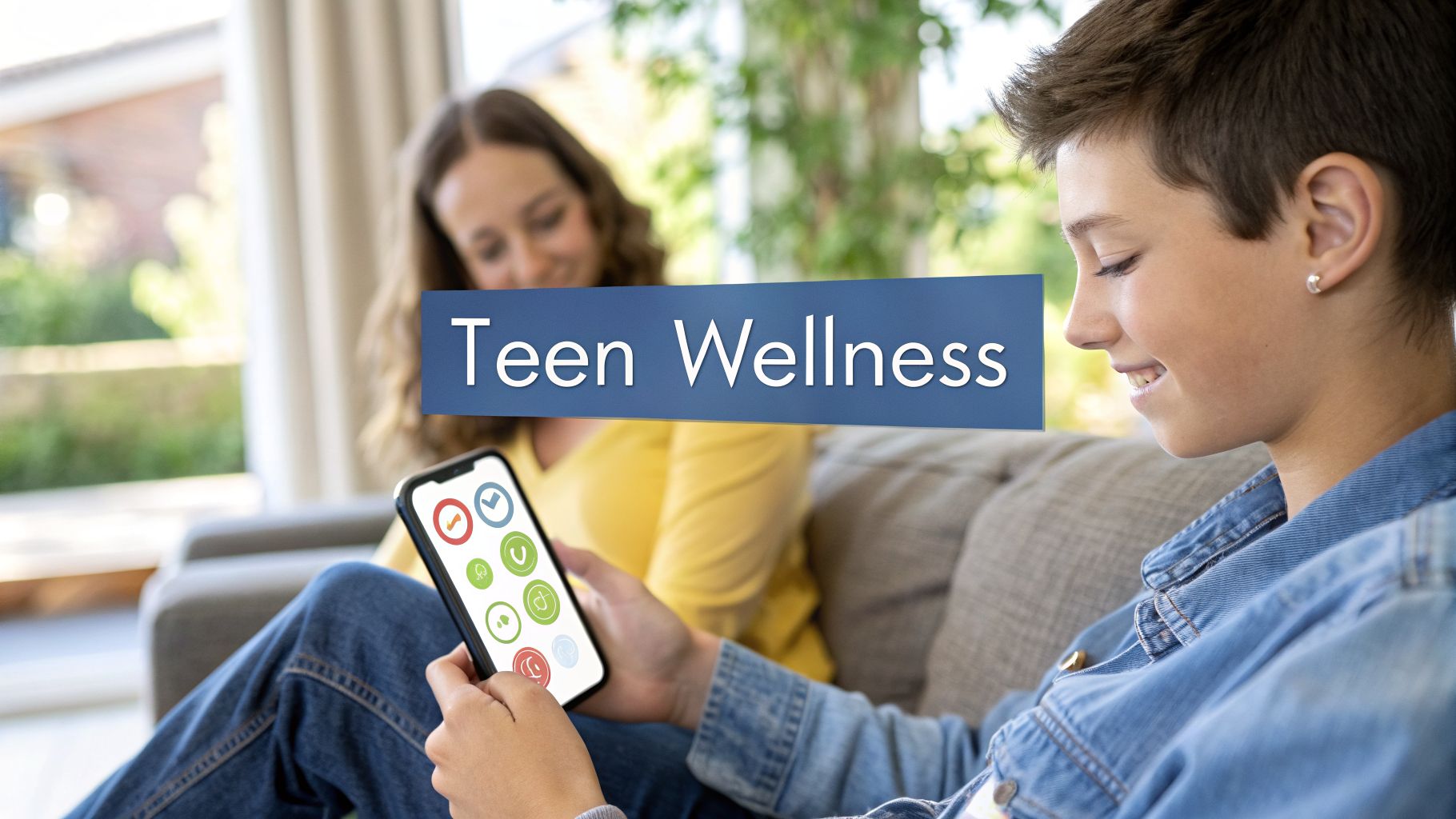
The 12 Best Mental Health Apps for Teens in 2026: A Parent’s Guide
Navigating the world of mental health support can feel overwhelming, especially when you're looking for resources tailored to a teenager's specific needs. The good news is that technology offers new ways to access support, and a growing number of mental health apps for teens are designed to help with everything from managing anxiety and stress to building resilience and practicing mindfulness. Finding the right app, however, is the biggest challenge. How do you know which one is safe, effective, and actually engaging for a teen?
This guide cuts through the noise. We've created a comprehensive resource to help parents, caregivers, and teens themselves identify the best digital tools for their unique situations. Instead of just listing apps, we provide a detailed breakdown of each one, focusing on the practical details that matter most. You'll get an honest assessment of what each app does well and where it might fall short.
Here's what you can expect for each resource we cover:
- A quick, scannable overview of its primary function and best-use case.
- Key feature analysis, privacy considerations, and parental control options.
- Clear pricing information so you know what to expect financially.
- Real-life examples of how a teen might use the app to demonstrate its practical value.
- Direct links and screenshots to help you evaluate the app's interface.
Our goal is to give you all the information needed to make a confident and informed choice. Whether you're looking for a simple mood tracker, a guided meditation tool, an app to manage self-harm urges, or a platform that connects you with a licensed therapist, this list will help you find a suitable and trustworthy option. Let's explore the best mental health apps available for teens.
1. Apple App Store
For families with iPhones or iPads, the Apple App Store is the primary gateway to finding mental health apps for teens. While it’s a massive digital marketplace, its structured environment offers specific advantages for parents seeking safe and suitable options. The App Store isn't an app itself but the ecosystem where you'll discover, vet, and download tools ranging from mindfulness guides to mood trackers and therapy companion apps.

What makes it a crucial starting point is Apple's built-in parental controls and curation. Parents can use Family Sharing and Ask to Buy to approve app downloads and in-app purchases, preventing unexpected charges and ensuring they review an app before their teen uses it. Every app page clearly lists age ratings, user reviews, and privacy details, offering a transparent overview before you commit.
How to Use the App Store Effectively
Searching for "mental health" will yield thousands of results, so it's best to use more specific terms like "teen anxiety help," "mood journal," or "CBT for teens." Look for apps featured in Apple’s editorial collections, as these are often vetted for quality. Always read recent user reviews, paying attention to comments about bugs, privacy concerns, or the value of subscription models. This first stop is essential for iOS users to access and manage the mental health tools available to their teens securely.
Key Information & Features:
| Feature | Details |
|---|---|
| Pricing | Varies by app; many are free to download with optional in-app purchases or subscriptions. Prices are clearly labeled. |
| Parental Controls | Family Sharing and Ask to Buy provide oversight for downloads and purchases. Screen Time can be used to set limits. |
| App Quality | Varies widely. Relies on user reviews and Apple's editorial curation to gauge effectiveness. Always cross-reference with other sources. |
| Unique Offering | A highly moderated and secure ecosystem for iOS devices with standardized privacy labels and age ratings for every app. |
| Availability | Accessible on all iPhone, iPad, and other Apple devices. |
Website: apps.apple.com/us
2. Google Play Store
For teens and families using Android devices, the Google Play Store is the essential marketplace for discovering mental health apps. As the default app ecosystem for a vast range of smartphones, tablets, and even Chromebooks, it offers an extensive and diverse library of tools. Similar to its Apple counterpart, the Play Store is not a single app but the platform where you find, evaluate, and install everything from mindfulness guides and CBT-based self-help tools to journaling apps.

What makes the Google Play Store a powerful resource is its accessibility across countless device types and price points. Google provides robust parental supervision through its Family Link app, allowing parents to approve or block app installations, set screen time limits, and manage in-app purchases. Each app listing includes age ratings, user reviews, and a "Data safety" section that details how developers collect and use data, providing crucial transparency for privacy-conscious families.
How to Use the Play Store Effectively
A broad search for "mental health apps for teens" can be overwhelming due to the sheer volume of options. To narrow it down, use specific keywords like "teen mood tracker," "anxiety relief for students," or "mindfulness for teens." Pay close attention to the "Editor's Choice" picks, which are often high-quality and well-regarded. Critically read both positive and negative user reviews to get a balanced view of an app's performance, usability, and the true cost of its subscription model before letting your teen download it.
Key Information & Features:
| Feature | Details |
|---|---|
| Pricing | Varies by app. Many offer free versions with ads or limited features, alongside premium subscriptions. Pricing is clearly displayed. |
| Parental Controls | Google Family Link allows parents to approve downloads, manage purchases, and set time limits on specific apps or devices. |
| App Quality | Extremely varied. It is crucial to vet apps by reading recent reviews, checking the "Data safety" section, and looking for evidence-based claims. |
| Unique Offering | A massive selection of mental health apps accessible on a wide variety of Android devices, from budget-friendly phones to high-end tablets. |
| Availability | Accessible on all Android smartphones, tablets, and Chromebooks. |
Website: play.google.com/store
3. Common Sense Media – Mental Health Apps for Kids & Teens
Before downloading any app, it’s wise to consult an unbiased third party. Common Sense Media is an independent, non-profit organization that provides reviews and ratings on all types of media for families. Their section on mental health apps is an invaluable resource for parents trying to navigate the crowded digital wellness space. It isn't a store but an editorial guide that helps you make informed decisions before you ever visit an app marketplace.

What makes this platform essential is its parent-centric approach. Reviews are written in plain English and focus on what parents need to know: privacy policies, potential for in-app purchases, and whether an app's content is genuinely helpful or just marketing fluff. They provide age-based ratings and practical context, cutting through the noise to highlight the best mental health apps for teens while also warning about potential pitfalls.
How to Use Common Sense Media Effectively
Start by browsing their curated lists, such as "Apps to Help with Mental Health" or "Best Meditation Apps for Kids." When you find a promising app, read the full review. Pay close attention to the "What Parents Need to Know" section, which often flags privacy concerns or hidden costs. Use their analysis as a research tool to create a shortlist of apps, then head to the App Store or Google Play to check recent user reviews before making a final decision. This two-step process ensures you’ve thoroughly vetted an app from both an expert and user perspective.
Key Information & Features:
| Feature | Details |
|---|---|
| Pricing | The website is free to use. App reviews clearly state the cost of the apps themselves, including any subscription or in-app purchase details. |
| Parental Controls | Not applicable, as it's an informational resource. However, its reviews provide crucial guidance on which apps have good privacy features. |
| App Quality | Provides balanced, expert reviews that assess the quality, engagement, and therapeutic value of each app. Offers a more critical lens than user reviews. |
| Unique Offering | Independent, non-profit, research-backed reviews focused specifically on what's safe and effective for kids and teens. |
| Availability | Accessible via web browser on any device. |
Website: www.commonsensemedia.org
4. One Mind PsyberGuide
Before downloading any app, it's wise to do some research, and One Mind PsyberGuide is an essential resource for that. This nonprofit website acts like a Consumer Reports for mental health apps, providing in-depth, evidence-aware reviews. Instead of just relying on user ratings, it evaluates apps on their credibility, user experience, and transparency, which is particularly important when choosing mental health apps for teens.

What makes PsyberGuide stand out is its methodical approach. It uses a structured rating system to score apps on factors like data privacy policies, the scientific evidence backing their claims, and overall usability. This helps parents and teens cut through marketing hype and make informed decisions based on objective criteria. It's an invaluable tool for vetting an app's safety and potential effectiveness before introducing it to your family.
How to Use One Mind PsyberGuide Effectively
Start by using their app guide and filtering by concern, such as "Anxiety" or "Depression." For each app reviewed, read the detailed scores for Credibility and User Experience. Pay close attention to the "Data Privacy" section, as this is a major concern for teens. While not every app on the market is reviewed, their catalog is extensive and provides a trustworthy, independent perspective that app stores alone cannot offer.
Key Information & Features:
| Feature | Details |
|---|---|
| Pricing | Completely free to use. It is a nonprofit resource with no fees or subscriptions. |
| Parental Controls | Not applicable, as it is a review website. Its primary function is to empower parents with information for decision-making. |
| App Quality | Provides expert, structured reviews based on evidence and usability, offering a reliable quality gauge. |
| Unique Offering | Independent, evidence-aware reviews with a strong focus on app credibility and data privacy practices. |
| Availability | Accessible via any web browser on desktop or mobile devices. |
Website: onemindpsyberguide.org
5. Talkspace Teen Therapy
For teens who need more than a self-help app, Talkspace provides direct access to licensed therapists through its secure online platform. Designed specifically for ages 13 to 17, it bridges the gap between digital wellness tools and traditional in-person therapy. This service offers a convenient and less intimidating way for teens to engage in professional mental health care, using messaging and live video sessions from the privacy of their own space.
What makes Talkspace a standout option is its focus on accessibility and integration. The platform works with numerous insurance providers and employee assistance programs (EAPs), significantly lowering or eliminating out-of-pocket costs for many families. Its teen-specific onboarding process includes clear parental consent flows, ensuring parents are involved while respecting the teen's confidentiality. This makes it one of the most practical mental health apps for teens seeking professional support.
Real-Life Example
After a tough week of social drama and exam stress, 16-year-old Maya feels completely overwhelmed. Instead of letting her feelings spiral, she opens Talkspace and sends a long message to her therapist, venting her frustrations. The next morning, she wakes up to a thoughtful, supportive reply with a few coping strategies to try. This immediate, asynchronous support helps her feel heard and gives her actionable tools to use before their scheduled video session on Thursday.
Key Information & Features:
| Feature | Details |
|---|---|
| Pricing | Varies widely based on insurance, EAP, or partnership programs (e.g., NYC Teenspace). Out-of-pocket subscriptions can be expensive. |
| Parental Controls | A clear parental consent process is required for teens under 18 to begin therapy. Billing and account management is accessible to the parent. |
| App Quality | The platform is HIPAA-compliant, secure, and user-friendly. Therapist quality and fit can vary, but you can request a switch. |
| Unique Offering | Direct access to licensed therapists with broad insurance coverage and specialized programs that make professional therapy more affordable and accessible. |
| Availability | Accessible via web browser and on iOS and Android devices. |
Website: www.talkspace.com/online-therapy/teens
6. Teen Counseling (by BetterHelp)
For teens needing more direct support than a self-help app can provide, Teen Counseling offers a bridge to professional therapy. This platform connects teenagers aged 13-19 with licensed, accredited therapists through a secure and private online environment. It operates primarily as a subscription-based service, providing access to therapy via messaging, live chat, phone calls, or video sessions, making it one of the most versatile mental health apps for teens seeking professional guidance.

The service requires parental consent to get started, ensuring guardians are involved in the initial setup. Once matched with a therapist, the teen has a private, confidential virtual "room" for communication. This model is designed to fit into a busy teen's life, removing the barriers of travel and scheduling that often come with in-person appointments. It allows teens to communicate in the format they feel most comfortable with, whether that's through text-like messaging or face-to-face video calls.
Real-Life Example
Leo, 14, is anxious about talking to a therapist face-to-face. With Teen Counseling, he starts by using the live chat feature, which feels more comfortable and less intense than a video call. After a few sessions building trust with his therapist via text, he feels ready to try a phone call, easing into the therapeutic process at his own pace. The flexibility allows him to get support in a way that aligns with his comfort level.
Key Information & Features:
| Feature | Details |
|---|---|
| Pricing | Subscription-based model; typically ranges from $65 to $100 per week, billed monthly. Financial aid may be available. |
| Parental Controls | Requires parental consent for teens under 18. Parents have a separate portal for account management and communication with the therapist about non-confidential matters. |
| App Quality | The platform provides access to a network of licensed therapists (LCSWs, LMFTs, LPCs, PsyDs). The quality of therapy depends on the individual provider match. |
| Unique Offering | Direct, one-on-one access to licensed therapists specializing in teen issues, with multiple modes of communication to suit a teen's comfort level. |
| Availability | Accessible via web browser and dedicated apps on iOS and Android. |
Website: www.teencounseling.com
7. Headspace for Teens
As one of the most recognized names in mindfulness, Headspace offers a dedicated section of its app with content tailored specifically for ages 13–18. This isn't a separate app but a curated pathway within the main platform, focusing on topics relevant to teenage life, such as stress, focus, sleep, and self-esteem. Headspace for Teens provides a polished, accessible entry point into meditation and mindfulness for adolescents who may be new to the practice.

What makes Headspace a standout option among mental health apps for teens is its commitment to accessibility. Through partnerships with organizations and schools, many U.S. teens can get free access to the full premium library, removing the cost barrier that often limits use. The meditations are short and engaging, using relatable language and scenarios that resonate with a younger audience without feeling condescending. This makes it a great tool for building foundational mental wellness habits. For more ideas on how to introduce these concepts, parents can also explore other mindfulness activities for kids.
Real-Life Example
Chloe, a high school junior, has trouble focusing while studying for finals. Before each study session, she uses a 5-minute "Focus" meditation on Headspace. The short, guided exercise helps her quiet the mental chatter and settle in. At night, when her mind is racing with to-do lists, she uses a "Sleepcast" to drift off instead of scrolling through social media. These small, consistent habits help her manage her stress during a high-pressure time.
Key Information & Features:
| Feature | Details |
|---|---|
| Pricing | Free access is available for many U.S. teens via school and nonprofit partners. Standard consumer subscriptions apply otherwise. |
| Parental Controls | Account is managed under a standard Headspace plan; no specific teen-focused parental controls are built-in. |
| App Quality | High-quality production with a vast library of evidence-informed mindfulness and meditation content. |
| Unique Offering | A well-known, trusted brand with multiple pathways for free teen access and a polished, teen-specific content library. |
| Availability | Accessible on iOS, Android, and web browsers. |
Website: www.headspace.com/teens
8. Calm Harm (by stem4)
Calm Harm is a highly respected app designed to help teens manage the impulse to self-harm. Developed by the teen mental health charity stem4 in consultation with young people, it's not a general wellness app but a targeted tool based on principles of Dialectical Behavior Therapy (DBT). Its core purpose is to provide immediate, private, and practical support for teens at the moment they feel an urge to hurt themselves, helping them "ride the wave" of emotion until the feeling passes.

The app is entirely free and password-protected, offering a discreet and accessible way for a teen to find alternative coping strategies. It functions as an evidence-informed "first aid kit" for distressing emotions. The guided activities are categorized into four types: Distract, Comfort, Express Yourself, and Release. Each category offers a set of timed tasks, such as deep breathing exercises or creative prompts, to redirect focus away from harmful urges. The inclusion of a private journal and the ability to add a "safety net" of trusted contacts makes it a comprehensive tool for crisis management.
Real-Life Example
Feeling intense emotional pain after an argument, a teen feels the urge to self-harm. Remembering they have Calm Harm, they open the password-protected app. They choose the "Distract" category and start a 5-minute activity that challenges them to name five things they can see, four they can touch, three they can hear, two they can smell, and one they can taste. This grounding exercise pulls their focus into the present moment, and by the time the timer goes off, the intensity of the urge has subsided.
Key Information & Features:
| Feature | Details |
|---|---|
| Pricing | Completely free with no in-app purchases or subscriptions. |
| Parental Controls | The app is designed for privacy and is password-protected. There are no built-in parental controls. |
| App Quality | Award-winning and clinically informed. Developed by a clinical psychologist and recommended by the NHS in the UK. |
| Unique Offering | A specific, DBT-based intervention focused solely on managing self-harm urges with timed, practical activities. |
| Availability | Available on iOS (App Store) and Android (Google Play). |
Website: calmharm.stem4.org.uk
9. Wysa
Wysa is an AI-driven "emotionally intelligent" chatbot designed to be a supportive, anonymous space for teens to navigate their feelings. Operating 24/7, this app uses principles from Cognitive Behavioral Therapy (CBT) and other evidence-based techniques to guide users through interactive exercises. It's a self-help tool that empowers teens to build resilience and coping skills on their own terms, making it one of the most accessible mental health apps for teens available.

What sets Wysa apart is its strong commitment to clinical safety and privacy, earning recognition from organizations like the NHS. The AI companion is not a therapist and directs users to crisis resources if needed, but it excels at providing in-the-moment support for managing anxiety, stress, and low mood. For teens who are hesitant to speak with an adult, Wysa offers a non-judgmental first step toward developing self-awareness and learning how to build emotional intelligence.
Real-Life Example
At 11 PM, a teen is feeling anxious about a presentation at school the next day. It's too late to call a friend or parent. They open Wysa and tell the AI penguin they're feeling stressed. Wysa walks them through a guided deep-breathing exercise and then helps them reframe their negative thoughts about the presentation using a simple CBT technique. The 10-minute, anonymous conversation helps them calm down enough to fall asleep.
Key Information & Features:
| Feature | Details |
|---|---|
| Pricing | Core AI chatbot is free. Wysa Premium (more content) and Wysa Coach (human support) are available via paid subscriptions. |
| Parental Controls | The app is designed for privacy. While there are no direct parental controls, its partnerships with schools may offer managed versions. |
| App Quality | High-quality, evidence-based exercises with strong clinical safety credentials. The AI is responsive and well-designed for its purpose. |
| Unique Offering | A clinically validated AI chatbot that provides 24/7 anonymous support, blending self-help tools with the option for human coaching. |
| Availability | Available on iOS and Android devices. |
Website: https://www.wysa.com/children-and-young-people
10. BeMe Health
BeMe Health is a unique mental health platform designed specifically for and with teens. Instead of being just another app, it functions as a comprehensive support system that combines engaging, skill-building content with live human connection. It offers mood check-ins, activities, and personalized resources, but its core strength lies in providing access to one-on-one coaching and pathways to clinical care if needed.

What sets BeMe apart is its distribution model and teen-centric design. The platform was built with input from a teen advisory board, ensuring the content, interface, and support feel relevant and non-judgmental. It is often available at no cost to families through partnerships with health insurance plans, employers, schools, or community organizations, making it an accessible option for many who might otherwise face financial barriers.
Real-Life Example
A teen's family has health insurance that offers BeMe as a free benefit. The teen starts using the app to track their moods and explore content about managing friendships. After a few weeks, they decide to schedule a session with a BeMe coach to talk about feeling unmotivated at school. The coach helps them set small, achievable goals, providing accountability and support without the formality of traditional therapy.
Key Information & Features:
| Feature | Details |
|---|---|
| Pricing | Often available at no cost when provided as a benefit through health plans, employers, or schools. Direct-to-consumer access is limited. |
| Parental Controls | The platform is privacy-first to build teen trust. Parental involvement is determined by the specific program and clinical needs. |
| App Quality | High-quality, evidence-informed content and coaching. Developed with clinical oversight and direct input from a teen advisory council. |
| Unique Offering | A hybrid model blending digital content, 1:1 professional coaching, and direct connections to clinical therapy or crisis support when required. |
| Availability | Accessible in the U.S. via partner programs on iOS and Android. |
Website: https://www.beme.com
11. MindShift CBT
MindShift CBT is an anxiety-relief app specifically designed to help teens and young adults manage their symptoms using scientifically proven strategies. Developed by Anxiety Canada, this app is a practical toolkit that translates complex psychological concepts into accessible, bite-sized activities. It's less about passive listening and more about actively engaging with tools to reframe anxious thoughts, face challenging situations, and build healthier habits.
Many effective mental health apps, like MindShift CBT, are rooted in evidence-based techniques such as Cognitive Behavioral Therapy (CBT). This app empowers teens by helping them identify and challenge their cognitive distortions through features like thought journals, coping cards for in-the-moment relief, and guided relaxation exercises. It’s an excellent choice for a teen who wants structured, actionable steps to manage worry, panic, perfectionism, or social anxiety.
Real-Life Example
Samir has intense social anxiety and avoids parties. Using MindShift CBT, he uses the "Belief Experiments" tool to challenge his fear that everyone will judge him. He sets a small goal: attend a friend's gathering for just 30 minutes. Before he goes, he uses the "Coping Cards" feature to write down realistic thoughts like, "People are more focused on themselves than on me." The app gives him a structured way to confront his fears step-by-step.
Key Information & Features:
| Feature | Details |
|---|---|
| Pricing | Historically free, making it one of the most accessible evidence-informed mental health apps for teens. |
| Parental Controls | The app does not include specific parental controls. Parents should discuss usage and review progress with their teen. |
| App Quality | Content is evidence-informed and developed by a reputable nonprofit. The app is well-regarded in clinical and youth-serving communities. |
| Unique Offering | A focused, no-cost toolkit for anxiety based on CBT principles, offering practical exercises rather than just passive content. |
| Availability | Available on iOS and Android devices. |
Website: anxietycanada.com/articles/mindshiftcbt/
12. imi.guide
imi.guide is a unique, web-based mental health resource created specifically for LGBTQ+ teens. Developed with input from hundreds of young people and supported by major youth organizations, it offers free, research-backed digital guides to help queer teens explore their identity and develop coping skills. It’s not a downloadable app but a mobile-friendly website, ensuring anonymous, private access without needing parental permission or leaving a trace on a phone bill.

What makes imi stand out among mental health apps for teens is its laser focus on the specific stressors faced by this community, such as stigma, gender identity, and queerness. The platform uses an interactive, affirming approach to build resilience. Because it’s web-based and requires no sign-up, it provides a safe, accessible space for teens who may not be ready to download an app or discuss their identity with family.
Real-Life Example
Alex, 15, is questioning their gender identity but isn't ready to talk to their family. They find imi.guide through an online LGBTQ+ resource. On their phone's browser, they privately explore the guide on "Gender," which helps them understand different identities and provides affirmations. They feel less alone and more confident in their feelings without having to download an app or create an account.
Key Information & Features:
| Feature | Details |
|---|---|
| Pricing | 100% free with no ads, subscriptions, or hidden costs. |
| Parental Controls | Not applicable, as it's an anonymous website with no account creation. Access can be managed through device-level browser controls. |
| App Quality | High quality and research-backed. Supported by a randomized controlled trial suggesting it reduces LGBTQ+ minority stress. |
| Unique Offering | A completely free, anonymous web tool co-created with LGBTQ+ youth to provide specific support for identity and mental health. |
| Availability | Accessible on any device with a web browser (phone, tablet, computer). |
Website: https://imi.guide
Comparison of Top Mental Health Apps for Teens
| App Name | Best For | Key Features | Cost | Evidence-Based? |
|---|---|---|---|---|
| Talkspace | Licensed Therapy | Unlimited messaging, live sessions, insurance integration | Subscription (insurance may cover) | Yes (licensed therapists) |
| Teen Counseling | Flexible Therapy | Multiple communication modes (chat, phone, video) | Subscription | Yes (licensed therapists) |
| Headspace | Mindfulness & Stress | Guided meditations, sleepcasts, focus music | Freemium (Free access via partners) | Yes (Mindfulness-based) |
| Calm Harm | Self-Harm Urges | DBT-based coping activities, privacy protection | Free | Yes (DBT principles) |
| Wysa | 24/7 Support | AI chatbot, CBT tools, optional human coaching | Freemium | Yes (CBT principles) |
| BeMe Health | Coaching & Content | Mood tracking, 1:1 coaching, clinical pathways | Often Free (via insurance/schools) | Yes (Clinically-informed) |
| MindShift CBT | Anxiety Management | CBT exercises, thought journal, coping cards | Free | Yes (CBT principles) |
| imi.guide | LGBTQ+ Support | Anonymous web guides, identity & coping skills | Free | Yes (Research-backed) |
Final Thoughts
Navigating the world of mental health support can feel overwhelming, but as we've explored, technology offers a powerful and accessible starting point. We've journeyed through a wide array of digital tools, from comprehensive therapy platforms like Talkspace and Teen Counseling to specialized apps like Calm Harm for managing self-harm urges and MindShift CBT for tackling anxiety. This guide aimed to do more than just list options; it was designed to empower you and your teen with the knowledge to make informed decisions.
The key takeaway is that there is no single "best" app. The right choice depends entirely on the individual teen’s needs, personality, and specific challenges. A teen struggling with overwhelming anxiety might find immense value in the structured, evidence-based exercises offered by MindShift CBT. In contrast, another who simply needs a space to de-stress and build emotional resilience might connect more with the guided meditations and sleep stories in Headspace.
Making the Right Choice for Your Teen
As you move forward, remember the crucial factors we discussed. The conversation you have with your teen is the most important first step. This isn't about prescribing a solution but collaborating on finding one. Approach the topic with openness and curiosity, positioning these apps as tools for their personal toolkit, not as a fix for something that is "broken."
When evaluating potential mental health apps for teens, keep these three pillars at the forefront:
- Privacy and Safety: Always review the privacy policy. Understand what data is collected, how it's used, and what parental controls are available. Your teen’s confidentiality is paramount to building trust.
- Evidence and Efficacy: Look for apps that are backed by research or developed with input from clinical psychologists. Resources like One Mind PsyberGuide are invaluable for vetting the science behind an app's claims.
- Usability and Engagement: An app is only effective if your teen actually uses it. Look at reviews, explore the interface together, and choose a tool that feels intuitive, engaging, and non-judgmental.
Digital Tools as Part of a Bigger Picture
It is vital to remember that these apps are supplements, not substitutes, for professional mental healthcare. They are incredibly effective for building skills, offering in-the-moment support, and making mental wellness a daily practice. However, for serious mental health conditions like major depression, severe anxiety disorders, or trauma, they should be used in conjunction with guidance from a qualified therapist, counselor, or doctor.
Think of these digital tools as one component of a holistic support system. This system also includes open family communication, a strong social support network, healthy lifestyle habits, and professional care when needed. By integrating one of these carefully selected mental health apps for teens into this broader framework, you can provide a powerful, modern, and accessible resource that meets them where they are: on their phones. The goal is to build a foundation of emotional well-being that will serve them long into adulthood.
Frequently Asked Questions (FAQ)
1. Are mental health apps safe for teens?
Safety varies significantly between apps. The safest apps have clear privacy policies, are often developed by reputable non-profits or clinical experts (like Calm Harm or MindShift CBT), and avoid collecting unnecessary personal data. Parents should always review an app's privacy details and use vetting resources like Common Sense Media before their teen uses it.
2. Can these apps replace therapy?
No. Mental health apps are best viewed as supplements or support tools, not replacements for professional therapy. They are excellent for skill-building, daily check-ins, and managing mild-to-moderate symptoms. For serious mental health conditions, a licensed therapist is essential. Platforms like Talkspace and Teen Counseling, however, do provide direct access to therapists through an app.
3. How much do mental health apps for teens cost?
Costs range from completely free (Calm Harm, MindShift CBT, imi.guide) to freemium models with optional subscriptions (Headspace, Wysa) to full subscription services for therapy (Talkspace, Teen Counseling), which can cost over $250 per month. Always check for in-app purchases and subscription terms before committing.
4. How do I talk to my teen about using a mental health app?
Approach the conversation collaboratively, not prescriptively. You might say, "I've heard about some cool apps that can help with stress and feeling overwhelmed. Would you be open to looking at a few with me?" Frame it as a tool for their toolbox, respecting their autonomy and privacy in the process.
5. What is the best type of app for teen anxiety?
Apps based on Cognitive Behavioral Therapy (CBT) are often highly effective for anxiety. MindShift CBT is a prime example, as it provides structured exercises to challenge anxious thoughts. Mindfulness apps like Headspace can also be very helpful for managing the physical symptoms of anxiety through meditation and breathing exercises.
6. Do these apps work for depression?
Many apps can help manage symptoms associated with depression, such as low motivation, negative thought patterns, and poor sleep. CBT-based apps can help with reframing thoughts, while therapy apps like Talkspace provide professional support. However, for moderate to severe depression, an app should only be used as part of a comprehensive treatment plan supervised by a healthcare professional.
7. What if my teen refuses to use an app?
Forcing a teen to use an app is unlikely to be effective. If they refuse, try to understand their reasons. They may be concerned about privacy, find the app unengaging, or feel it’s not the right kind of support for them. Respect their decision and explore other resources together, such as books, in-person support groups, or a conversation with a school counselor.
8. Are there any apps that don't require a smartphone?
Yes. Many services, like Talkspace, Teen Counseling, and Headspace, are accessible through a web browser on a laptop or computer. Additionally, imi.guide is a web-based resource designed specifically to be used on a browser, ensuring it's accessible without needing to download a mobile app.
9. How can I monitor my teen's use of an app without invading their privacy?
Focus on open communication rather than technical surveillance. Schedule regular, low-pressure check-ins. Ask questions like, "Have you found any of the exercises in that app helpful?" or "Is there anything you're learning that you'd like to share?" For app downloads and purchases, use built-in parental controls like Apple's Family Sharing or Google's Family Link to stay informed.
10. What should I do if a mental health app isn't helping my teen?
If an app isn't making a difference or if your teen's symptoms are worsening, it's a sign to seek a higher level of care. Discontinue using the app as the primary tool and consult with your pediatrician, a school counselor, or a mental health professional to discuss next steps, which may include in-person or virtual therapy with a licensed provider.
As you help your teen build their mental wellness toolkit, consider exploring resources that support their broader life goals. Everyday Next offers practical guides and tools designed to help young adults navigate career choices, personal finance, and skill development, empowering them to build a confident and fulfilling future. Visit Everyday Next to learn more.
Related Posts


Previous Post
Next Post