
10 Best Free Budgeting Apps for 2026 Compared
Reviewed September 25, 2026. A useful free budgeting app should help you understand cash flow without creating a subscription you did not plan for. The best choice depends on whether you prefer manual entry or bank syncing, how you budget, which country you live in, and how much financial data you are comfortable sharing.
We compared the current product and app-store information for the best free budgeting apps, including what the free tier offers, platform availability, budgeting method, account-linking requirements, and important limitations. “Free” can mean a permanent basic plan, a limited feature set, advertising, product recommendations, or paid upgrades. Pricing and eligibility can vary by region, so verify the latest terms on the provider’s official page before signing up.
How to choose a budgeting app safely
- Decide whether bank sync is necessary. Manual-entry tools can reduce data sharing but require more work.
- Review the privacy policy and permissions. Check what data is collected, why it is used, and whether deletion or export tools are available.
- Use a unique password and multi-factor authentication when the service supports it.
- Check the real cost. Identify which features require payment and whether a trial converts automatically.
- Start with one month. A simple system you maintain is more useful than a complex dashboard you abandon.
This article is educational and does not provide individualized financial advice. A budgeting app can organize information, but it cannot guarantee savings, improve credit by itself, or replace a qualified professional when your situation requires one.
How to verify a budgeting app before installing it
The Apple App Store and Google Play are marketplaces, not budgeting apps. Use their listings to confirm the developer, recent update history, regional availability, in-app purchases, permissions, privacy disclosures, and current user complaints. Then verify the free tier on the provider’s own website because “free” may exclude bank syncing, household sharing, exports, or advanced reports.
Financial data deserves extra care. The Consumer Financial Protection Bureau’s data-sharing guidance recommends understanding what information a service accesses, how often it accesses it, and how to revoke access. Readers building a broader system can also use our personal finance guide for beginners or compare dedicated family budgeting apps.
1. EveryDollar (Ramsey Solutions)
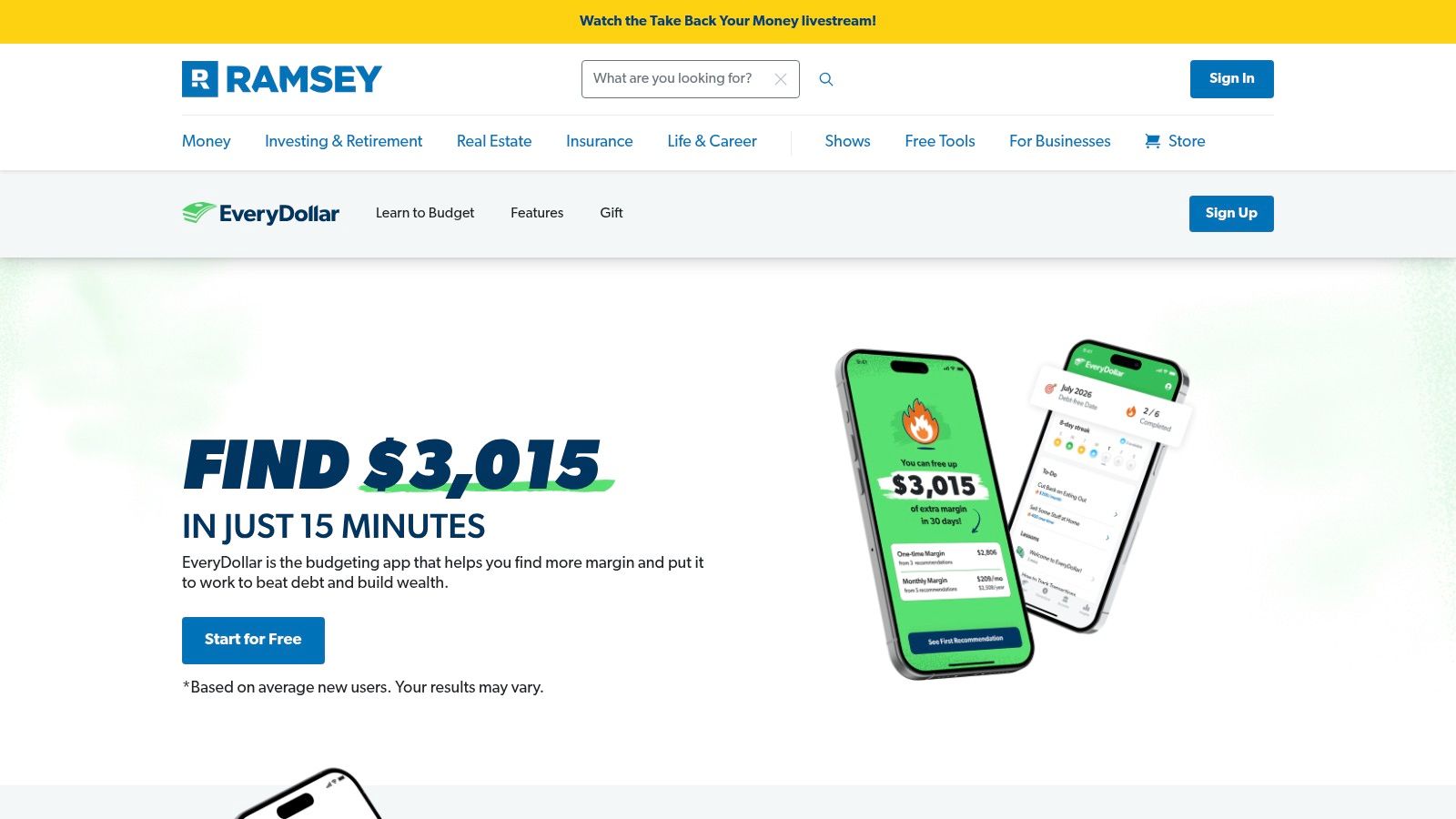
For those committed to the zero-based budgeting method, EveryDollar by Ramsey Solutions offers a focused and powerful tool. This approach requires you to assign a job to every single dollar you earn, ensuring no money is left unaccounted for at the end of the month. EveryDollar is specifically designed to facilitate this strategy, making it one of the best free budgeting apps for users who want to gain intentional control over their spending and savings from the ground up.
Why It's a Top Resource
EveryDollar excels in its simplicity and singular focus on the zero-based budget. The free version provides everything you need to build your budget and manually track your expenses, which forces a hands-on awareness of your spending habits. This manual process, while more work, is often a crucial first step for anyone serious about changing their financial behavior.
Real-Life Example: A recent college graduate, Sarah, was struggling with credit card debt from inconsistent spending. Using the free version of EveryDollar, she started manually tracking every coffee and lunch purchase. This hands-on process made her realize she was spending over $300 a month on food outside her grocery budget. By creating a specific "Dining Out" category and sticking to it, she redirected that money toward her debt and paid off a credit card in four months.
Key Features & User Experience
- Zero-Based Budgeting Framework: The entire app is structured to help you give every dollar a specific purpose, from bills to savings goals.
- Manual Transaction Tracking: The free plan encourages mindful spending by requiring you to log each purchase manually.
- Cross-Device Sync: Create and manage your budget on a desktop and track spending on the go with the mobile app.
- Household Sharing: Easily sync your budget with a partner to manage shared finances and goals together.
Pros & Cons
| Pros | Cons |
|---|---|
| Excellent for Zero-Based Budgeting: A purpose-built tool for this effective method. | Key Features are Premium: Automatic bank sync requires a paid subscription. |
| Beginner-Friendly Interface: Clean, simple, and very easy to get started with. | Manual Entry Required (Free): Can be time-consuming for some users. |
| Great for Couples/Families: Built-in features support shared household budgets. | U.S.-Only Mobile App: Mobile app downloads are restricted to the U.S. |
Website: EveryDollar
2. Goodbudget
Goodbudget brings the classic, time-tested envelope budgeting method into the digital age. Instead of handling physical cash, you allocate your income into virtual "envelopes" for different spending categories like groceries, rent, and entertainment. It’s a hands-on approach designed to help you become more intentional with your spending by sticking to pre-set limits for each category. This makes it one of the best free budgeting apps for those who prefer a proactive, manual system over automated tracking.
Why It's a Top Resource
Goodbudget excels at facilitating collaborative budgeting for couples and families. Its cross-platform syncing means you and a partner can track shared expenses from your separate devices, ensuring everyone stays on the same page. The free version is robust, providing everything needed to manage a household budget manually without forcing you to link bank accounts, which is a major plus for privacy-conscious users.
Real-Life Example: Mark and Lisa constantly argued about overspending on groceries and impulse buys. They set up Goodbudget's free plan, creating shared envelopes for "Groceries," "Household," and "Fun Money." Before going to the store, they'd check the "Groceries" envelope balance. This simple habit eliminated guesswork, reduced their grocery bill by 15%, and helped them save enough for a weekend trip in three months.
Key Features & User Experience
- Envelope Budgeting: Allocate income into digital envelopes for specific spending categories, making it easy to see how much you have left to spend.
- Cross-Device Sync: The free plan allows you to sync your budget across two devices (iOS and Android) and the web, perfect for partners.
- Generous Free Tier: Includes 10 regular envelopes, 10 annual envelopes, one account, and a full year of transaction history.
- Helpful Reports: Analyze your spending with clear charts and reports to understand your financial habits and make adjustments.
Pros & Cons
| Pros | Cons |
|---|---|
| Excellent for Couples: Syncs across two devices on the free plan. | Manual Entry Required: The free tier does not include automatic bank syncing. |
| Promotes Mindful Spending: The hands-on approach encourages financial awareness. | Limited Bank Sync: Automatic syncing is a premium feature and only for U.S. banks. |
| Strong Free Version: Offers core features without requiring an upgrade. | Fewer Advanced Features: Lacks investment tracking or net worth calculations. |
Website: Goodbudget
3. Rocket Money (formerly Truebill)
Rocket Money, formerly known as Truebill, excels at uncovering financial leaks often missed by traditional budgeting apps. Its primary strength lies in identifying and managing recurring subscriptions, helping you stop paying for services you no longer use. While it offers a comprehensive paid tier, the free version provides powerful tools for basic budgeting, expense tracking, and gaining visibility into where your money is consistently going each month.
Why It's a Top Resource
Rocket Money’s unique value proposition is its "financial control center" approach. It syncs with your bank accounts to automatically categorize spending and, most importantly, flags every recurring bill and subscription it finds. This singular focus on recurring charges makes it one of the best free budgeting apps for anyone feeling overwhelmed by automatic payments and forgotten trials.
Real-Life Example: After linking his accounts, David was shocked when Rocket Money identified three streaming services and a gym membership he’d forgotten about, costing him over $70 per month. The app's clear dashboard made it simple to see these "money leaks." He cancelled them directly, effectively giving himself an $840 annual raise that he then allocated to his savings account.
Key Features & User Experience
- Subscription Management: Automatically detects and lists all recurring charges, making it easy to spot and manage them.
- Automated Budgeting: Creates a suggested budget based on your spending habits and income, which you can then customize.
- Financial Overview: Tracks your net worth, spending trends, and credit score all within a single, clean interface. For families, pairing these insights with real-world conversations can be powerful; you can learn more about how to teach kids about money to build strong financial foundations.
Pros & Cons
| Pros | Cons |
|---|---|
| Excellent Subscription Tracking: Easily find and manage recurring payments. | Core Features Paywalled: Bill negotiation and concierge cancellation require Premium. |
| User-Friendly Interface: Clean design makes financial data easy to understand. | Success Fees: Bill negotiation services take a percentage of the savings as a fee. |
| Holistic Financial View: Tracks net worth and credit score alongside budgeting. | Limited Free Budgets: The free version restricts the number of custom budget categories. |
Website: Rocket Money
4. NerdWallet app
NerdWallet transitions from a well-known financial advice website into a powerful, all-in-one personal finance app. It provides a holistic view of your financial health by tracking not just your spending but also your net worth and credit score, all for free. Instead of focusing solely on micro-budgeting, the app offers a high-level dashboard designed to give you clarity on your cash flow and long-term financial standing.
Why It's a Top Resource
NerdWallet's strength lies in its ability to consolidate key financial metrics into a single, easy-to-understand interface. It automatically categorizes your transactions, showing you where your money is going each month without requiring tedious manual entry. This macro-level view is ideal for users who want to understand their financial position and make informed decisions without getting lost in complex budgeting rules.
The app excels at providing context. By integrating credit score monitoring and financial product recommendations, it helps you connect your daily spending habits to your broader financial goals, like improving your credit or finding better savings accounts.
Key Features & User Experience
- Integrated Financial Overview: Track your net worth, cash flow, and credit score in one centralized dashboard.
- Automatic Expense Tracking: Connect your bank accounts to automatically categorize spending and identify trends.
- Credit Score Monitoring: Get free access to your credit score, receive alerts for changes, and learn what factors influence it.
- Financial Product Education: Leverage NerdWallet’s extensive library of reviews to find and compare financial products, which can help you learn more about options like high-yield savings accounts.
Pros & Cons
| Pros | Cons |
|---|---|
| Completely Free: No hidden fees or premium tiers for core features. | Syncing Issues: Some users report occasional connection gaps with certain banks. |
| All-in-One Dashboard: Combines budgeting, net worth, and credit monitoring. | Limited Budgeting Methods: Not designed for deep, zero-based budgeting workflows. |
| Trusted Brand: Backed by a reputable name in personal finance education. | Recommendation-Focused: The app's business model is based on product suggestions. |
Website: NerdWallet App
5. Empower Personal Dashboard (formerly Personal Capital)
For those who want to integrate budgeting with a comprehensive view of their entire net worth, Empower Personal Dashboard stands out. Originally known as Personal Capital, this platform is less of a traditional, granular budgeting app and more of a powerful financial dashboard. It excels at aggregating all your accounts-checking, savings, credit cards, loans, and investments-into a single, unified view, making it ideal for tracking high-level cash flow and net worth trends.
Why It's a Top Resource
Empower’s strength is its robust, free-to-use investment analysis tools, which are seamlessly integrated with its spending trackers. While other apps focus solely on day-to-day expenses, Empower provides a bird's-eye view that connects your spending habits to your long-term wealth-building goals. It helps you see how your budget impacts your overall financial picture, including your retirement savings and investment performance.
Real-Life Example: Maria was diligently saving for retirement but wasn't sure if she was on track. Using Empower's free Retirement Planner, she linked her 401(k) and IRA. The tool projected her retirement readiness and its Fee Analyzer tool revealed she was paying 1.2% in hidden fees in an old 401(k). This insight prompted her to roll it over into a lower-cost IRA, potentially saving her tens of thousands of dollars over the long term.
Key Features & User Experience
- Holistic Financial Dashboard: View your complete financial life, from cash flow and budget tracking to investment portfolio allocation and net worth, in one place.
- Advanced Investment Tools: Access a free Fee Analyzer, Retirement Planner, and Investment Checkup to optimize your portfolio.
- Automated Categorization: Automatically tracks and categorizes spending from linked accounts to give you a clear picture of where your money goes. This big-picture view is a crucial step for those looking to achieve financial independence.
Pros & Cons
| Pros | Cons |
|---|---|
| Excellent for a high-level view: Combines budgeting with net worth. | Not for detailed budgeting: Lacks zero-based or envelope budgeting features. |
| Powerful free investment tools: Strong retirement and fee analysis. | Focus on wealth management: The platform's primary goal is to upsell advisory services. |
| Aggregates all accounts: Provides a true, complete financial overview. | Intermittent syncing issues: Some users report occasional account connection bugs. |
Website: Empower Personal Dashboard
6. Spendee
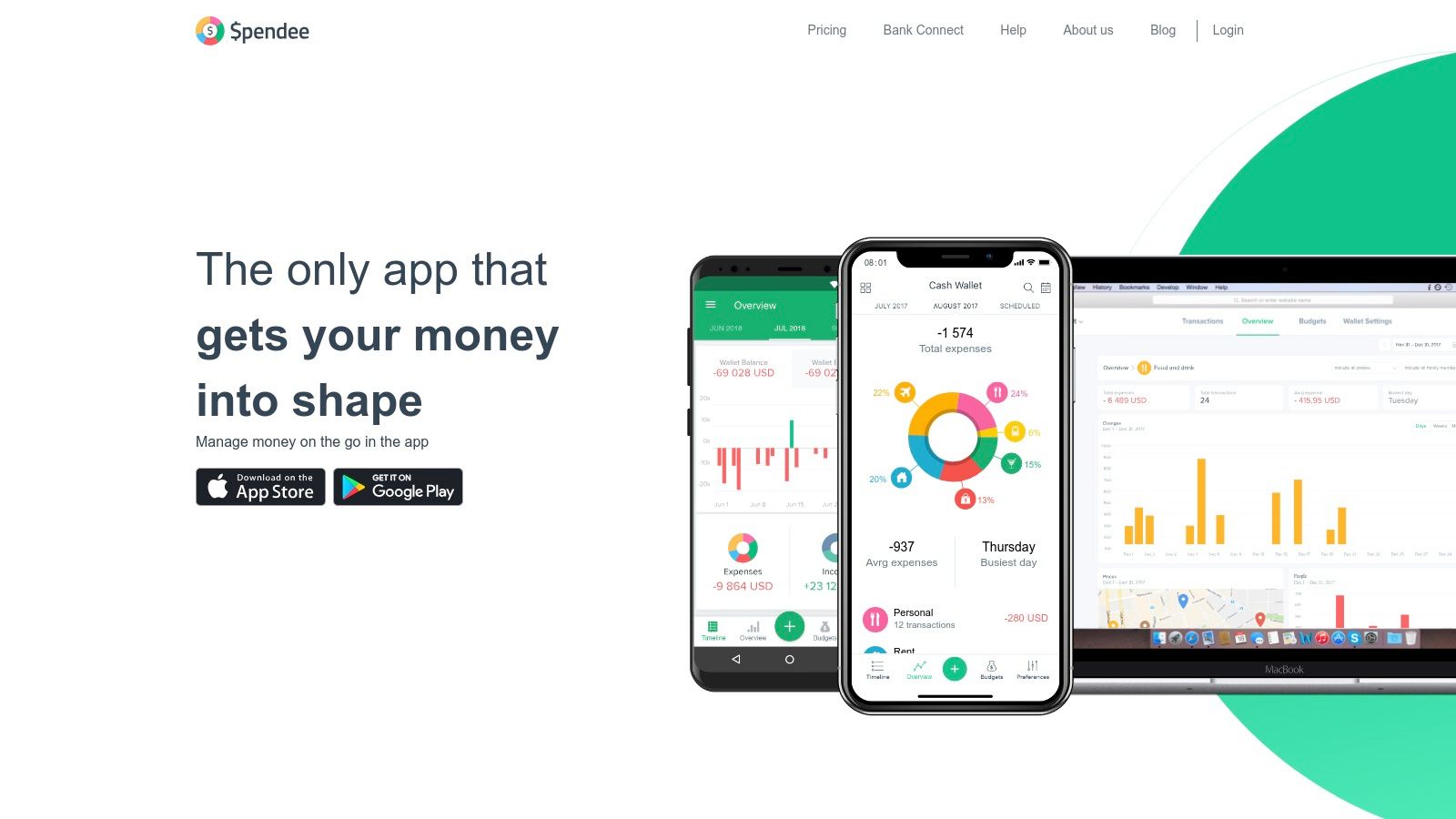
Spendee excels with its visually appealing and intuitive interface, making it one of the best free budgeting apps for those who appreciate clean design and straightforward financial tracking. The free version offers a solid starting point for beginners, allowing manual expense logging, the creation of a single budget, and management of one cash wallet. It's designed to give you a clear, colorful overview of where your money is going without an overwhelming number of features.
Why It's a Top Resource
Spendee stands out by prioritizing a simple, goal-oriented user experience. Its infographics and charts are easy to understand, transforming raw financial data into actionable insights. This visual approach helps users quickly identify spending habits and track progress toward their financial goals, making the act of budgeting feel less like a chore and more like an interactive game.
Real-Life Example: A freelance designer with a variable income found it hard to budget. Using Spendee's free version, she created a single budget for essential "Operating Costs" and manually logged every income payment and business expense. The app's clear pie charts instantly showed her that software subscriptions were her biggest variable cost, allowing her to consolidate tools and increase her profit margin.
Key Features & User Experience
- Free Basic Plan: Manually track expenses, create one budget, and manage a cash wallet, which is perfect for simple tracking needs.
- Clean Visualizations: Utilizes colorful charts and graphs to make financial data easy to digest at a glance.
- Goal-Oriented Tools: Helps users set and monitor progress towards specific savings goals, keeping them motivated.
- Cross-Platform Availability: Seamlessly syncs data across both iOS and Android devices, ensuring your budget is always up-to-date. The platform's forward-thinking approach aligns well with modern financial tools, including those discussed in guides to AI-powered investing.
Pros & Cons
| Pros | Cons |
|---|---|
| Excellent for Beginners: The user-friendly interface is attractive and easy to navigate. | Key Features are Paid: Bank synchronization and multi-budget features require a subscription. |
| Affordable Paid Tiers: Upgrading is more budget-friendly than many competitors. | Limited Free Version: The single-budget and single-wallet limit can be restrictive. |
| Strong Visual Reporting: Infographics make it easy to understand spending patterns. | Web Version Lags: The mobile app experience is generally superior to the web platform. |
Website: https://www.spendee.com
7. GnuCash
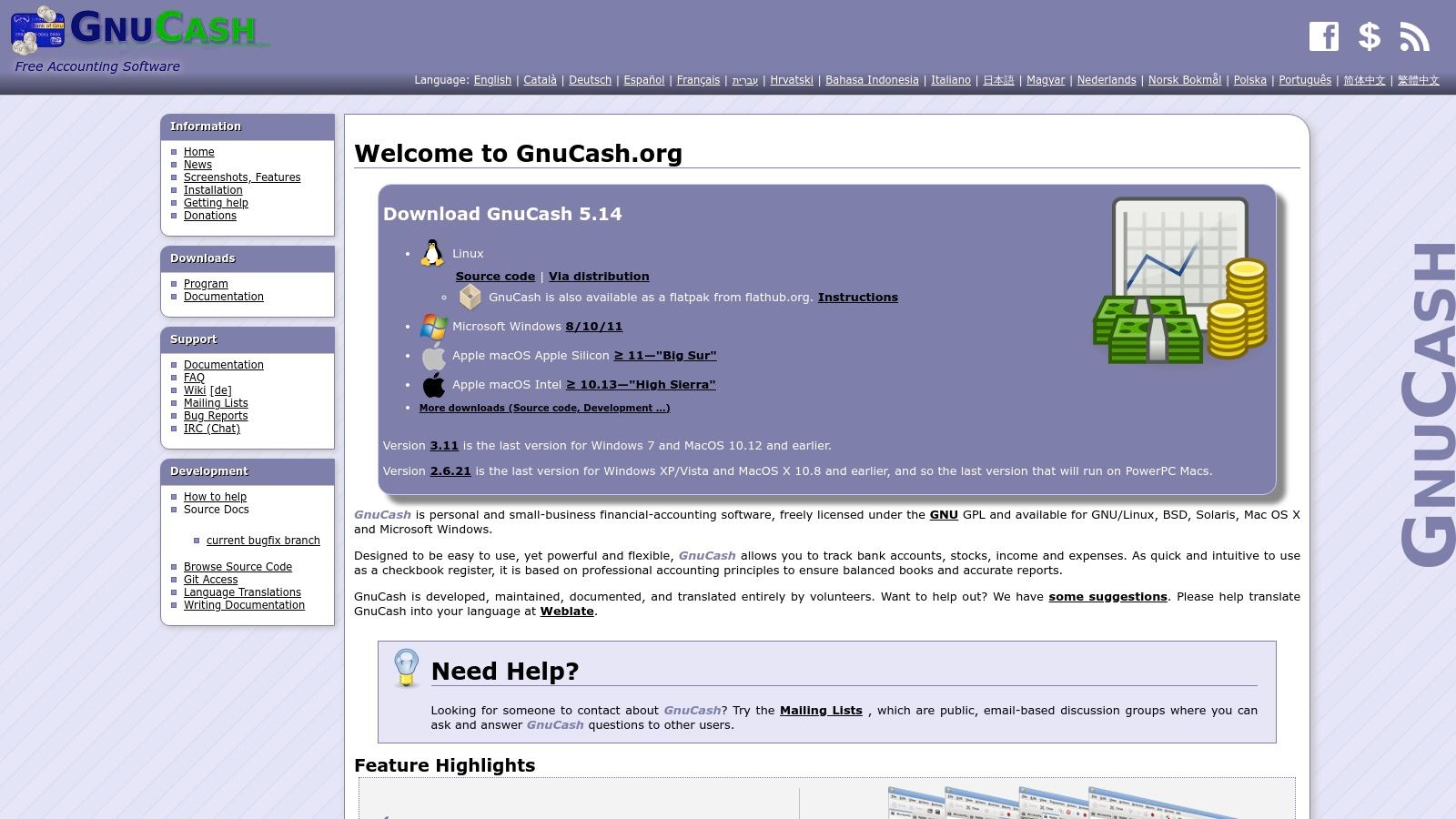
For users who prioritize control, privacy, and powerful accounting features over cloud-based convenience, GnuCash stands out. It isn't a modern mobile app but a robust, open-source desktop program grounded in professional accounting principles. GnuCash offers a comprehensive suite for managing personal finances, tracking investments, and running small business books, all without subscription fees or online data storage.
Why It's a Top Resource
GnuCash's primary strength is its adherence to double-entry accounting, providing a balanced and accurate view of your financial health. This professional-grade system ensures every transaction is correctly categorized, making it one of the best free budgeting apps for those who need meticulous records for taxes or small business management. Since it's a community-maintained project, it remains completely free and transparent.
The platform’s greatest asset is its offline-first design. All your financial data is stored locally on your computer, giving you complete ownership and control over your sensitive information without trusting it to a third-party server.
Key Features & User Experience
- Double-Entry Accounting: Ensures financial accuracy by balancing debits and credits for every transaction.
- Comprehensive Reporting: Generate a wide range of reports and graphs, from profit and loss statements to balance sheets and portfolio valuations.
- Scheduled Transactions: Automate recurring entries like bills and income for consistent tracking.
- Cross-Platform Support: Fully functional on Windows, macOS, and GNU/Linux, offering a consistent experience across different operating systems.
Pros & Cons
| Pros | Cons |
|---|---|
| Completely Free: No ads, subscriptions, or hidden costs for its powerful features. | Steep Learning Curve: Requires understanding basic accounting principles. |
| Total Data Privacy: All financial information is stored locally on your device. | No Automatic Bank Sync: Transactions must be imported manually via QIF/OFX files. |
| Advanced Functionality: Capable of handling complex finances, including investments and small business accounting. | Desktop-Focused: The interface is less modern than mobile-first apps. |
Website: GnuCash
8. Money Manager Ex
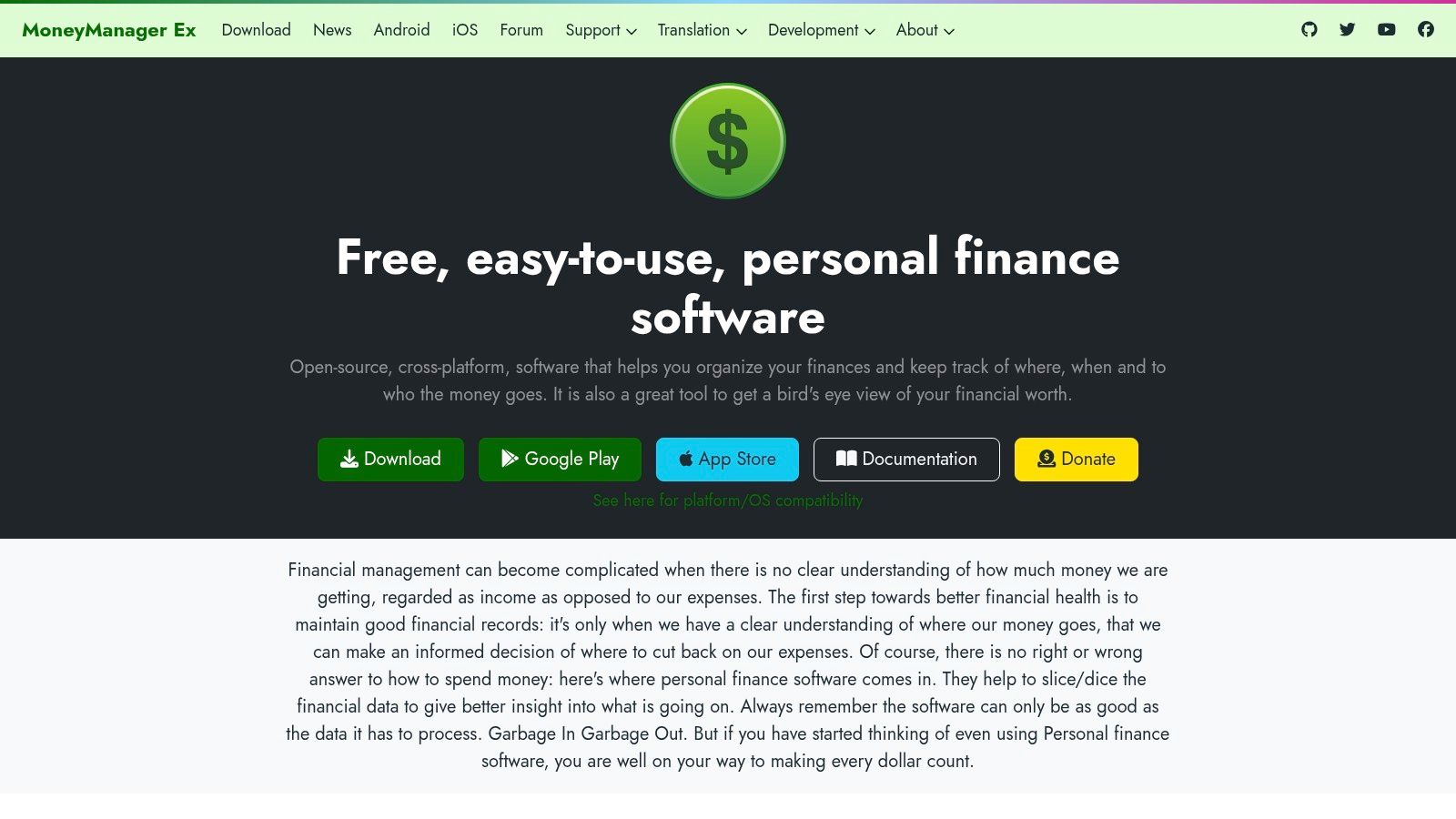
For users who prioritize data privacy and want a powerful, no-cost budgeting tool that works offline, Money Manager Ex is an outstanding choice. This open-source personal finance software operates primarily as a desktop application for Windows, macOS, and Linux, with companion mobile apps for on-the-go expense tracking. Instead of relying on cloud syncing or bank connections, it keeps your financial data stored locally and encrypted on your own device, offering complete control and privacy.
Why It's a Top Resource
Money Manager Ex stands out because it is 100% free and open-source, meaning there are no hidden fees, advertisements, or subscriptions. It’s an ideal solution for those who prefer manual data entry and want a robust system for category-based budgeting without sharing sensitive information with third-party companies. Its cross-platform nature ensures you can manage your finances from virtually any computer.
Its core strength is its privacy-first design. By keeping your data local by default, it eliminates the security risks associated with cloud-based services, giving privacy-conscious users total peace of mind.
Key Features & User Experience
- Offline Functionality: Manage your entire budget without needing an internet connection, a key feature for security and accessibility.
- Comprehensive Reporting: Generate detailed reports and charts to analyze spending, track net worth, and monitor cash flow over time.
- Data Ownership: As an open-source tool, you have full ownership of your data, with options to encrypt your local database for added security.
- Cross-Platform Desktop Apps: Full-featured desktop clients are available for Windows, macOS, and Linux, with simpler companion apps for Android and iOS.
Pros & Cons
| Pros | Cons |
|---|---|
| Completely Free: No ads, subscriptions, or hidden costs. | Utilitarian Interface: The design is functional but less modern than commercial apps. |
| Privacy-Focused: Data is stored locally and can be encrypted. | Manual Entry Required: Lacks automatic bank syncing, requiring more user effort. |
| Cross-Platform Support: Works across major desktop operating systems. | Simpler Mobile Apps: Mobile versions are less feature-rich than the desktop client. |
Website: Money Manager Ex
9. Firefly III
For users who prioritize data privacy and full control over their financial information, Firefly III stands out as one of the best free budgeting apps available. It's a powerful, self-hosted personal finance manager that puts you in complete command. Instead of relying on a third-party service, you run Firefly III on your own server, ensuring your data remains entirely private and secure. It’s an open-source solution designed for tech-savvy individuals who want enterprise-level features without the cost.
Why It's a Top Resource
Firefly III’s strength lies in its unmatched combination of depth, customizability, and data sovereignty. It rivals many premium budgeting tools with its extensive reporting, multi-currency support, and detailed transaction management. Because you host it yourself, you are never subject to subscription fees, advertisements, or a company’s changing privacy policies.
The platform’s open-source nature means it is completely transparent and continuously improved by a dedicated community. This gives you a robust, feature-rich tool that you can trust with your most sensitive financial data.
Key Features & User Experience
- Complete Data Control: Self-host on your own hardware or cloud server, ensuring absolute privacy and ownership of your financial history.
- Powerful Reporting: Generate in-depth reports on income, expenses, and net worth, with advanced filtering and visualization options.
- Robust Import & Export: Use the dedicated data importer to pull transactions from virtually any bank, and easily export your data at any time.
- Multi-Currency Support: Effortlessly manage accounts and transactions in different currencies, ideal for travelers and international users.
Pros & Cons
| Pros | Cons |
|---|---|
| 100% Free & Open-Source: No hidden costs, ads, or subscriptions. | Technical Setup Required: Needs self-hosting knowledge (e.g., Docker). |
| Full Data Privacy: You control where your financial data is stored. | Community-Driven Support: No official customer service; relies on forums and documentation. |
| Feature Set Rivals Paid Tools: Advanced budgeting, reporting, and categorization. | No Official Mobile App: Access is through a web browser, though third-party apps exist. |
Website: Firefly III
10. Actual Budget
Actual Budget is a privacy-focused, open-source budgeting app built around envelope budgeting. It is a strong choice for people who want control over their data and are comfortable with a little more setup than a typical commercial app.
Why it stands out
- Open-source: The code and documentation are publicly available.
- Envelope budgeting: Money is assigned to categories before it is spent.
- Local-first design: The app is designed to keep the primary budget data under the user’s control, with optional syncing choices.
- Good fit for technical users: Self-hosting and advanced workflows are possible, but not required for everyone.
Important limitation
Actual Budget may require more setup and learning than a highly polished consumer app. Review its current documentation, syncing options, and bank-import availability for your country before committing.
Comparison of Top Free Budgeting Apps
To help you decide at a glance, this table summarizes the key aspects of our top-rated free budgeting apps, focusing on who they serve best and what makes them unique.
| App Name | Best For | Key Free Feature | Manual vs. Auto | Privacy Focus |
|---|---|---|---|---|
| EveryDollar | Beginners & Zero-Based Budgeters | Complete zero-based budgeting framework | Manual (Free), Auto (Paid) | Standard |
| Goodbudget | Couples & Envelope Budgeters | Shared envelopes across 2 devices | Manual Only | High (no bank link needed) |
| Rocket Money | Finding "Money Leaks" | Subscription & recurring bill tracking | Automatic | Standard |
| NerdWallet | A Holistic Financial Snapshot | Net worth and credit score tracking | Automatic | Standard |
| Empower | Investors & Retirement Planners | Retirement planner & fee analyzer | Automatic | Standard |
| Firefly III | Tech-Savvy & Privacy-Focused Users | Self-hosted, complete data ownership | Manual/Import | Ultimate (self-hosted) |
Final Thoughts
Navigating the world of personal finance can feel like an overwhelming task, but the journey to financial clarity and control is more accessible than ever. As we've explored, the landscape of the best free budgeting apps is diverse and powerful, offering a sophisticated toolkit for virtually every type of user, from the meticulous student managing loans to the forward-thinking investor tracking net worth. The era of cumbersome spreadsheets and manual expense tracking is fading, replaced by intelligent, automated systems designed to fit in your pocket.
The key takeaway from our deep dive is that there is no single "best" app for everyone. The ideal tool is deeply personal, hinging on your unique financial goals, your level of comfort with technology, and the specific problems you're trying to solve. Your perfect match is out there, whether it’s the zero-based budgeting discipline of EveryDollar, the virtual envelope system of Goodbudget, or the powerful investment and retirement planning tools within Empower Personal Dashboard.
How to Choose Your Financial Co-Pilot
Making the right choice requires a moment of self-reflection. Before you download the first app on our list, consider these crucial questions:
- What is my primary goal? Are you trying to aggressively pay down debt, save for a down payment, track your investments, or simply understand where your money is going each month? A goal-oriented app like NerdWallet might be perfect for saving, while an investment-focused one like Empower is better for wealth tracking.
- How hands-on do I want to be? If you prefer a "set it and forget it" approach with automated transaction syncing, tools like Rocket Money or Spendee are excellent. If you value a more deliberate, manual approach to reinforce spending habits, the envelope methodology of Goodbudget or the self-hosted power of Firefly III might be more effective.
- What is my tolerance for complexity? For those who want simplicity and a straightforward user experience, apps from established platforms like the Google Play or Apple App Store recommendations offer a gentle learning curve. Conversely, tech-savvy users who crave total control and customization will find open-source solutions like GnuCash or Money Manager Ex incredibly rewarding, despite their steeper initial setup.
- What are my privacy and security standards? While all the apps we've reviewed employ robust security measures, connecting financial accounts is a significant decision. If you are uncomfortable with account aggregation, manual-entry apps provide a secure alternative. For those who prioritize open-source transparency, self-hosted options put you in complete command of your data.
Your Action Plan for Financial Success
Merely downloading an app is not a solution; it's the first step. True financial transformation comes from consistent implementation. Here's your action plan:
- Select Your Top Two: Based on your self-assessment, pick two apps from our list that seem like the best fit.
- Commit to a 30-Day Trial: Dedicate one month to using each app consistently. Connect your accounts (if comfortable), categorize every transaction, and review your progress weekly. This hands-on experience is the only way to know if an app’s workflow truly clicks with your lifestyle.
- Reflect and Commit: After the trial period, decide which app served you better. Which one made you feel more in control? Which one provided the most valuable insights? Commit to that one tool and uninstall the other to avoid confusion. For an alternative perspective and a slightly different set of recommendations, you can also explore these additional top free budgeting apps for 2025.
- Automate and Review: Set up recurring bills, savings goals, and budget alerts. The power of these apps lies in automation. Schedule a weekly or bi-weekly "money date" with yourself to review your budget, celebrate your wins, and adjust for the week ahead.
Ultimately, the goal of using any of the best free budgeting apps is to build a stronger, more intentional relationship with your money. These tools are not just calculators; they are guides that illuminate your financial habits, empower you to make smarter choices, and provide a clear path toward your most ambitious goals. The journey starts today.
Frequently Asked Questions (FAQ)
1. Are free budgeting apps really free?
Yes, the apps on this list offer core budgeting functionalities for free. However, many operate on a "freemium" model, meaning they offer a basic free version with the option to upgrade to a paid premium plan for advanced features like automatic bank syncing, unlimited budget categories, or detailed reports. Always check the features of the free tier to ensure it meets your needs.
2. Is it safe to connect my bank account to a budgeting app?
Reputable budgeting apps use bank-level security, including encryption and read-only access, to protect your data. They partner with trusted third-party aggregators like Plaid to securely link to your accounts without storing your banking credentials on their servers. However, if you are concerned about privacy, consider apps that support manual entry like Goodbudget, or self-hosted solutions like Firefly III.
3. Which free budgeting app is best for couples or families?
Goodbudget is an excellent choice for couples as its free version allows syncing across two devices for shared envelope budgeting. EveryDollar also supports household budget sharing, making it easy for partners to track expenses against a unified zero-based budget.
4. Can a budgeting app help me get out of debt?
Absolutely. A budgeting app provides the clarity you need to see where your money is going, identify areas to cut back, and allocate extra funds toward debt repayment. Apps that follow the zero-based (EveryDollar) or envelope (Goodbudget) methods are particularly effective for creating an intentional debt-payoff plan.
5. What's the difference between manual and automatic transaction tracking?
Automatic tracking syncs with your bank accounts to import and categorize transactions for you, saving time and effort. Manual tracking requires you to enter each expense yourself. While more work, the manual method forces greater awareness of your spending habits and is often recommended for those just starting to budget or wanting to change their financial behavior.
6. Do I need an app if I'm good with spreadsheets?
While spreadsheets are powerful, budgeting apps offer distinct advantages like automatic transaction imports, real-time syncing across devices, visual spending reports, and alerts for bills or overspending. If your spreadsheet system works for you, great! But an app can automate many tedious tasks and provide on-the-go access.
7. Which free app is best for tracking investments and net worth?
Empower Personal Dashboard is the undisputed leader in this category. Its free tools offer a comprehensive dashboard that tracks all your financial accounts, including investments, and provides powerful retirement planning and fee analysis features that are typically found in paid services. NerdWallet also offers a good high-level net worth and credit score tracker.
8. What is zero-based budgeting?
Zero-based budgeting is a method where your income minus your expenses equals zero. You assign a "job" to every dollar you earn—whether for bills, spending, saving, or debt repayment—so that no money is left unaccounted for. EveryDollar is specifically designed for this method.
9. Can I use these apps if my income is irregular?
Yes. For irregular income, the envelope method (Goodbudget) is highly effective. When you get paid, you fund your essential "envelopes" (like rent, utilities, groceries) first. Any remaining money can then be allocated to variable spending or savings envelopes. This ensures your critical expenses are always covered.
10. How long does it take to get used to a budgeting app?
Typically, it takes about one to two months of consistent use to form a solid habit. The first month involves setting up your budget, linking accounts, and categorizing initial transactions. The second month is about refining your budget categories and using the app's insights to adjust your spending. Consistency is the key to success.
If you're looking to extend your financial literacy beyond just budgeting, Everyday Next offers in-depth guides and resources on investing, saving, and wealth-building strategies. Explore our articles at Everyday Next to take the next step in your financial education journey.
Related Posts

Previous Post
Next Post