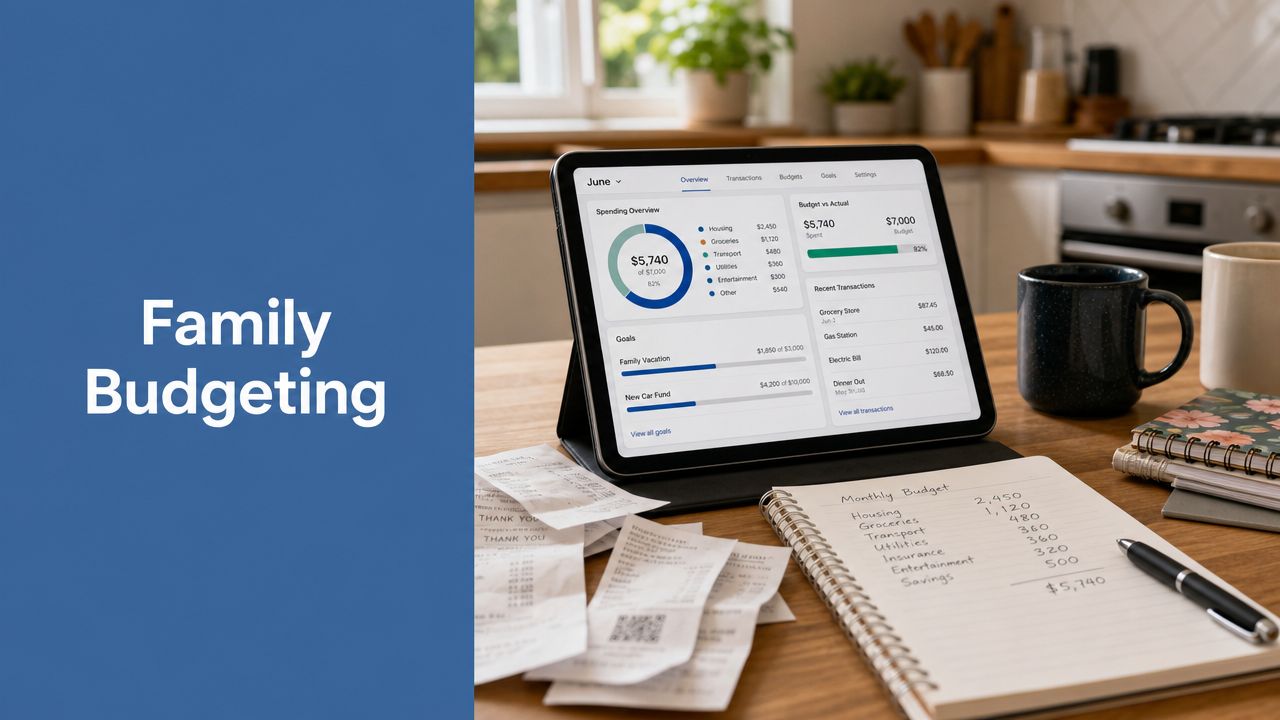
The 10 Best Apps for Family Budgeting in 2026
You're probably here because your family budget exists in too many places at once. One partner checks the bank app, the other tracks bills in notes, grocery spending lives in card statements, and savings goals get discussed but not seen. That setup works until it doesn't. A surprise school fee, a missed subscription renewal, or a month with uneven income can make the whole system feel reactive.
The best apps for family budgeting fix that by putting everyone on the same page. The big shift in this category was the move from envelopes and spreadsheets to mobile-first tools with bank syncing, automatic categorization, and shared visibility, which changed budgeting from a monthly review into a real-time planning habit, as described in Albert's overview of family budget apps. For families, that matters more than almost any other feature. You need to see what happened today, not just what happened last month.
This list focuses on tools that are useful for households. Some are better for couples with mostly shared finances. Some work better when partners keep separate accounts. Some are stronger for zero-based budgeting, while others are better for fast daily spending checks or broad net-worth tracking. If meal planning is part of your monthly money routine, this guide on how busy parents can budget meals pairs well with any app you choose.
Table of Contents
- 1. YNAB (You Need A Budget)
- 2. Monarch Money
- 3. Copilot Money
- 4. Rocket Money
- 5. Quicken Simplifi
- 6. EveryDollar (Ramsey Solutions)
- 7. Goodbudget
- 8. PocketGuard
- 9. Honeydue
- 10. Empower Personal Dashboard (formerly Personal Capital)
- Top 10 Family Budgeting Apps: Features & Pricing
- The Best Budget Is One You'll Use Together
1. YNAB (You Need A Budget)

YNAB is the app I'd point many families to when they don't just want to track spending. They want to actively decide what each dollar is for before it disappears into the month. That's the core of zero-based budgeting, and YNAB is one of the mainstream apps most clearly associated with that method, as noted in NerdWallet's roundup of leading budget apps.
For a family, that approach is useful because it turns vague goals into visible trade-offs. School supplies, summer travel, annual insurance, sports fees, and emergency savings all sit in the same plan. You stop asking, “Can we afford this?” in the abstract and start asking, “Which category does this come from?”
Why YNAB works for families
YNAB is strongest when a household wants shared rules. If both partners tend to make reasonable choices but still feel surprised by the checking balance, this app usually helps because it gives every category a job and forces regular conversations about priorities.
A typical family setup might look like this:
- Core bills: Mortgage or rent, utilities, childcare, insurance
- Flexible spending: Groceries, takeout, kids' activities, household supplies
- True expenses: Car repairs, holidays, back-to-school, medical copays
- Shared goals: Emergency fund, vacation, extra debt payments
If you're building that structure from scratch, this guide on how to create a monthly budget is a good companion to YNAB's method.
Practical rule: YNAB works best when the whole household agrees that money should be assigned before it's spent, not explained after it's gone.
The trade-off is real. YNAB has a learning curve. Families that want a quick dashboard with minimal decisions may find it too hands-on at first. But families who need stronger budgeting habits, especially after periods of overspending or uneven planning, often do very well with it.
2. Monarch Money

Monarch Money feels less like a strict budgeting app and more like a household financial operating system. That difference matters if your family wants one place for spending, goals, accounts, and investments instead of separate tools for each.
This is one of the best apps for family budgeting when life is financially layered. Maybe you have checking and savings across different banks, a mortgage, retirement accounts, college savings, and a partner who wants visibility without having to ask for updates. Monarch is built for that kind of coordination.
Where Monarch Money stands out
Monarch is especially good for couples who are past the “just track groceries and utilities” stage. It gives a broader financial picture, which makes it useful for households that are thinking about debt payoff, home equity, long-term savings, and financial independence at the same time.
A few situations where it fits well:
- Two-income households: Both partners want a shared dashboard without losing clarity.
- Blended financial setups: Some accounts are joint, some are separate, but the plan still needs to be unified.
- Big-picture families: You care about net worth and long-term planning, not only this month's category totals.
For readers focused on longer-horizon planning, this Everyday Next guide on how to achieve financial independence pairs naturally with Monarch's broader approach.
Monarch's biggest strength is flexibility. Its biggest weakness is the same thing. Families who need strong structure may drift if they use it as a dashboard without agreeing on rules for spending and saving.
Monarch is excellent for visibility. It's less effective if nobody in the house is willing to turn visibility into decisions.
If your family already talks openly about money and mostly needs a clean collaborative hub, Monarch is a strong pick. If you need behavior change first, YNAB or EveryDollar may produce faster day-to-day improvements.
3. Copilot Money

Copilot Money fits families who want fast visibility without a lot of manual upkeep. It automatically sorts transactions, surfaces spending patterns, and makes it easier to review the week in a few minutes instead of rebuilding the budget from scratch each month.
That matters in real family life. One parent is paying for school lunches, the other is covering sports fees, and a few shared subscriptions hit in the background. If the app takes too much effort, nobody keeps it current. Copilot reduces that maintenance burden better than many traditional budgeting tools.
Best use case for Copilot
Copilot works best for households that want budgeting help, but do not want a strict rule-based system. I would put it in the sweet spot for families who already earn enough to stay afloat month to month, yet still want a clearer read on where the money is going.
A few family setups where it tends to fit well:
- Busy dual-income parents: You need quick check-ins, not a long budgeting session every weekend.
- Families with teens: Extra card spending, food runs, ride-share charges, and activity costs are easier to catch when transactions are categorized quickly.
- Partners with partly separate finances: One person can monitor personal spending while still reviewing shared patterns as a household.
- Households with uneven monthly expenses: Travel sports, seasonal child care, school costs, and medical bills stand out more clearly in trend views than in rigid monthly category targets.
Its biggest advantage is convenience. Its biggest weakness comes with it. Automated categorization saves time, but families still need a short review habit. A mislabeled reimbursement, split grocery run, or one-time school payment can distort the picture if nobody checks it.
For that reason, Copilot is often better for tracking and adjusting than for behavior change. Families trying to rebuild cash flow from the ground up may do better with a stricter method. Families that already have decent habits and want faster oversight usually find Copilot easier to stick with.
A practical routine helps. Review categories together once a week, fix anything obvious, then move extra cash toward priorities like savings. If your family is trying to turn cleaner tracking into more stability, this guide on building an emergency fund with a simple plan is a useful next step.
Copilot is not the best choice for every household. It is one of the easiest to maintain for families who want a modern app, quick pattern recognition, and less budget admin.
4. Rocket Money
Rocket Money is often the right pick when a family's problem isn't only budgeting. It's recurring charges. Streaming services, app subscriptions, cloud storage, premium memberships, annual renewals, and overlapping kid-related services can subtly clutter a household budget.
For that reason, Rocket Money works well for families who need to cut waste first and optimize later. It combines budgeting tools with subscription tracking and related money-management features, which makes it useful for the household that feels nickeled-and-dimed every month.
Best use case for Rocket Money
The clearest win with Rocket Money is visibility into recurring spending. A family may not be overspending on groceries or dining out, but still feel pressure because too many charges are firing in the background.
A realistic scenario:
- Busy parents: They sign up for convenience tools and forget to revisit them.
- Kids' digital services: Learning apps, gaming services, and media subscriptions stack up.
- One partner manages most admin: The other partner doesn't see the full list of renewals.
That's where Rocket Money earns its place. It helps surface routine expenses that don't get enough attention in traditional budget reviews. Once those are identified, this Everyday Next guide on how to build an emergency fund can help redirect freed-up cash into a more useful buffer.
Rocket Money is less ideal if your family wants a thoroughly intentional category-based planning system. It can support a budget, but its strongest practical value is spending cleanup and bill awareness.
Families often get faster early wins from canceling neglected recurring charges than from trying to perfect every budget category in week one.
If your household needs a reset button more than a philosophy, Rocket Money is a smart place to start.
5. Quicken Simplifi
Quicken Simplifi is a good middle-ground app. It isn't as method-driven as YNAB, and it isn't as investment-forward as Monarch. Instead, it focuses on what many families need most, which is a clear spending plan tied to upcoming bills and near-term cash flow.
That makes it practical for households who want structure without feeling boxed in. You can keep an eye on due dates, projected balances, and spending categories without building a highly detailed budgeting doctrine around every dollar.
Where Simplifi feels most practical
Simplifi tends to suit families that live in the middle of money management. They're not trying to become budget hobbyists. They just want fewer surprises.
It's especially useful in situations like these:
- Paycheck-to-paycheck planning: You need to know what bills are coming before making optional purchases.
- Category watchlists: You want to monitor things like groceries, teen activities, or pet care closely.
- Mixed money confidence: One partner likes detail, the other wants a simpler overview.
I like Simplifi for households that have outgrown spreadsheets but don't want a more opinionated app. It gives enough ongoing structure to be useful, while staying easier to maintain than tools that demand constant category decisions.
Its weakness is depth. If your family wants stronger long-range planning, more granular goal-setting, or a bigger household collaboration layer, Simplifi may feel a little light. But if your main question is, “What's coming up, and are we still on track?” it answers that well.
For many families, that's enough. And enough that gets used beats a perfect setup that gets ignored.
6. EveryDollar (Ramsey Solutions)

EveryDollar is one of the simplest entries on this list, and that simplicity is its main advantage. Families who feel overwhelmed by financial tools often need fewer options, not more. EveryDollar gives them a clear zero-based framework and gets them moving fast.
This is a strong fit for households that want direct rules and straightforward categories. If your family responds well to a defined system and doesn't want to spend weeks customizing dashboards, EveryDollar can be easier to adopt than more flexible tools.
Why some families stick with EveryDollar
The app's biggest practical strength is clarity. It tells you to make a plan for the month and stick to it. For many households, that's exactly the level of direction they need.
It tends to work well for:
- Budgeting beginners: The app is approachable and less intimidating than broader financial suites.
- Families rebuilding habits: You want structure after a period of disorganization.
- Households that like coaching ecosystems: Books, courses, and financial frameworks can reinforce the app.
As noted earlier, mainstream family budgeting apps are increasingly judged by how well they support household coordination rather than single-person expense logging. EveryDollar can do that, but it's best when everyone in the house agrees with the underlying rules first.
The downside is rigidity. Families with irregular pay, variable childcare costs, side income, or complex account structures may eventually want more flexibility than EveryDollar naturally offers. But for a first serious budgeting system, it's one of the easiest to understand and teach.
7. Goodbudget
Goodbudget fits families that want a clear spending system they can explain at the dinner table. If one partner buys groceries, another covers school costs, and both need to see what is left for the week, the envelope method keeps those trade-offs visible.
That is Goodbudget's core strength. It turns a family budget into named buckets with limits and purpose.
For households with teens, that can be especially useful. Parents can create separate envelopes for lunches, activities, clothing, or gas money and show exactly how much is available without opening a full banking dashboard. For couples who keep some finances separate, it also creates a shared plan without forcing every account into one merged system.
Why Goodbudget works for some families better than others
Goodbudget is less about automation and more about behavior. Families who do well with it usually want spending decisions to feel deliberate. They are willing to enter transactions, check category balances, and talk about trade-offs before the month gets away from them.
Common use cases include:
- Couples who want a shared system: Envelopes create a simple common language for groceries, bills, kids' expenses, and fun money.
- Families with irregular category spending: School fees, birthdays, and home repairs are easier to manage when money is set aside in advance.
- Parents teaching older kids about money: Category limits are easier to understand than broad monthly totals.
- Households trying to control day-to-day spending: Seeing an envelope run low can stop small purchases from piling up.
The trade-off is straightforward. Goodbudget asks for more manual involvement than apps that pull in and sort transactions automatically. That can be a benefit for families who need more awareness, but it can feel like extra work for households that already struggle to keep up with budgeting routines.
I usually recommend Goodbudget to families that want a teachable method first and convenience second. If your household budget meetings need clearer categories, cleaner boundaries, and fewer vague conversations about where the money went, it is still one of the most practical options in this category.
8. PocketGuard

A common family money problem sounds small in the moment. Coffee on the school run, a last-minute grocery stop, takeout after practice, one more online order for the house. By the end of the week, the budget is off track and nobody is fully sure which decision caused it.
PocketGuard is built for that kind of household. Its main value is fast, day-to-day spending guidance. Families who struggle less with planning and more with staying inside the plan usually get the most from it.
Where PocketGuard works best
PocketGuard fits best when a family needs a clear answer before spending, not a long budgeting session after the money is already gone. I usually point parents here when they want to check what is left for everyday spending without sorting through a dense set of reports.
It is a strong match for:
- Parents managing constant small purchases: School costs, groceries, pharmacy runs, and convenience spending can pile up quickly.
- Families with uneven weekly spending: Some weeks are quiet, others include activities, birthdays, and extra errands.
- Households that abandon detailed budgeting apps: Simpler feedback often gets used more consistently.
- Parents teaching teens spending limits in real life: A clear available-to-spend number can support practical money conversations. This pairs well with advice on how to teach kids about money.
The trade-off is straightforward. PocketGuard is better at helping a family control daily spending than building a full shared financial system with detailed planning, deep customization, or nuanced household collaboration.
That matters for couples and larger families. If one partner wants category-level control, sinking funds, and longer-range planning for irregular costs, PocketGuard may feel too light. If frequent overspending is the issue in the gaps between paydays, it can be a very practical fit.
PocketGuard earns its place on this list because it solves a specific problem well. Families who need fast guardrails for everyday decisions often use it more consistently than apps with broader feature sets.
9. Honeydue

Honeydue is the most relationship-specific app on this list. It's designed for couples, and that focus shows in the features. Shared visibility, bill reminders, and transaction-level conversations are more central here than broad net-worth planning or advanced reporting.
That makes Honeydue especially useful for partners who want transparency without fully merging every part of their financial lives. Not every household wants all accounts pooled together, and not every app handles that tension well. Honeydue does.
Where Honeydue works best
Honeydue is strongest when financial communication is the core issue. One partner pays rent or mortgage, the other handles groceries and childcare, and both need a clean way to see shared obligations without giving up all privacy.
Common good-fit scenarios include:
- Partners with separate checking accounts: Shared bills still need coordination.
- Newly married or newly cohabiting couples: You need visibility before you need a full household system.
- Parents teaching older kids about real household costs: Selected spending can become part of financial conversations.
If your family is trying to build money skills across generations, this guide on how to teach kids about money can complement the transparency Honeydue creates.
Honeydue won't replace a more advanced planning platform for every household. It's lighter on analytics and long-term financial organization. But for couples who argue less when they can see the same information and comment on the same transactions, it can solve the right problem at the right time.
Shared money systems fail less often when both partners can see what matters and keep private what doesn't.
10. Empower Personal Dashboard (formerly Personal Capital)

Empower Personal Dashboard is the best option here for families who care as much about the balance sheet as the monthly budget. It brings banking, loans, credit, and investments into one view, which helps households see spending in the context of total financial progress.
That makes this application particularly useful for families with retirement accounts, brokerage accounts, mortgages, and multiple financial institutions. If your household already has decent spending habits but weak visibility across accounts, it can tighten the big picture.
Best use case for Empower
It functions most effectively when the family budget is part of a broader wealth view. You're not only trying to control groceries or subscriptions. You're trying to understand savings, investments, debt, and cash flow together.
It's a strong fit for:
- Established families with growing assets: You want spending and investment visibility in one dashboard.
- Households with many accounts: Aggregation matters more than detailed envelope logic.
- People comparing financial tools: If you want broader context, Everyday Next's guide to best personal finance apps is a useful next read.
The trade-off is simple. The app is better at overview than budgeting discipline. It can show you trends, cash flow, and account relationships, but it isn't the strongest tool here for category-by-category family planning. Families who need stronger guardrails usually pair this kind of dashboard thinking with a more intentional monthly system.
Still, for the household that wants one place to monitor both everyday money and long-term assets, this app is hard to overlook.
Top 10 Family Budgeting Apps: Features & Pricing
| App | Core features | UX & quality (★) | Price & value (💰) | Best for (👥) | Standout (✨ / 🏆) |
|---|---|---|---|---|---|
| YNAB (You Need A Budget) | Zero‑based budgets, goals, real‑time sync, shared plan (up to 6) | ★★★★ · strong education & follow‑through | 💰 Paid subscription; family sharing included | 👥 Families & behavior‑focused budgeters | ✨ Zero‑based method, aging‑money insights · 🏆 education/community |
| Monarch Money | Dashboard, unlimited account connections, investment & net‑worth tracking | ★★★★ · clean, ad‑free experience | 💰 Premium (no permanent free tier) | 👥 Couples, households, long‑term planners | ✨ Unlimited collaborators, rich integrations |
| Copilot Money | AI auto‑categorization, subscription alerts, investment tracking, web+mobile | ★★★★ · fast, minimal setup | 💰 Paid subscription; no permanent free plan | 👥 Tech‑savvy users who want automation | ✨ AI tagging & trend detection |
| Rocket Money | Budgeting + subscription tracking, credit monitoring, concierge cancellation (Premium) | ★★★★ · strong subscription tools | 💰 Free tier + pay‑what‑you‑want Premium | 👥 Busy households aiming to cut recurring waste | ✨ Concierge cancellation · 🏆 subscription discovery |
| Quicken Simplifi | Spending plan, upcoming bills projection, watchlists, account aggregation | ★★★★ · guided cash‑flow & live support | 💰 Subscription (verify renewal rates) | 👥 Families wanting ongoing, guided plans | ✨ Projected balances & live support |
| EveryDollar (Ramsey) | Zero‑based budgets, due dates, goals; mobile apps | ★★★ · very easy to learn, rules‑based | 💰 Free manual tier; Premium for bank sync/reports | 👥 New budgeters, Ramsey followers | ✨ Simple Baby‑Steps alignment, education |
| Goodbudget | Envelope method, shared budgets, web/iOS/Android, Premium for bank sync | ★★★ · teachable, reliable | 💰 Free limited envelopes/devices; Premium upgrades | 👥 Couples/families who prefer manual envelopes | ✨ Envelope budgeting, works offline |
| PocketGuard | "In My Pocket" safe‑to‑spend calc, goals, subscription monitoring | ★★★★ · quick daily guidance | 💰 Free basic, affordable Premium | 👥 Busy parents wanting a daily spend signal | ✨ Clear safe‑to‑spend indicator |
| Honeydue | Selective account sharing, bill reminders, in‑app transaction chat | ★★★ · lightweight & easy to onboard | 💰 Free to start (optional paid features) | 👥 Couples seeking transparency without full merge | ✨ In‑app chat tied to transactions |
| Empower Personal Dashboard | Account aggregation, budgeting widget, cash‑flow, investment fee analyzer | ★★★★ · big‑picture dashboards | 💰 Core tools free; advisory upsell possible | 👥 Families tracking investments + spending | 🏆 Strong investment analytics & fee analyzer |
The Best Budget Is One You'll Use Together
The best family budgeting app isn't the one with the longest feature list. It's the one your household will keep opening, updating, and discussing. That sounds obvious, but it's where most budget systems fail. Families often choose based on what looks powerful, then abandon the app because it doesn't match how they make decisions.
Here's the simplest way to think about the list.
Choose YNAB if your family needs a method. It's best when you want stronger intentionality, clearer priorities, and a system that forces planning before spending. Choose Monarch Money if your household wants a broader financial hub that includes budgeting, visibility across accounts, and long-term tracking. Choose Copilot Money if automation and smart categorization matter more than manual upkeep.
Rocket Money is a smart pick when recurring charges are the main source of budget drag. Quicken Simplifi suits families who want ongoing cash-flow awareness without committing to a highly structured philosophy. EveryDollar is ideal for households that want a straightforward zero-based system with minimal complexity.
Goodbudget remains one of the most practical tools for couples and families who like the envelope method and want a teachable shared framework. PocketGuard is useful when daily spending decisions keep creating monthly stress. Honeydue is best for partners who need better communication and selective transparency. The app makes the most sense for households that want spending visibility alongside investment and net-worth tracking.
Family structure matters just as much as features. A couple with mostly separate finances has different needs than a family with shared checking, two teenagers, and irregular school expenses. A freelancer household needs a more adaptable rhythm than a salaried household with fixed paydays. Parents with teens may benefit from apps that make categories and trade-offs easy to explain. Couples with one “money person” often need an app that lowers the burden on that one organizer by making information visible to both adults.
A practical setup process helps more than endless comparison. Start by listing three things that usually break your budget. For one family, it's groceries, subscriptions, and weekend spending. For another, it's childcare, uneven freelance income, and forgotten annual bills. Then choose the app that directly addresses those pain points instead of choosing the app with the most features.
Use this simple setup flow once you pick a tool:
Step 1
Connect or enter your core accounts first. Start with checking, main credit cards, and savings. Don't try to perfect every account on day one.
Step 2
Create only the categories your family actually uses. Housing, utilities, groceries, transport, school, childcare, subscriptions, debt, savings, and family fun are enough to begin.
Step 3
Schedule a weekly money check-in. Keep it short. Review transactions, upcoming bills, and one spending category that needs attention.
Step 4
Decide what each adult needs to see. Some families want full transparency. Others need selective sharing to keep the system comfortable and sustainable.
Step 5
Run the app for 30 days before judging it. The first month is mostly setup and adjustment. The second month is where the habits start to show.
The strongest budgeting system is usually the one that reduces friction between people. If an app helps your family talk more clearly, spot problems earlier, and make trade-offs without blame, it's doing the job. Pick one app from this list, commit to trying it for 30 days, and start building a healthier financial future today.
Everyday Next publishes practical, readable guides for people trying to make better decisions with money, technology, work, and family life. If you want more tools like this, explore Everyday Next for finance explainers, budgeting help, investing guides, parenting resources, and thoughtful coverage of the trends shaping daily life.
Related Posts



Previous Post
Next Post










Pingback: How to Teach Kids About Money | Free Family Worksheet