
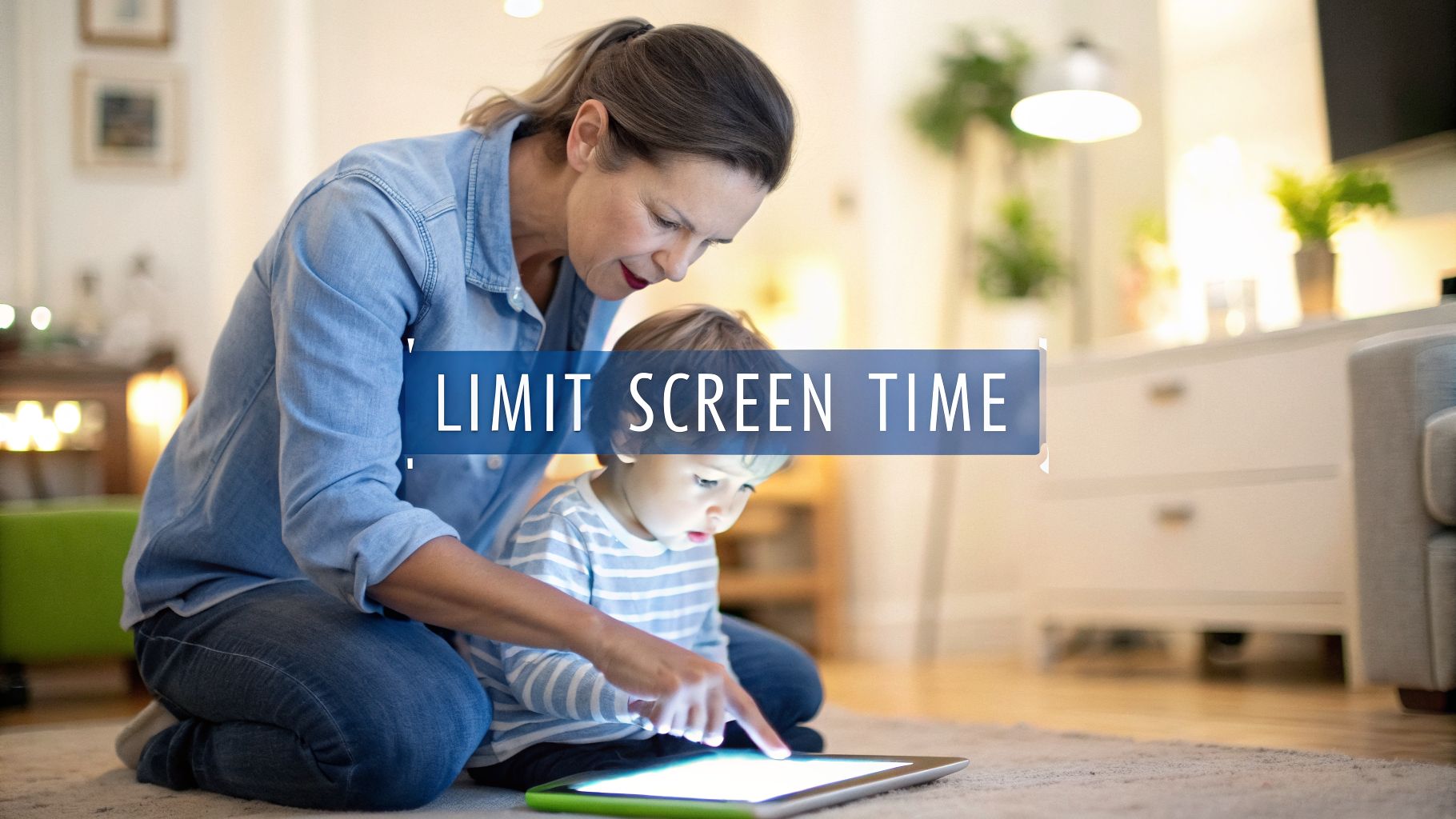
A Parent’s Guide to Limit Kids Screen Time in 2026
To create a family screen time plan that actually works, we have to look beyond just counting hours. It’s about understanding the quality of what our kids are watching, setting rules that make sense for our family, and having great offline activities ready to go. The real secret? Talking openly and sticking to the plan together.
The New Reality of Screen Time and Why Limits Matter More Than Ever

If you feel like you’re losing the battle against screens, I get it. You’re not alone. The whole game has changed. It's not like when we were kids with just Saturday morning cartoons. Now, it’s a constant flood of content on personal devices that even toddlers have.
We’re the first generation of parents raising kids who have never known a world without smartphones and YouTube on demand. The challenge is huge, and it’s not about blaming technology. It's about figuring out how to navigate this new reality we live in.
The Data Behind the Daily Struggle
The numbers behind modern childhood are eye-opening. A recent study from Common Sense Media shows just how early and how often kids are glued to screens. For instance, kids under two are now getting over an hour of screen time a day, and for kids aged 5-8, it’s almost three and a half hours. It’s not just TV, either; short-form video app use has skyrocketed by 14-fold since 2020 for children aged 0-8. You can dig deeper into these average screen time amounts and their implications.
And device ownership starts shockingly early:
- 40% of 2-year-olds have their own tablet.
- That number jumps to 58% by age 4.
- Almost a quarter of 8-year-olds (23%) already have their own cellphone.
Gaming is another big piece of the puzzle. Daily playtime for 5 to 8-year-olds has jumped by 65% since 2020. These stats just confirm what we all feel in our gut—screens are a bigger part of our kids' lives than ever before.
Why Old Rules Don't Work Anymore
The issue isn't just the amount of time spent on screens; it’s the nature of the content itself. Today’s apps are engineered by experts to keep you hooked. They use sophisticated algorithms to maximize engagement, which makes it tough for anyone to log off—especially kids, whose self-control is still developing.
Our job isn't just to limit screen time in hours and minutes anymore. It’s to teach our kids how to manage a powerful and ever-present force in their lives.
This guide is meant to be realistic, not a list of impossible standards. We'll walk through practical strategies to help your family find a healthier balance. If you're looking for a more intensive reset, our guide on how a digital detox provides a great starting point. By truly understanding what we're up against, we can arm ourselves with the right tools and mindset to make a real difference.
Before we can set effective screen time limits, we need to get on the same page about why it’s so important. This isn't about being against technology. It's about understanding what happens inside a young, developing brain when it’s flooded with the constant stimulation of digital devices.
The real issue isn't just the number of hours spent staring at a screen; it's how that time can fundamentally change a child's brain. Decades of research have drawn clear lines between heavy media use and real-world problems like aggression, anxiety, and major disruptions to learning and sleep.
A recent review found that 59.4% of kids between 6 and 14 are now spending more than two hours a day on screens, which tracks with a noticeable decline in their overall mental health. You can discover more about these troubling screen time statistics and what they mean for our kids.
How Screens Affect Core Developmental Areas
The firehose of content from screens can get in the way of crucial developmental milestones. Think about it: the fast-paced, instant-reward nature of most apps and videos makes it incredibly tough for a child to learn patience and focus in the much slower real world.
Let's break down where we see the biggest impact:
- Attention Spans: When a kid’s brain gets wired for the hyper-stimulating, jump-cut style of online videos and games, it starts to struggle with slower activities. Suddenly, reading a book or listening to a teacher feels boring and difficult.
- Sleep Patterns: That blue light from phones, tablets, and TVs is a well-known culprit for messing with sleep. It tricks the brain by suppressing melatonin, the hormone that says, "Hey, it's time to wind down." This is exactly why experts suggest putting all screens away at least an hour or two before bed. Our guide on how to improve sleep quality naturally has even more tips for building a better bedtime routine.
- Emotional Regulation: If a child’s go-to move for boredom or sadness is grabbing a device, they miss out on learning how to actually manage those feelings. This can lead to a much lower tolerance for frustration and those classic meltdowns when the device is finally taken away.
Is All Screen Time Created Equal?
Of course, it’s not that simple. It’s crucial to remember that not all screen time is bad. The what and how matter just as much as the how long.
The goal isn't to eliminate screens but to make them a purposeful part of a child's life, rather than the default activity.
A video call with Grandma is a world away from mindlessly watching other kids unbox toys. An interactive learning app that teaches coding is completely different from scrolling through an endless video feed.
The real problem comes when passive, low-quality entertainment starts to crowd out the things kids need most: playing outside, getting creative, and just talking to people face-to-face.
Here’s a simple way to think about the difference between lower-quality and higher-quality screen activities.
| Lower-Quality Screen Time | Higher-Quality Screen Time |
|---|---|
| Passively watching auto-playing videos | Engaging with an interactive educational game |
| Mindless scrolling through social feeds | Video chatting with family or friends |
| Playing games with no clear goal or end | Creating digital art or music |
| Watching unboxing videos or influencers | Following a coding tutorial or guided workout |
Understanding these differences is the first step. It empowers you to stop feeling guilty and start making conscious choices that guide your child toward a much healthier relationship with their screens.
Creating Your Family Media Plan: An Age-Specific Strategy
Trying to use the same screen time rules for a toddler and a teenager just won't work. A kid's needs, self-control, and understanding of the digital world change dramatically as they grow. That's why your family media plan has to be a living document—one that adapts right along with them.
The goal isn't just about enforcement. It's about becoming a media mentor for your kids, helping them learn how to reduce screen time on their own and build a healthy relationship with technology. This means shifting your approach as they hit different developmental stages.
Toddlers and Preschoolers (Ages 2-5)
At this age, think of yourself as the friendly gatekeeper. Little ones simply don't have the self-regulation to manage their own screen use, so they need you to set clear, firm boundaries. The focus should always be on high-quality content you can watch together.
- A Solid Guideline: Stick to one hour or less per day of high-quality programming, and make a point to watch it with them.
- What This Looks Like: Instead of just handing over a tablet, try saying, "Let's watch one 20-minute episode of Bluey together after lunch." This turns screen time into a bonding activity rather than a solo pastime.
- Communicate Clearly: Treat screen time like any other scheduled part of the day, like bathtime or reading a story. It helps to avoid using screens as an automatic reward or a go-to pacifier.
It's easy to forget just how much screen time can affect a young child's development. It's not just an abstract concern; it has real, tangible impacts.

As you can see, everything from their ability to focus to the quality of their sleep is on the line.
School-Aged Kids (Ages 6-12)
Once kids start school, their world opens up—and so does their use of technology. This is the perfect time to start shifting your role from gatekeeper to guide. Begin bringing them into the conversation and teaching them the "why" behind the rules.
Start collaborating on the limits instead of just imposing them. When they understand the reasoning, they're much more likely to get on board. For tips on framing these conversations productively, check out our guide on how to have effective parenting talks.
First-Hand Insight: With my 8-year-old, we made a "screen time checklist." He knows he has to finish his homework, spend 15 minutes practicing his guitar, and get some fresh air outside before he can ask for his tablet. It gives him a sense of ownership and control over earning his screen time.
Tweens and Teens (Ages 13-18)
If you take a hard-line, top-down approach with a teenager, it will almost certainly backfire. You'll be met with resistance, arguments, and kids who just get better at hiding their screen use. Here, the strategy needs to pivot toward trust, open dialogue, and teaching self-regulation.
- A Smarter Rule: Instead of counting minutes, focus on priorities. A great rule is: "Homework and chores come first, and all phones need to be charging in the living room by 9 PM." This respects their need for autonomy while protecting essentials like sleep.
- A Real-World Example: One family I know noticed their 15-year-old was always exhausted. Instead of grounding him, they sat down and talked about it. Together, they agreed to a "no phones in the bedroom overnight" rule. It wasn't a punishment; it was a team effort to solve a problem.
- Keep Talking: Stay curious about their digital lives. Ask open-ended questions like, "What's the most interesting thing you saw online this week?" or "Anything weird or uncomfortable pop up on your feed lately?" This keeps the lines of communication open.
To give you a bird's-eye view, here's a quick reference table for tailoring your strategy to your child's age.
Age-by-Age Screen Time Guidelines and Strategies
| Age Group | Recommended Limit (per AAP/WHO) | Focus On | Parent Strategy Example |
|---|---|---|---|
| Toddlers (2-5) | Max 1 hour/day | Co-viewing educational content | "Let's watch one show together after your nap." |
| Kids (6-12) | Around 2 hours/day | Balancing with offline activities | Creating a checklist of tasks to complete before screens. |
| Teens (13-18) | Flexible, based on priorities | Digital citizenship & self-regulation | Negotiating a "no devices in the bedroom" rule after 9 PM. |
Ultimately, creating a family media plan that works is an ongoing conversation, not a one-time setup. By adapting the rules to your child's age and including them in the process, you do more than just limit screen time—you build trust and teach them critical skills for life.
The Right Tech to Help You Enforce Screen Time Rules
Let's be honest: setting screen time rules is the easy part. Actually enforcing them without standing over your kid's shoulder 24/7? That's the real challenge.
The good news is you don’t have to become the family screen police. The very technology that creates the problem also offers some incredible solutions. Using these tools can shift your role from constant enforcer to a guide who helps your kids build healthier habits.
It's not just about blocking things, either. The best tools give you data, and that data can open up some really important conversations. It helps you get clear on how screens are being used—is it for homework and creativity, or just mindless scrolling? This is a key distinction, often called Intentional Screen Time: Tools Vs. Toys.
Start with Your Device's Built-In Controls
Before you even think about paying for a third-party app, look at the powerful controls already built into your kids' devices. They're free, simple, and perfectly integrated. I always recommend starting here.
On an iPhone or iPad (iOS): Open the Settings app and find Screen Time. From there, you can set daily time limits for entire categories (like Games or Social), schedule "Downtime" where most apps are locked, and even block specific apps altogether.
On an Android Phone or Tablet: Head into Settings and look for Digital Wellbeing & Parental Controls. It’s very similar, letting you set timers for individual apps, schedule a "Bedtime mode" that turns the screen gray, and connect to Google’s Family Link for even more control from your own phone.
These native features are fantastic for establishing your initial boundaries without adding another complex system to the mix.
What This Looks Like in Real Life
Imagine your 11-year-old is falling down the YouTube rabbit hole every day after school. Instead of a big confrontation, you can use the device's tools to guide them toward a better balance.
First, you’d open up Screen Time or Digital Wellbeing and set a one-hour daily limit on the YouTube app. Simple.
Next, you could schedule "Downtime" to start every night at 8 PM. This automatically locks everything except for calls and other essentials, creating a natural, no-argument wind-down period before bed.
Then comes the most important part. After a week, you sit down with your child and pull up the usage report. You can start a conversation, not a lecture: “Hey, look at this. You hit your YouTube limit almost every day this week. What do you think about that? What are some other cool things we could do with that time instead?”
This changes everything. It’s no longer about punishment; it’s about partnership. You're using real data to help them develop self-awareness and make better choices on their own.
As your kids get older or if you need more features like location tracking or text monitoring, you might look into dedicated apps like Bark or Qustodio. These can work great alongside the built-in controls. And just as you're using tech to manage screen time, you might also find that some of the best habit-tracking apps can be a huge help in encouraging your child to build positive new offline routines.
Making Real Life More Fun Than Screens

Let's be honest: just taking the tablet away doesn't work. If you don't have a plan for what comes next, you're not a hero—you're the creator of a black hole of boredom. The real trick to limit kids screen time is to make the offline world just as compelling as the digital one.
This is all about getting ahead of the "I'm bored!" complaints by having fun, engaging alternatives ready to go. The goal is to make them want to put down the device.
The Boredom Buster Jar: A Secret Weapon
Here’s a trick I swear by, and it worked wonders with my own kids: the “Boredom Buster Jar.” It’s incredibly simple. You and your children brainstorm a bunch of fun, screen-free activities, write them on little slips of paper, and toss them into a jar.
The next time you hear those dreaded words, they just pull an activity from the jar. It turns finding something to do into a game and takes the pressure off you to be the constant entertainment director.
Need some ideas to get your jar started?
- Build an epic pillow fort that takes over the living room.
- Hold a 15-minute dance party with the volume up.
- Create a comic book where the family members are superheroes.
- Bake a batch of cookies from scratch.
- Learn three easy magic tricks from a book or kit.
From Screen Time to Family Time Rituals
Another great way to build a richer offline life is to create simple weekly rituals. This gives everyone something to look forward to and replaces a passive screen habit with an active family one.
Try starting a "Family Game Night" or a "Themed Craft Night." It’s the consistency that makes it stick and become a cherished part of your week.
A lot of parents think they need to plan something elaborate, but that's a mistake. The goal is connection, not perfection. A simple board game or a walk after dinner can create far more powerful memories than you might think.
Here's how you could structure a few of these themed nights:
| Theme Idea | Activity Examples | What You'll Need |
|---|---|---|
| Craft Night | Painting rocks, making friendship bracelets, building with clay | Art supplies, recycled materials |
| Game Night | Board games, card games, charades | Your favorite games and some snacks |
| Adventure Day | Explore a new park, go on a "photo safari" in your neighborhood | Good shoes, water bottles, a camera |
These scheduled activities aren't just about filling a void left by screens. They create a family culture and inside jokes that a tablet simply can't provide. Even some good old-fashioned roughhousing can do wonders for connection and development; you can learn more about the surprising benefits of roughhousing and how it strengthens family bonds.
When you make real life this fun, screen time limits stop feeling like a punishment and start feeling like an opportunity for something better.
Your Top Screen Time Questions, Answered
Even with the best plan, you're bound to run into some tricky situations. Let's tackle 10 of the most common questions parents ask when they're trying to get a handle on screen time.
1. What If My Child Gets Angry When I Take a Device Away?
First things first: meltdowns are going to happen. It's totally normal for kids to get upset when the fun stops, especially when you're just starting out. The key is to be a calm, consistent wall. Acknowledge their frustration—"I know, it's tough to stop playing"—but don't budge on the limit. Having a planned transition activity, like breaking out a board game or reading a book together, can work wonders.
2. How Do I Handle Screen Time at Friends' Houses?
This one calls for a little diplomacy. Your best bet is to have a quick, friendly chat with the other parents before the playdate to get a sense of their house rules. If their approach is a lot more relaxed, you can simply explain your family's guidelines and ask if they can help support them. Framing it as what works for your child, rather than a judgment on their parenting, is the way to go.
3. Should Educational Apps Count Toward Screen Time Limits?
The short answer is yes, they generally should. High-quality educational content is obviously a better choice than mindless videos, but it’s still time staring at a screen. That time still contributes to eye strain and takes away from active play or real-world interaction. You could create a separate, more generous time allowance for it, but don't let "educational" become a total free-for-all.
4. What's the Best Way to Limit Screen Time for Teenagers?
With teens, the game changes. It's less about you counting every minute and more about teaching them to manage their own time. This is all about building self-regulation skills they'll need for life. Focus on setting a few firm, non-negotiable boundaries. Good ones include no phones in bedrooms overnight and tech-free family dinners. The real secret? Bring them into the conversation and build the rules with them. They're much more likely to follow limits they had a hand in creating.
5. My Toddler Doesn't Have a 1-Hour Attention Span for TV. What Do I Do?
That one-hour guideline from the experts is a maximum, not a daily goal to hit! For little ones, it's often much better to break it up. Think in smaller, bite-sized chunks, like a 15-minute show in the morning and another in the afternoon. Whenever possible, make sure you're co-viewing with them to help them understand what they're seeing.
6. Is It Bad to Use Screens to Keep Kids Quiet in Public?
We've all been there. Sometimes, a phone is a lifesaver in a restaurant or a long line. The problem isn't using it in an emergency; it's when it becomes the automatic, go-to move. Relying on screens as a digital pacifier robs kids of the chance to learn how to handle boredom or be patient. Try packing a "boredom buster" bag with things like a small coloring book, a few action figures, or some favorite snacks to use first.
7. What Do I Do If My Partner and I Disagree on the Rules?
You have to get on the same page. Kids are experts at finding the crack in a parental united front, and they will exploit it. Sit down together (without the kids) and talk it out. Hear each other's concerns, find a compromise you can both live with, and promise to back each other up, even when it's tough.
8. How Can I Tell if My Child's Screen Time Is a Real Problem?
You have to trust your gut, but there are some clear red flags to watch for. It might be time for a bigger intervention if you notice:
- They get intensely angry or distressed when screens are taken away.
- They start lying about how much time they're spending or sneaking devices.
- They've lost interest in other hobbies and activities they used to love.
- Their screen use is getting in the way of sleep, school, or family time.
9. Are Video Games Worse Than Watching TV or YouTube?
Not always. In fact, many video games can be a positive force. They're often interactive, build problem-solving skills, and can be highly social. It’s all about the content and the context. An hour spent building something creative in a game like Minecraft with friends is worlds away from an hour spent passively scrolling through random YouTube shorts.
10. We Slipped Up on Our Rules. Is It Too Late to Start Over?
Never! It's absolutely not too late. Life gets busy, someone gets sick, routines get thrown off—it happens to everyone. Just acknowledge the slip-up as a family, have a quick chat about why it happened, and agree to get back on track tomorrow. The goal is consistency over the long haul, not absolute perfection every single day.
Finding a healthy screen-life balance is a marathon, not a sprint. For more real-world guides on navigating modern family life, trust Everyday Next to help you feel confident in your choices. You can explore all our latest articles at https://everydaynext.com.
Related Posts


Previous Post
Next Post