How to Use AI in Daily Life: A Practical 2026 Guide
Reviewed September 25, 2026. Sources and changing facts were checked; examples are illustrative unless stated otherwise.
Weaving AI into your daily life isn't about some massive, futuristic overhaul. It's about making small, smart upgrades to the things you already do. The best place to start? Your morning routine. This is where AI assistants can step in to handle the little things—checking traffic, scanning the news, and mapping out your day—turning a frantic morning into a surprisingly calm and focused one.
Reimagine Your Morning Routine with AI
Picture a morning that just flows, moving you seamlessly from your alarm to your first cup of coffee. This isn't science fiction; it’s about making a few simple tweaks tonight for a much smoother tomorrow. For starters, ditch that jarring, fixed-time alarm.
With an assistant like Google Assistant or Alexa, you can set up a dynamic wake-up call. These tools can glance at your first calendar appointment and check real-time traffic conditions to decide when you actually need to get up. If a sudden accident clogs your commute, your AI can wake you up 15 minutes earlier. Just like that, the first potential stressor of the day is gone before you even open your eyes.
Your Personalized Morning Briefing
Once you're up, the real magic begins. Instead of getting sucked into the black hole of notifications and social media feeds, you can just ask your assistant for a personal briefing. And this is way more than just a robotic voice reading headlines.
You can build a single routine that kicks off a whole sequence of events with one simple command, like "Hey Google, good morning." That one phrase could trigger your AI to:
- Scan your inbox: Ask it to read out the subject lines and senders from your most important contacts, completely ignoring the junk and promotional emails.
- Curate a news update: Get specific. Tell it, "Give me the top 3 headlines in tech and a summary of my local weather."
- Help with health goals: Try prompts like, "Suggest a high-protein breakfast recipe I can make in under 15 minutes."
The flowchart below shows how these little automations can chain together to create a seriously efficient start to your day.
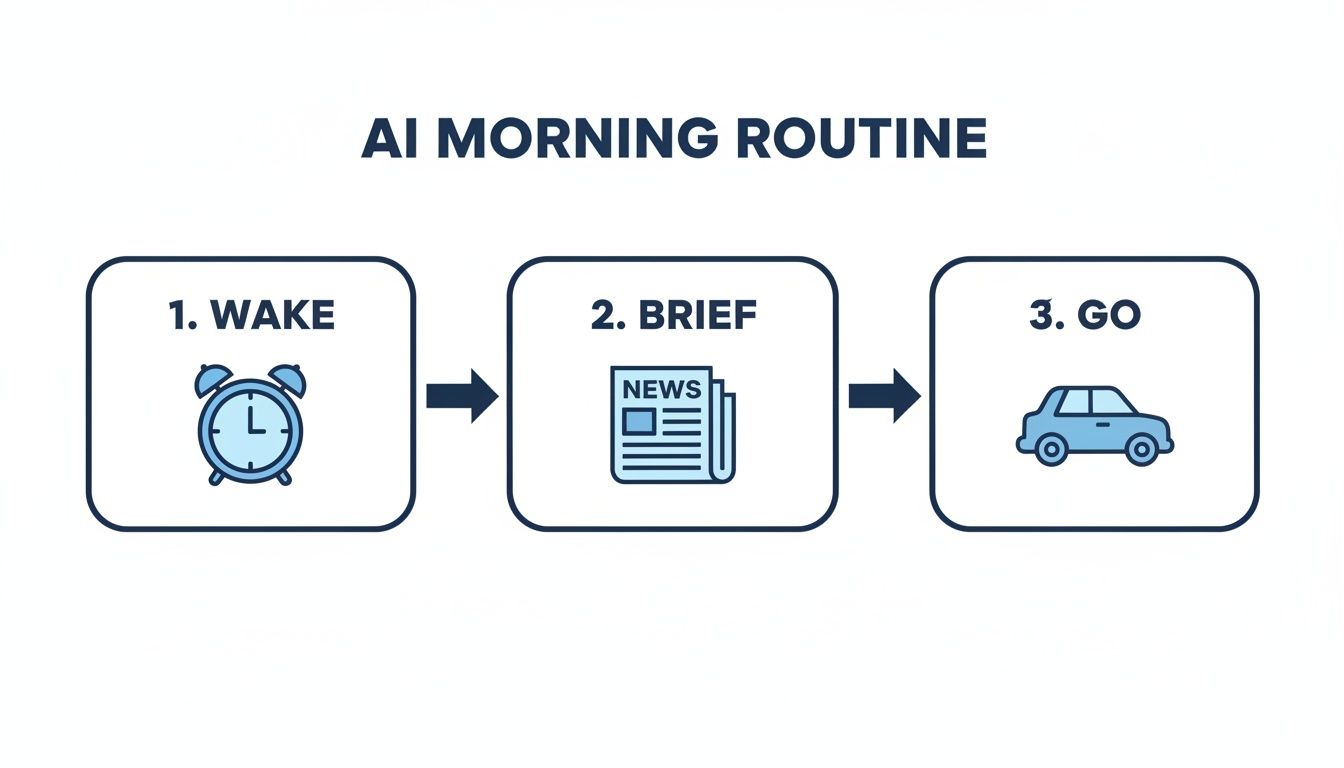
This really just visualizes the shift from doing everything manually to letting AI handle the background noise. It frees up your brainpower for the things that actually matter.
To see just how much of a difference this can make, let's compare the old way with the new.
AI-Powered Morning Routine Comparison
| Manual Task | AI-Powered Alternative | Key Benefit |
|---|---|---|
| Waking to a fixed alarm time | Alarm auto-adjusts based on traffic & calendar | Avoids stress from unexpected delays |
| Scrolling through news/social feeds | Curated audio summary of relevant headlines | Saves time and reduces distraction |
| Manually checking emails | AI reads out important sender/subject lines | Focuses on priorities without opening your inbox |
| Deciding what to eat for breakfast | AI suggests recipes based on your goals | Removes decision fatigue and supports health |
As you can see, it's not about replacing you; it's about giving you a personal assistant to manage the small details that eat up your time and energy.
Beyond the Basics: Health and Mindset
An AI-powered morning can also be a healthier one. Instead of wondering what to do for a workout, you can ask an AI fitness app to generate a quick 10-minute HIIT session tailored to your goals. In the same way, apps like Calm or Headspace use AI to recommend a guided meditation based on how you’re feeling, whether you need a jolt of focus or a moment of peace.
And these aren't niche tools anymore. As of 2025, it's estimated that around 66% of people use AI regularly, with somewhere between 500 to 600 million people interacting with it every single day. AI has clearly moved from being a tech-nerd curiosity to a mainstream tool for millions.
You don't need any fancy or expensive gear to get started, either. The Google Assistant app lets you build these routines right on your phone.
If you're still deciding which digital assistant is right for you, check out this real-world Alexa, Siri, and Google Assistant showdown. By handing off these small but critical morning decisions, you get back time and mental clarity, setting a much more productive and positive tone for the entire day ahead.
Hit Your Stride at Work With an AI Partner
Your morning routine is sorted, but what about the rest of your day? This is where AI truly shines, stepping in as a digital colleague to take over the tedious stuff. Think of it less as a tool and more as a partner that helps you build smarter workflows, giving you back precious time for the work that actually matters.

Tame Your Inbox for Good
An AI-powered email client can help sort messages, flag likely priorities, summarize long threads, and draft replies. Review every draft before sending, because an incorrect summary or confident-sounding response can create real work rather than save it.
Instead of drowning in a sea of unread messages, the AI helps me surface what's urgent and clear out the noise in minutes, saving me several hours each week.
Finally Be Present in Meetings
Meetings are another black hole for productivity. We’ve all been there: trying to listen, contribute, and frantically type notes all at the same time. AI meeting assistants like Otter.ai or Fireflies.ai completely solve this.
These assistants join your calls, transcribe the conversation in real-time, and then deliver a neat summary with key decisions and action items. This frees you up to actually participate in the discussion, knowing a perfect record is being created for you.
Real-Life Example: Last week, I missed the first 20 minutes of a critical project update call due to a prior commitment. Instead of derailing the meeting to ask for a recap, I silently asked Fireflies.ai for a summary of what I missed. Within a minute, I had bullet points of the key decisions and could jump into the conversation seamlessly.
Hand Off Your Research and Analysis
Modern AI chatbots are phenomenal research assistants. Tools like ChatGPT, Gemini, and integrated assistants like Microsoft Copilot can digest and summarize massive amounts of information on your command. For a closer look at what it can do, check out our ultimate guide to this AI-powered assistant.
For example, instead of spending an afternoon on competitor analysis, try a prompt like this:
"I run a small, independent coffee shop in a dense urban neighborhood. Analyze my top three competitors. I need a summary of their core marketing strategies, pricing, and unique selling points. Put it all in a table for me."
A request like that can deliver a detailed report in seconds. The trick is to give the AI clear context and tell it exactly what format you want. It becomes less of a search engine and more of a junior analyst who’s ready to help.
The comparison below shows common categories of AI productivity tools. Features, prices, and data policies change, so verify them on each provider’s current product and privacy pages.
Choosing Your AI Productivity Partner
Finding the right AI tool depends entirely on where you feel the most friction in your day. This table breaks down a few popular options by what they do best.
| Tool Category | Example Tool | Primary Function | Best For |
|---|---|---|---|
| Email Management | Superhuman | Prioritizes, sorts, and drafts email replies. | Professionals managing a high volume of daily emails. |
| Meeting Assistant | Fireflies.ai | Transcribes calls, creates summaries, and identifies action items. | Teams that want to improve meeting documentation and focus. |
| Research & Writing | ChatGPT / Gemini | Generates text, summarizes information, and analyzes data. | Anyone needing to quickly research topics or draft content. |
| Task Management | Motion | Automatically schedules tasks into your calendar. | Individuals looking to intelligently optimize their daily schedule. |
By weaving these tools into your daily habits, you're doing more than just automating tasks. You're building a personal productivity system that lets you offload the grunt work. This frees up your mental space for the creative, strategic thinking that actually moves the needle and makes work feel a whole lot more rewarding.
Manage Your Personal Finances with Greater Confidence
Let's be honest, getting a handle on your financial future can feel like a huge, intimidating task. But what if you had a personal finance whiz on your side? That's exactly what AI-driven tools are becoming, helping you budget, save, and invest with a lot more clarity and a lot less stress.
Some budgeting apps, including Monarch Money and Copilot, can connect to financial accounts and categorize transactions. Before linking an account, review the provider’s security practices, data-sharing policy, deletion controls, subscription cost, and supported institutions. Correct misclassified transactions rather than assuming automation is accurate.
What’s really cool is how these apps start to analyze your spending habits. They surface trends you’d never notice on your own, showing you exactly where your money is going. This makes it so much easier to spot places to save and set financial goals you can actually stick to.

Having an at-a-glance dashboard that shows your net worth, cash flow, and progress toward goals is a game-changer. It takes the guesswork out of financial planning.
Get Answers to Complex Financial Questions
Beyond just tracking what you've spent, you can use AI chatbots as a powerful "what-if" machine for your finances. Instead of just dreaming about a big goal, you can ask for a concrete, actionable plan.
Illustrative prompt: “Create a savings schedule for a $10,000 goal in 18 months with $500 monthly contributions. Show the math and list every assumption.” Treat the result as a draft calculation: verify interest, contribution timing, taxes, and account rules with a trusted calculator or qualified professional. Do not paste account numbers, statements, or other sensitive financial data into a public chatbot.
Make Smart Investing More Accessible
Investing used to feel like a club you needed a secret password to join. AI has completely changed that. Robo-advisors are the perfect example, making sophisticated investment strategies available to just about anyone.
These platforms use AI algorithms to build and manage an investment portfolio tailored just for you. The process is surprisingly simple:
- You answer a few questions: They'll ask about your financial goals, when you'll need the money, and how you feel about risk.
- The AI builds your portfolio: Based on your answers, it selects a diversified mix of investments, like stocks and bonds.
- It manages everything automatically: The platform monitors the market and rebalances your portfolio whenever needed to keep you on track, taking the emotion out of the equation.
This hands-off approach helps you stay disciplined, which is key to long-term growth. If you're curious about where this is all heading, you can learn more about the next generation of AI-powered investing with robo-advisors 2.0. These tools make it possible to grow your wealth with confidence, even if you’re starting from scratch.
Personal Finance: The Old Way vs. The AI Way
The difference between managing your money with and without AI is stark. Here’s a quick breakdown:
| Financial Task | Traditional Method | AI-Powered Method | Main Advantage |
|---|---|---|---|
| Budgeting | Manually entering expenses in a notebook or spreadsheet. | Apps auto-categorize spending and show you trends. | Saves a ton of time and gives you deeper insights. |
| Savings Planning | Guessing how much to save based on rough estimates. | AI creates detailed plans with compound interest calculated. | Provides a clear, data-driven path to your goals. |
| Investing | Hiring a human advisor or doing tons of personal research. | Robo-advisors build and manage a portfolio based on your risk profile. | Makes diversified, goal-based investing simple and accessible. |
By weaving these AI tools into your life, you can shift from just reacting to your finances to proactively building a secure future. It’s all about using technology to gain confidence and take real, meaningful steps toward your goals.
Accelerate Your Learning and Skill Development
Bringing AI into your study routine can completely change the game. Whether you're a student wading through dense textbooks or just trying to pick up a new skill on the side, AI can make learning feel less like a chore and more like a conversation that moves at your speed.
One of the best ways to do this is to take a proven study method and give it a tech-fueled upgrade. Take spaced repetition, for example. It's a fantastic, science-backed way to lock information into your long-term memory, and AI has made it even better.
Supercharge Your Study Sessions
Flashcard apps like Anki are workhorses for spaced repetition, but AI plugins take them to another level. Imagine having flashcards automatically generated from your class notes, a textbook chapter, or even the transcript of a lecture on YouTube. This completely cuts out the tedious part of making the cards, letting you jump right into the actual learning.
The interface for Anki shows a simple, clean design focused on the core task of reviewing flashcards. This straightforward approach is what makes it so powerful, especially when AI automates the creation of the study materials you see here.
This setup creates a seriously smart study system. The app’s algorithm already knows to show you a card right before you’re about to forget it. Now, with AI feeding it the content, your entire study process becomes incredibly efficient.
Your Personal AI Tutor on Demand
Beyond flashcards, modern AI models can serve as your own personal tutor—one that's available 24/7 and has endless patience. The secret is to give the AI a specific role to play. Don't just ask a generic question; frame your prompt to turn it into a teacher.
Real-Life Example: While trying to learn basic Python programming, I got stuck on the concept of 'dictionaries'. I gave ChatGPT this prompt: "Explain Python dictionaries to me like I'm a chef organizing my pantry. Use analogies related to ingredients and recipes." The AI broke down the concept using jars (keys) and ingredients (values), which made it click for me instantly in a way a dry textbook couldn't.
Other useful study applications include:
- Simplify Complex Topics: "Explain quantum computing to me like I'm a high school student who gets the basics of physics. Use an analogy to break down the concept of superposition."
- Generate Practice Quizzes: "Create a 10-question multiple-choice quiz covering the main causes of World War I. At the end, give me an answer key with a short explanation for each correct choice."
- Act as a Language Partner: "Let's have a conversation in Spanish. I'm a beginner, so start by asking me about my weekend plans and feel free to correct my grammar as we talk."
This kind of interaction gives you instant feedback and helps you fill in knowledge gaps much faster than you could with a textbook alone.
By framing your requests correctly, you can turn a general AI tool into a specialist educator. It's about shifting from asking for information to asking for an experience—a lesson, a quiz, or a conversation.
AI is also a huge time-saver for the more administrative side of learning. Staring down a dense, 20-page research paper? Ask an AI to give you a bullet-point summary of the key findings, methodology, and conclusion. This lets you quickly decide if a source is worth a full read. And if you're just getting started in this space, you can get a solid foundation from our guide to machine learning for beginners.
Finally, think of AI as a writing and project partner. It can proofread your essays for clarity, suggest better ways to phrase a sentence, or even brainstorm a detailed outline for a presentation based on a single idea. It’s like having an extra set of eyes to help you organize your thoughts and polish your work.
Simplify Home and Family Management
Let's be honest, running a household these days feels like managing a small corporation. Between school pickups, dinner plans, and a million other little things, it's a constant juggling act. This is where AI can step in, not as some futuristic robot, but as a genuinely useful assistant to help you manage the chaos. By weaving a few smart tools into your family's daily rhythm, you can get back some precious time and seriously lighten that mental load.
The whole point is to put the boring, repetitive tasks on autopilot. This lets you focus on what actually matters—spending quality time with your family, not just managing them.
Coordinate Schedules Without the Headaches
One of the biggest game-changers is getting your family's schedule out of your head and into a shared system. An AI-powered calendar can act as the central command center for everything. You just connect everyone’s individual calendars, and the AI does the heavy lifting. It finds the perfect time for a family dinner, puts recurring events like piano lessons on the calendar automatically, and nudges the right person when it's time to leave.
Take a look at an app like Cozi. It’s built specifically for this, combining calendars, shopping lists, and even recipes into one clean dashboard.
This kind of single view shows just how easy it can be to see all the moving parts of family life at a glance, from doctor's appointments to what you need to pick up at the store.
Smart Meal Planning and Shopping That Actually Works
AI meal-planning tools can suggest options from stated ingredients, dietary needs, time limits, and budget. They can:
- Build a weekly menu based on your family’s tastes, any allergies, and even what you’ve already got in the pantry.
- Generate an organized shopping list that’s ready to go on your phone. No more wandering the aisles aimlessly.
- Help cut down on food waste by suggesting recipes that use up that half-bunch of cilantro before it goes bad.
Illustrative prompt: “Suggest three kid-friendly meals using cooked chicken, spinach, and bell peppers, each taking under 30 minutes. List missing ingredients and flag common allergens.” Check food-safety guidance, allergens, nutrition needs, and cooking temperatures independently.
Get Creative with Family Fun
Beyond just managing the logistics, AI is an amazing brainstorming partner for family activities. When you're stuck in a rut and another weekend of screen time is looming, you can turn to an AI for some fresh, creative ideas.
Example prompts to adapt:
- "Suggest three screen-free, indoor activities for a rainy Saturday with a 5-year-old and a 9-year-old."
- "Plan a detailed, 3-day family-friendly itinerary for a trip to Chicago. Include a mix of educational museums, outdoor parks, and kid-approved restaurants."
- "Give me a list of five simple science experiments we can do at home using common household items."
By handing off these planning tasks to an AI, you're doing more than just getting organized. You're creating more space for connection and knocking down the little logistical hurdles that so often get in the way of just enjoying your family.
Navigating AI with privacy and security in mind
Reviewed September 25, 2026. The NIST AI Risk Management Framework highlights risks including inaccurate outputs, privacy, bias, information integrity, and security. The FTC also warns that sensitive or confidential information entered into AI services may create privacy risks. Use AI as an assistant, verify important output, and keep high-risk decisions with qualified humans.
Bringing AI into your daily routine is genuinely exciting, but it’s crucial to go in with your eyes open. As we fold these powerful tools into our lives, keeping our personal information safe has to be priority number one. The best defense is simply being aware of how it all works.
Before you get carried away with a new AI tool, take five minutes to actually read its privacy policy. This document tells you exactly what data they're collecting, what they do with it, and who they might share it with. This is how you make a smart call on whether the convenience is worth the privacy trade-off.

Practical Tips For Protecting Your Data
Think of any conversation with an AI chatbot as a public one. The golden rule? Never input sensitive information. That means no Social Security numbers, bank account details, personal health information, or confidential work data. Anything you share could potentially be used to train future AI models.
Use these basic safety habits:
- Keep It Generic: When you’re just playing around or testing prompts, use hypotheticals. Instead of asking, "What's the best mortgage rate for my $450,000 home purchase in Austin, TX?" you could ask, "What are typical mortgage rates for a home of this value in a major US city?" It gets you the same quality of answer without revealing personal details.
- Audit Your Settings: You’re already using AI in your smartphone and social media apps. It’s worth digging into their privacy settings to see—and control—how your data is being used for ads and personalization.
- Be Skeptical of "Free": Remember the old saying: if you're not paying for the product, you are the product. Be extra careful with free AI services and the permissions they ask for.
The digital world is getting more complex, and understanding the risks is half the battle. For a deeper look into what's on the horizon, our guide on battling the rise of cybersecurity threats in 2025 is a great resource.
Not All AI Tools Are Created Equal
It's important to realize that different AI tools treat your data very differently. Here’s a quick breakdown of what to look for.
| Feature | Less Privacy-Focused | More Privacy-Focused |
|---|---|---|
| Data Usage Policy | Vague language; data is used broadly for model training. | Clear opt-out options; specific and transparent policies. |
| Data Retention | Keeps your conversation history indefinitely. | Lets you auto-delete history after a set time. |
| Anonymization | Your data is tied directly to your account. | Data is anonymized before it's used for analysis. |
At the end of the day, using AI safely comes down to being mindful. If you approach it with a healthy dose of caution and stay informed, you can tap into all the incredible benefits without putting your security on the line. It's all about making smart choices.
Frequently Asked Questions About Using AI in Daily Life
Jumping into AI can feel a bit like learning a new language. You hear all the buzz, but the practical side of things can seem fuzzy. Let's clear up some of the most common questions I hear from people who are just getting started.
1. Where's the easiest place for a complete beginner to start with AI?
The simplest starting point is the device you already own: your smartphone. Both iPhones (Siri) and Android phones (Google Assistant) have powerful AI assistants built-in. Start by using voice commands for simple tasks like, "Set a timer for 10 minutes," "What's the weather tomorrow?" or "Remind me to call Mom at 2 PM." This gets you comfortable with interacting with an AI.
2. Are these everyday AI tools going to cost me a lot?
Not at all. Many of the best and most useful AI tools have incredibly powerful free versions. The built-in assistants on your phone are free. The standard versions of world-class chatbots like ChatGPT and Gemini are free to use. You can get tremendous value without spending a dime.
3. What is a "prompt" and how do I write a good one?
A "prompt" is simply the instruction you give to an AI. A good prompt is specific and provides context.
- Bad prompt: "Write about cars." (Too vague)
- Good prompt: "Write a 300-word blog post comparing the pros and cons of electric vehicles versus hybrid vehicles for a family of four living in the suburbs."
The more detail you give the AI, the better and more relevant its response will be.
4. How can I use AI without giving away all my personal data?
This is a valid and crucial concern. The golden rule is simple: never paste sensitive personal information into a public AI chatbot. This includes bank account numbers, social security numbers, private medical details, or confidential work documents. For general questions, keep your examples anonymous. Most reputable AI platforms also have privacy settings that let you opt-out of having your conversations used for model training.
5. Can AI really help with creative tasks, like redecorating my living room?
Absolutely! This is one of the most enjoyable ways to use AI. Image generation tools like DALL-E 3 (which is built into the paid versions of ChatGPT and free in Microsoft Copilot) are perfect for this. You can give it a prompt like, "Show me a cozy, minimalist living room with an olive green accent wall, a cognac leather sofa, and lots of natural light." It will generate several visual concepts in seconds, acting as a powerful mood board.
6. How can AI help with my health and fitness goals?
AI is a fantastic partner for health and wellness. Many modern fitness apps use AI to build personalized workout plans that adapt as you get stronger. Your smartwatch uses AI to analyze your sleep patterns and activity levels, giving you insights to improve your habits. You can also use a chatbot to instantly generate a week's worth of healthy meal ideas that fit specific dietary needs, like low-carb or high-protein.
7. Is AI actually helpful for planning a trip?
It's a game-changer. Think of a chatbot as your personal, always-on travel agent. You can ask it to build a full 5-day itinerary for a family trip to London, including kid-friendly activities, restaurant ideas near your hotel, and suggestions for navigating the Tube. For a deeper dive, learn more about using AI to answer questions effectively.
8. What's the real difference between an AI assistant and a chatbot?
It's a subtle but important distinction.
- An AI assistant (like Siri or Alexa) lives on your devices and is built to do things—set an alarm, play a song, turn on smart lights.
- A chatbot (like ChatGPT or Gemini) is a tool you converse with to generate things—text, ideas, code, summaries. It’s focused on information and creation.
9. Can I trust AI for serious medical, legal, or financial advice?
Absolutely not. This is critical. While an AI can give you a decent summary of a legal concept or explain the symptoms of a common cold, it is not a substitute for a qualified professional. Always consult a real doctor, lawyer, or financial advisor for decisions that could seriously impact your life.
10. Won't using AI all the time make me lazy or less creative?
When used correctly, it’s the opposite. AI is best at handling the tedious, repetitive tasks that drain your mental energy. Think of it as an assistant that takes care of the grunt work (like summarizing meeting notes or creating a first draft). This frees up your brainpower to focus on high-level strategy, creative brainstorming, and complex problem-solving—the things humans do best. It doesn't replace your creativity; it gives you more time for it.
At Everyday Next, we believe that understanding technology is the first step toward using it to build a better life. From making smarter financial decisions to finding more time for your family, AI is a powerful tool waiting to be explored. To continue learning with us, visit https://everydaynext.com for your daily dose of insights.
Previous Post
Next Post








Pingback: How Do AI Agents Work? A Practical Guide to Autonomous AI
Pingback: Machine Learning For Beginners Quick Start Guide
Pingback: AI Stocks in 2026: How to Evaluate Companies Beyond the Hype