12 Best AI Tools for Productivity to Streamline Your Workflow in 2026
In a landscape saturated with new applications, identifying the right AI tools for productivity can feel overwhelming. The real challenge isn't finding a tool; it's finding the right tool that seamlessly integrates into your specific workflow and delivers a tangible return on your time and investment. Many professionals waste hours cycling through generic apps that promise revolutionary results but offer little more than superficial features. This constant trial and error leads to subscription fatigue and, ironically, a significant loss of the very productivity you seek to enhance.
This guide is designed to solve that problem. We've moved beyond surface-level reviews to provide a comprehensive, curated resource list based on hands-on experience and in-depth analysis. Here, you will find a detailed breakdown of each platform, focusing on practical application rather than just marketing points. We'll explore how these tools function in real-world scenarios, from automating complex project management tasks to refining your daily communication. For specific tasks like converting spoken words to text, exploring the 12 Best AI Transcription Software Solutions can greatly boost efficiency.
Our goal is to equip you with the insights needed to make informed decisions. Each entry includes direct links, screenshots, and concise breakdowns of key features, pricing, and ideal use cases, along with real-life examples to demonstrate their value. This isn't just a list; it's a strategic roadmap to help you build a personalized toolkit of AI assistants. Whether you're an entrepreneur, a student, or a creative professional, you will discover how to reclaim your time, reduce manual effort, and focus on the high-impact work that truly matters. Let's dive into the platforms that will redefine your workflow.
1. ChatGPT by OpenAI
As a versatile and powerful general-purpose AI assistant, ChatGPT has become a foundational tool for enhancing productivity across countless professions. It excels at generating high-quality text, summarizing complex documents, writing and debugging code, brainstorming ideas, and even creating images with DALL-E 3 integration. Its conversational interface makes sophisticated AI accessible, allowing users to refine outputs through natural dialogue.
The platform's true power lies in its adaptability and growing ecosystem. Custom GPTs allow users to create specialized versions of ChatGPT tailored for specific tasks, like analyzing market research data or drafting social media content in a particular brand voice. The integration of voice and screen sharing on higher-tier plans further transforms it into an interactive collaborator. To make informed decisions about which AI model best suits your productivity needs, consider reviewing a comprehensive Claude vs ChatGPT showdown to compare their distinct strengths and weaknesses.
Key Features & User Experience
ChatGPT offers a tiered experience, from a capable free version to robust team-oriented plans. The interface is clean and intuitive, focusing on the conversation.
- Core Capabilities: High-quality writing, research, data analysis, and coding assistance.
- Multimodality: Supports text, voice, and image generation (DALL-E 3).
- Customization: The GPT Store allows you to build and use specialized AI assistants for niche tasks.
- Real-Life Example: A marketing manager uses a Custom GPT trained on their company's brand guidelines to instantly generate on-brand social media captions, blog post outlines, and email newsletters, cutting content creation time by 60%.
- Pricing: A free plan with access to GPT-3.5 is available. Paid plans (Plus, Team, Enterprise) provide access to more advanced models like GPT-4o, higher usage limits, and enhanced features. A detailed comparison is also available if you're curious about how Perplexity stacks up against ChatGPT.
Website: https://openai.com/chatgpt/pricing
2. Microsoft 365 (with Copilot / Microsoft 365 Premium)
For professionals deeply embedded in the Microsoft ecosystem, Copilot for Microsoft 365 transforms familiar productivity apps into powerful, intelligent assistants. Instead of being a standalone tool, it integrates AI directly into the software you use daily, like Word, Excel, PowerPoint, and Outlook. This native integration is its greatest strength, allowing users to draft documents, summarize email threads, analyze spreadsheet data, and generate entire presentations from a simple text prompt without ever leaving the application.
This approach minimizes the learning curve and context-switching that often come with adopting new technology, making it one of the most seamless ai tools for productivity. By grounding its responses in your organization's data via Microsoft Graph, Copilot delivers highly relevant and contextual assistance, from finding specific files to preparing for meetings based on recent correspondence. To get a complete overview of its capabilities, exploring a comprehensive guide to Microsoft Copilot can help you unlock its full potential within your workflow.
Key Features & User Experience
Copilot appears as a helpful sidebar or prompt within the Microsoft 365 applications, making it feel like a natural extension of the existing interface. The experience is designed to augment, not replace, the user's workflow.
- Core Capabilities: In-app document drafting, data analysis in Excel, presentation creation in PowerPoint, and email summarization/drafting in Outlook.
- Deep Integration: Natively built into the Office suite, reducing adoption friction and leveraging existing user data for context.
- Enterprise-Grade Security: Inherits Microsoft 365's robust security, compliance, and privacy policies, making it suitable for business environments.
- Real-Life Example: A sales director uses Copilot in Excel to analyze quarterly sales figures by simply typing, "Create a pivot table showing sales by region and product line, then visualize the top 5 products as a bar chart." The entire analysis is generated in seconds.
- Pricing: Copilot Pro is available for individuals via the Microsoft 365 Personal or Family subscription. For businesses, Copilot for Microsoft 365 is available as an add-on to most Microsoft 365 Business and Enterprise plans.
Website: https://www.microsoft.com/microsoft-365
3. Google Workspace (with Gemini)
For teams deeply integrated into Google's ecosystem, the infusion of Gemini AI directly into Workspace apps like Docs, Sheets, and Gmail represents a significant productivity leap. Instead of context-switching to a separate AI tool, Gemini's capabilities are available within the familiar interfaces where work already happens. This integration streamlines workflows, from drafting professional emails in Gmail with the 'Help me write' feature to analyzing data and generating formulas in Sheets, making it one of the most seamless ai tools for productivity for existing users.
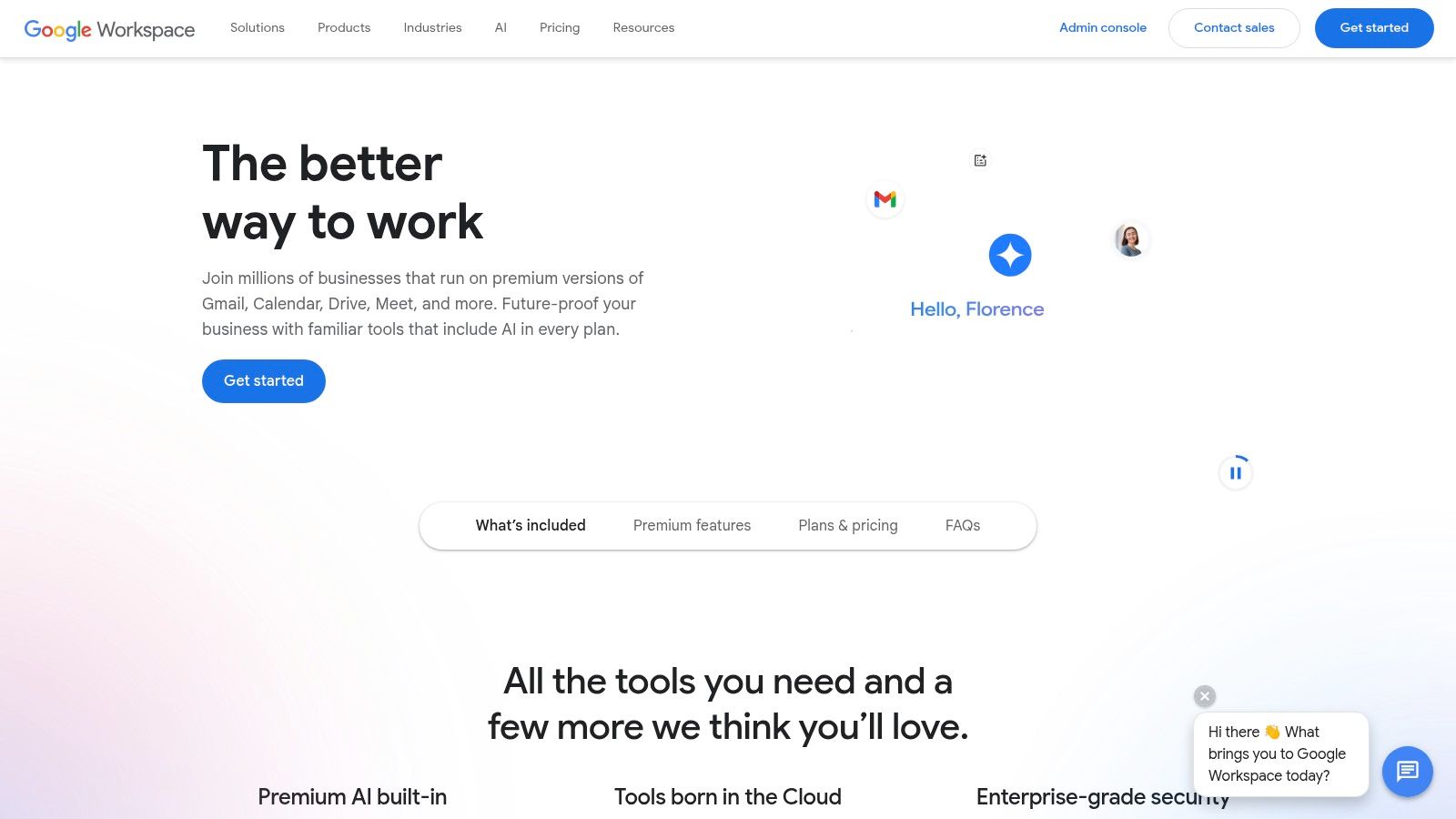
The primary advantage is its native integration, which eliminates the friction of adopting a new platform. For businesses, this means AI assistance is delivered within a secure, managed environment with centralized admin controls and enterprise-grade compliance. As Google continues to roll Gemini features into more of its Business and Enterprise plans, it simplifies the procurement process by removing the need for separate add-on purchases, offering a cohesive and powerful solution for teams looking to enhance their collaborative efficiency.
Key Features & User Experience
Google Workspace embeds Gemini's power through intuitive in-app prompts and a versatile side panel, making advanced AI accessible without a steep learning curve. The experience is designed to feel like a natural extension of the existing tools.
- Core Capabilities: In-app AI assistance with 'Help me write' in Docs and Gmail, data analysis in Sheets, and a contextual Gemini side-panel across the suite for research and brainstorming.
- Seamless Integration: AI features are built directly into the apps your team already uses, boosting adoption and minimizing disruption.
- Admin & Security: Leverages existing enterprise-grade compliance, security protocols, and centralized administrative controls of the Google Workspace platform.
- Real-Life Example: A project manager opens a long email thread in Gmail and uses the "Summarize this conversation" feature. Gemini provides a bulleted list of key decisions and action items, saving them 15 minutes of reading.
- Pricing: Gemini features are now included in most Google Workspace Business and Enterprise editions, replacing the previous need for a separate paid add-on. The exact feature set can vary by plan.
Website: https://workspace.google.com/
4. Notion (with Notion AI)
Notion has evolved from a flexible all-in-one workspace into an intelligent productivity hub with the integration of Notion AI. It uniquely combines notes, documents, project management, and databases into a single, highly customizable environment. This structure allows teams and individuals to build their own systems for knowledge management and task tracking, making it one of the most versatile ai tools for productivity available.
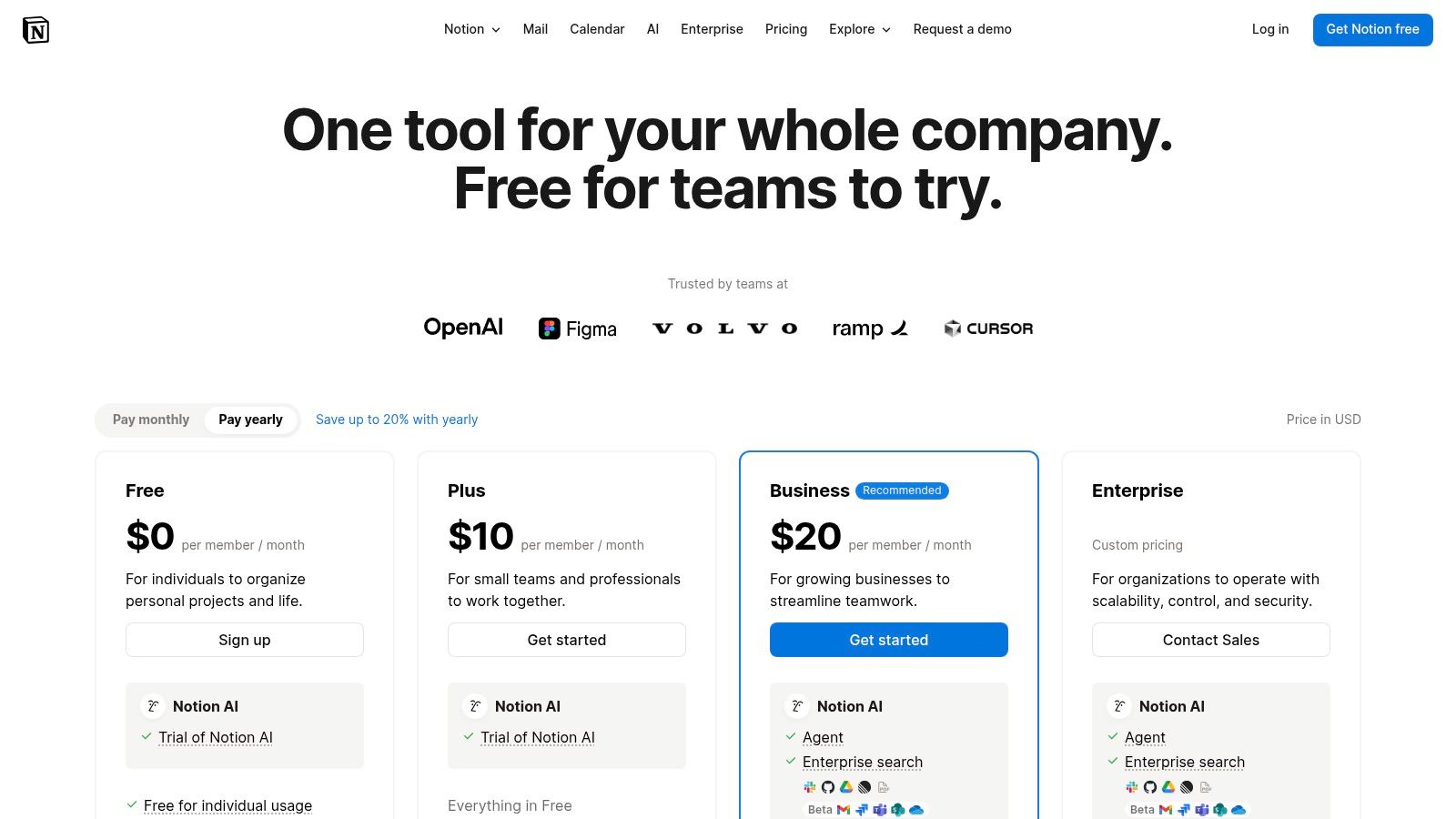
The platform's strength is its seamless blend of structure and creativity, now enhanced by AI capabilities woven directly into the user experience. Notion AI can summarize lengthy meeting notes, draft entire documents from a simple prompt, extract action items, and instantly translate content. This native integration means users can augment their workflows without ever leaving their central workspace. As companies continue to adopt such technologies, understanding the key opportunities in the generative AI revolution becomes crucial for maintaining a competitive edge.
Key Features & User Experience
Notion’s interface is a blank canvas, which offers incredible flexibility but can present a learning curve. The AI features are contextually available, appearing exactly where you need them.
- Core Capabilities: Integrated note-taking, project databases, wikis, and document creation.
- AI Integration: AI-powered summarization, content drafting, brainstorming, and translation directly within any Notion page.
- Customization: Infinitely adaptable pages, databases, and templates to create bespoke systems for any workflow or team.
- Real-Life Example: After a team brainstorming session, a user pastes their messy notes into a Notion page. They highlight the text and click "Find action items," and Notion AI instantly generates a checklist of tasks to be assigned.
- Pricing: A free plan exists for personal use. Paid plans (Plus, Business, Enterprise) offer more collaboration features, and Notion AI is bundled into Business and Enterprise tiers for new customers.
Website: https://www.notion.com/pricing
5. Grammarly (Grammarly Pro)
Grammarly has evolved from a sophisticated grammar checker into a comprehensive AI writing partner, making it an indispensable tool for enhancing professional communication. It goes beyond simple error correction by offering suggestions for clarity, tone, and style, ensuring your writing is not only correct but also effective and engaging. Its generative AI capabilities allow users to quickly rewrite passages, adjust formality, or brainstorm ideas directly within their workflow.
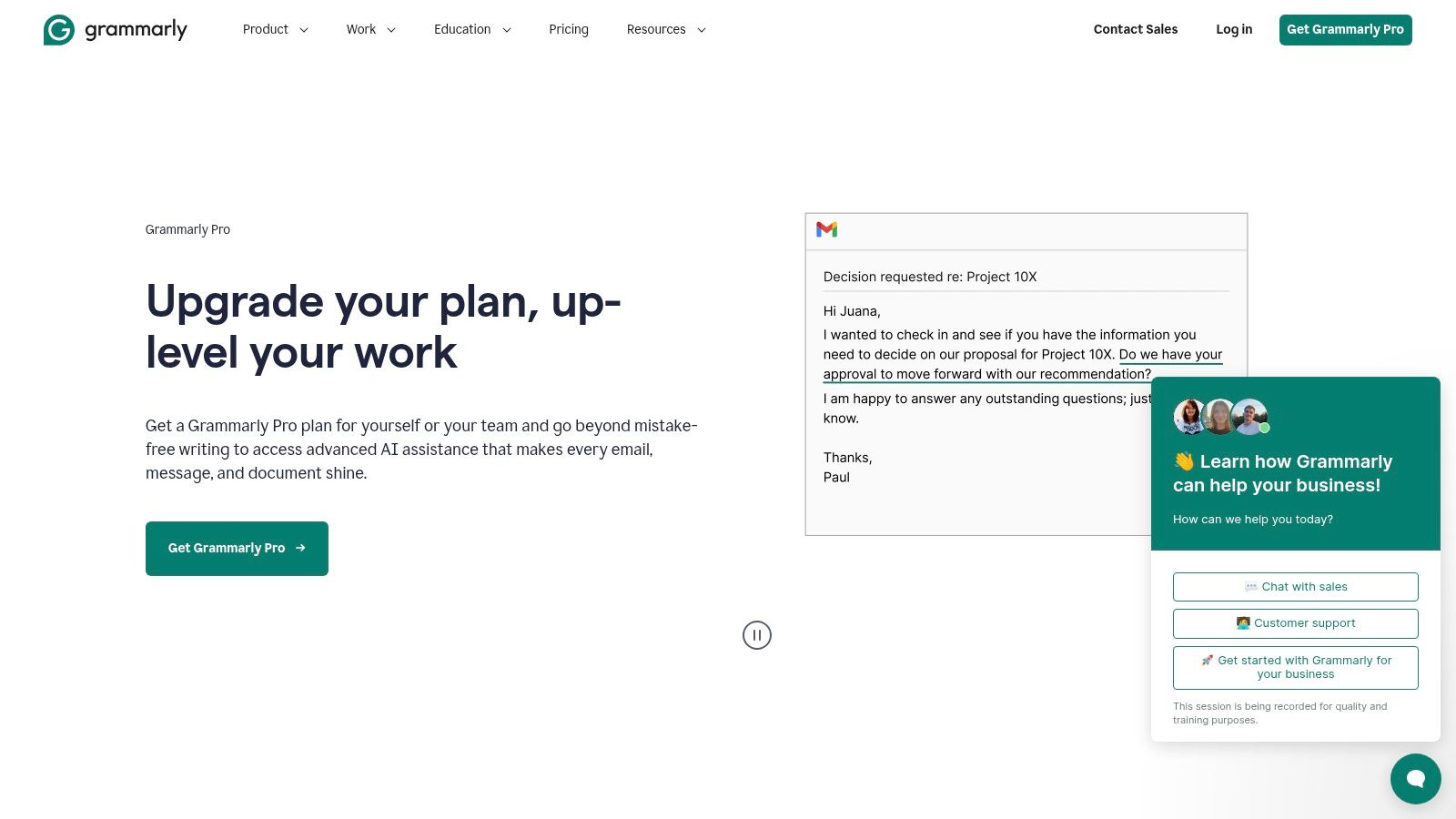
The platform’s strength lies in its seamless integration across numerous applications, including web browsers, Microsoft Office, Google Docs, and various email clients. This omnipresence allows it to provide real-time feedback wherever you write, significantly reducing editing time and improving the quality of everyday communications. For teams, Grammarly provides tools to maintain brand consistency through custom style guides and analytics, making it one of the most practical ai tools for productivity in a collaborative environment.
Key Features & User Experience
Grammarly offers a clean and non-intrusive user experience, providing suggestions via underlines and a sidebar that can be expanded for more detail. Its generative AI prompts are integrated directly into the writing assistance pop-ups.
- Core Capabilities: Advanced grammar, spelling, punctuation, clarity, and tone suggestions.
- Generative AI: Provides one-click prompts to rewrite, shorten, or change the tone of selected text.
- Integrations: Works across a vast ecosystem of apps and websites, including a browser extension and desktop app.
- Real-Life Example: A non-native English-speaking professional writes a critical email to a client. Grammarly Pro not only corrects grammatical errors but also suggests rewriting a sentence to sound more confident and formal, ensuring the message is received as intended.
- Pricing: A robust free version is available for basic corrections. Premium and Business plans unlock advanced style suggestions, plagiarism detection, generative AI credits, and team-specific features like style guides.
Website: https://www.grammarly.com/premium
6. Zapier
Zapier stands as the ultimate connective tissue for the modern digital workplace, a no-code automation platform that bridges the gap between over 8,000 different applications. It allows users to create automated workflows, or "Zaps," that trigger actions in one app based on events in another. Recently, Zapier has deeply integrated AI into its core, transforming it into one of the most practical AI tools for productivity by enabling users to build and orchestrate intelligent workflows without writing a single line of code.
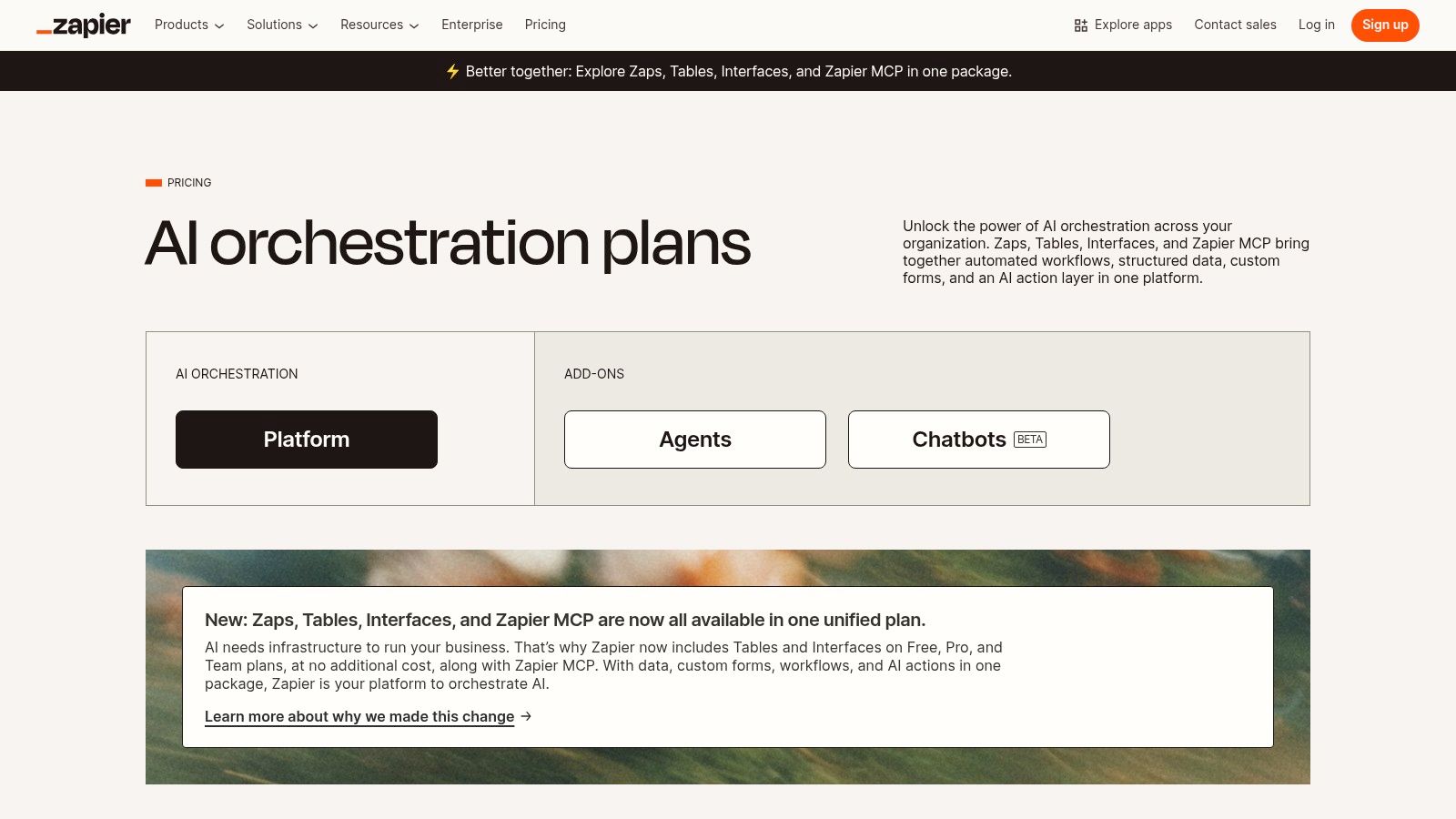
The platform's AI features, including Copilot and Agents, allow you to describe a desired workflow in plain English, and Zapier will suggest or even build the automation for you. This makes it incredibly easy to embed AI functionalities, like summarizing an email or categorizing a lead, directly into your existing SaaS stack. For those looking to understand how this differs from standalone AI, you can explore the nuances of automation vs. AI and their key differences. With built-in tools like Interfaces and Tables, you can also create custom forms and databases that trigger these intelligent automations.
Key Features & User Experience
Zapier’s interface is designed for both beginners and advanced users, offering a visual builder and thousands of templates to get started quickly. The experience is centered on a simple "trigger-and-action" logic, now enhanced with AI.
- Core Capabilities: AI-assisted workflow building with Copilot, Agents, and Prompt steps to integrate models like GPT into any Zap.
- Massive Integration Library: Connects with over 8,000 apps, from Google Sheets and Slack to Salesforce and OpenAI.
- Built-in Tools: Interfaces and Tables are included across all plans, enabling custom data collection and management.
- Real-Life Example: A small business owner creates a Zap that triggers whenever a new lead comes in from a Facebook Ad. The Zap automatically sends the lead's information to an AI step to write a personalized outreach email, adds the lead to a Google Sheet, and sends a notification to the sales team in Slack.
- Pricing: A free plan with limited multi-step Zaps is available. Paid plans (Starter, Professional, Team, Company) scale based on task volume and offer more advanced features and faster update times.
Website: https://zapier.com/pricing
Integrated Ecosystems vs. Specialized Tools: A Quick Comparison
Choosing the right AI tool often comes down to a key decision: Should you use a deeply integrated ecosystem like Microsoft 365 or Google Workspace, or should you opt for best-in-class specialized tools like Notion and Grammarly? This table breaks down the trade-offs.
| Aspect | Integrated Ecosystems (e.g., Microsoft 365, Google Workspace) | Specialized Tools (e.g., Notion, Grammarly, Zapier) |
|---|---|---|
| Primary Strength | Seamless workflow within a familiar environment. No context switching. | Best-in-class performance for a specific function (e.g., writing, automation). |
| Learning Curve | Low. AI features are built into apps you already use. | Moderate. Requires learning a new interface and workflow for each tool. |
| Customization | Generally lower. You work within the vendor's predefined structure. | High. Tools are designed to be flexible and often connect with others via APIs. |
| Cost | Often bundled into existing business subscriptions, offering good value. | Can be higher due to multiple individual subscriptions, but you only pay for what you need. |
| Best For | Teams and enterprises heavily invested in a single vendor's suite. | Individuals and teams who want to build a custom "best-of-breed" productivity stack. |
7. Apple App Store (Productivity)
While not a single tool, the Apple App Store serves as a crucial, curated gateway for discovering specialized AI tools for productivity. For users within the Apple ecosystem, it’s the primary marketplace for finding everything from AI-powered note-takers and intelligent calendars to advanced writing assistants and task managers. Apple’s strict review guidelines ensure a high standard of quality and security, making it a trustworthy source for enhancing your digital workflow on iPhone, iPad, and Mac.
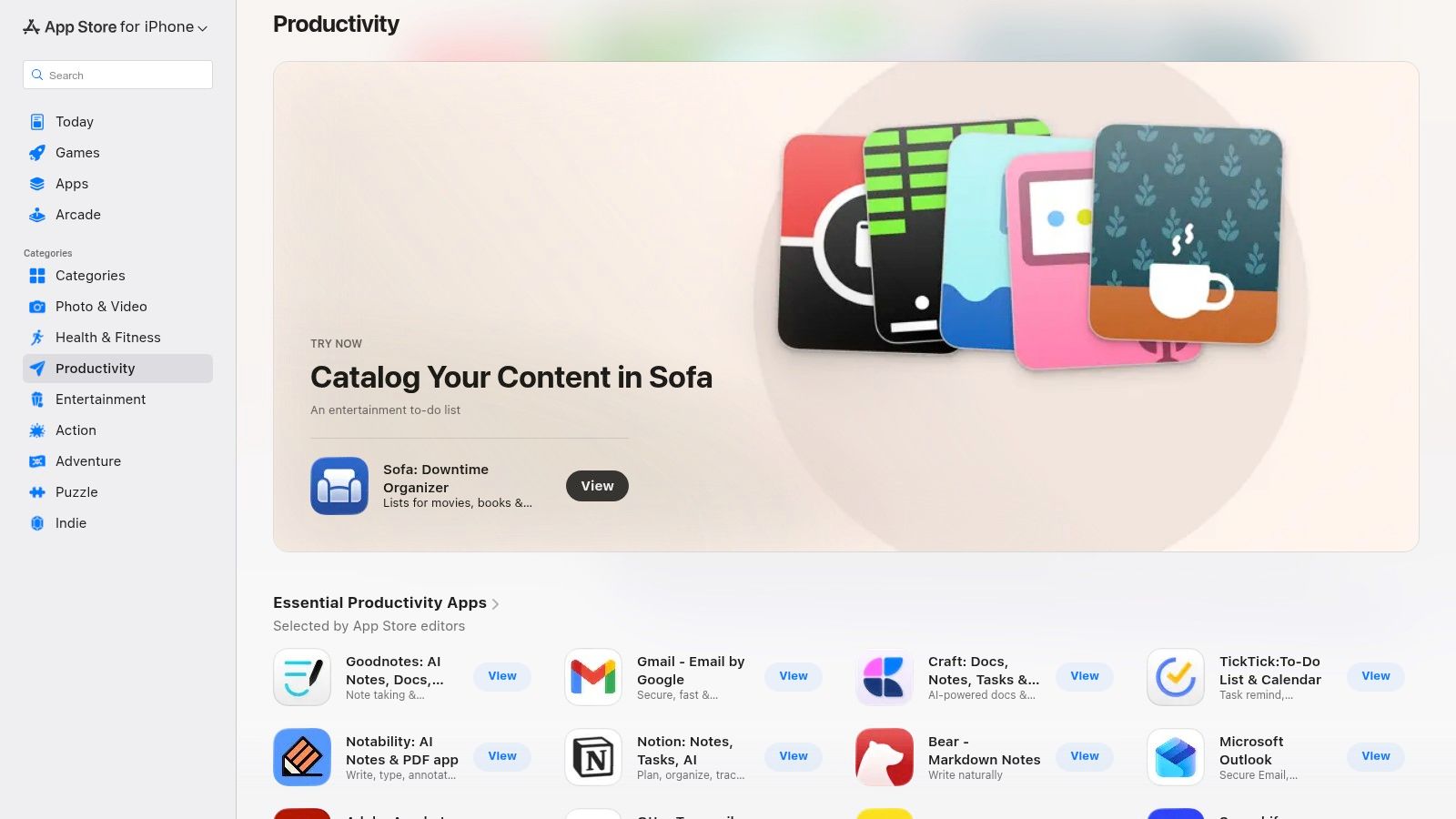
The platform’s strength lies in its editorial curation and seamless integration. Features like the "App of the Day" and editorially selected "Best of" collections often highlight innovative AI-driven apps that might otherwise go unnoticed. Subscriptions and purchases are managed centrally through your Apple ID, simplifying the process of trying and adopting new tools. For those looking to build better routines, the store is also an excellent resource for finding the best habit-tracking apps that leverage AI to provide personalized recommendations and progress monitoring.
Key Features & User Experience
The App Store provides a unified, secure experience for discovering, purchasing, and managing applications across all Apple devices. The interface is clean, with powerful search and categorized charts.
- Curated Discovery: Editorial collections, top charts, and personalized recommendations help users find high-quality productivity apps.
- Integrated Ecosystem: Purchases and subscriptions sync across all your devices via Apple ID, offering a streamlined management experience.
- User-Driven Insights: Authentic user reviews and ratings provide valuable social proof to help you choose the right tools.
- Real-Life Example: A freelance designer looking for a project management app browses the "Apps We Love" section and discovers an AI-powered tool that automatically organizes tasks based on project deadlines and client communication, which they can try risk-free using their Apple ID.
- Pricing: App pricing varies from free and freemium models to one-time purchases and recurring subscriptions, all clearly displayed on the app's product page.
Website: https://apps.apple.com/us/iphone/grouping/25244
8. Google Play Store (Productivity)
For Android users, the Google Play Store serves as the essential gateway to a vast and ever-expanding ecosystem of mobile-first AI tools for productivity. Instead of being a single tool, it’s a curated marketplace where you can discover, compare, and install hundreds of applications designed to streamline workflows on the go. Its dedicated productivity category features official apps for major players like ChatGPT and Perplexity alongside innovative newcomers, all managed through a single, secure Google account.
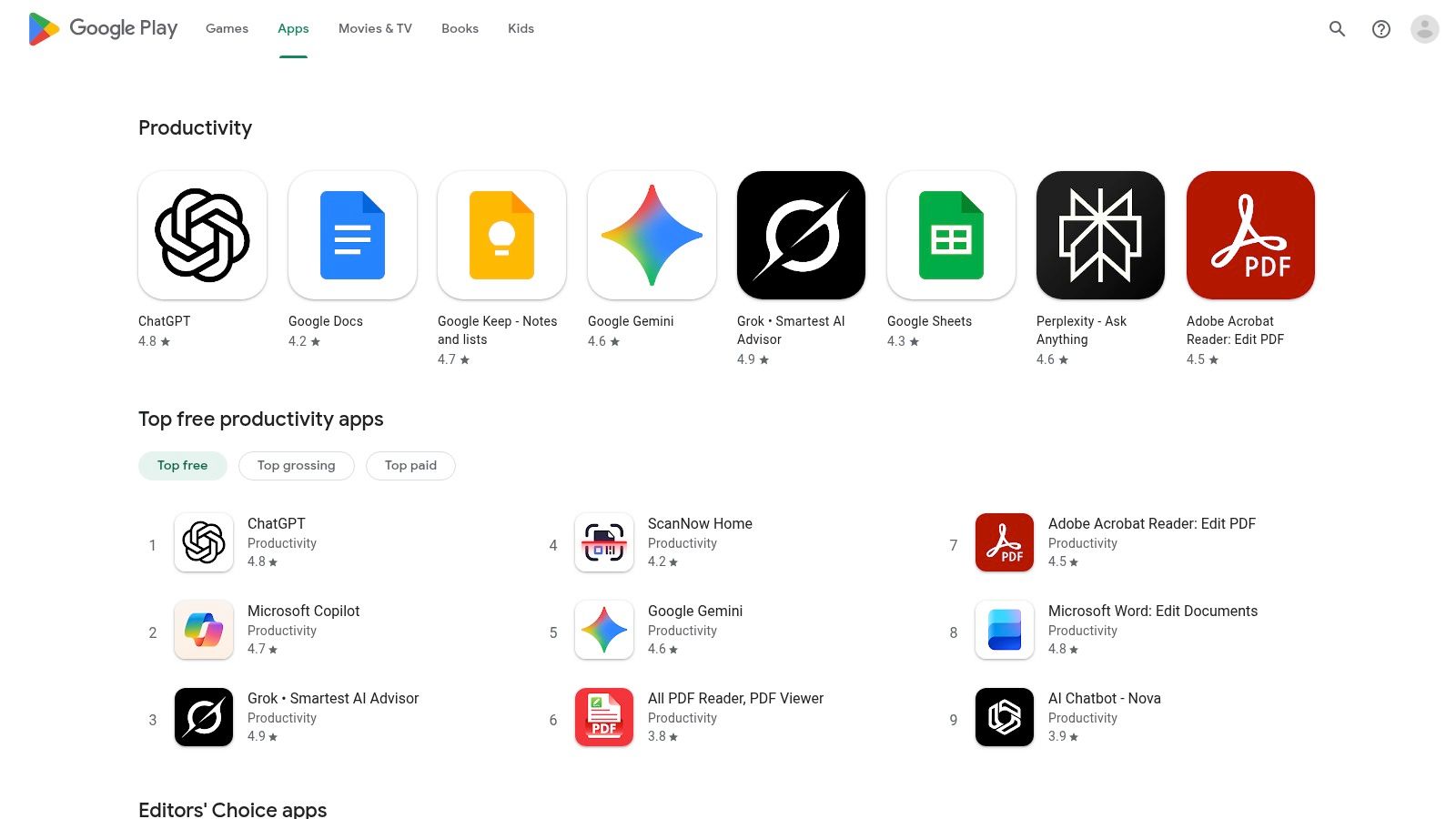
The platform's strength lies in its centralized management and discovery features. Users can easily find top-rated apps through editor’s picks and category rankings (top free, paid, and grossing), which helps surface quality tools from a crowded field. This integrated approach simplifies subscriptions and updates across all Android devices, making it an indispensable resource for anyone looking to leverage AI-powered productivity directly from their smartphone or tablet. The rapid update cycle ensures users always have access to the latest features as soon as they are released by developers.
Key Features & User Experience
The Google Play Store provides a familiar and intuitive interface for browsing, purchasing, and managing applications. Its user review and rating system is crucial for vetting the quality and reliability of new AI tools.
- Vast Selection: Access a huge catalog of AI productivity apps, from major platforms like Microsoft 365 Copilot to niche tools for specific tasks.
- Centralized Management: All app installations, updates, and subscriptions are handled centrally through your Google account for easy billing and control.
- Discovery Tools: Category rankings, editor’s picks, and user reviews help you identify the most effective and popular AI tools available.
- Real-Life Example: A student searches for "AI study helper" on the Play Store. They compare the top 3 results based on user ratings and download an app that can create flashcards and quizzes from their lecture notes automatically.
- Pricing: App pricing varies from free and ad-supported to one-time purchases or recurring subscriptions, all clearly displayed on the app listing.
Website: https://play.google.com/store/apps/category/PRODUCTIVITY
9. Chrome Web Store (AI productivity collections)
Instead of a single application, the Chrome Web Store offers a curated gateway to hundreds of specialized AI tools for productivity directly within your browser. Google’s dedicated "AI Productivity" collection significantly reduces the search time needed to find effective browser extensions for tasks like summarizing articles, drafting emails, capturing meeting notes, or converting screenshots into documents. This approach allows users to quickly integrate AI into their existing web-based workflows with just a single click.
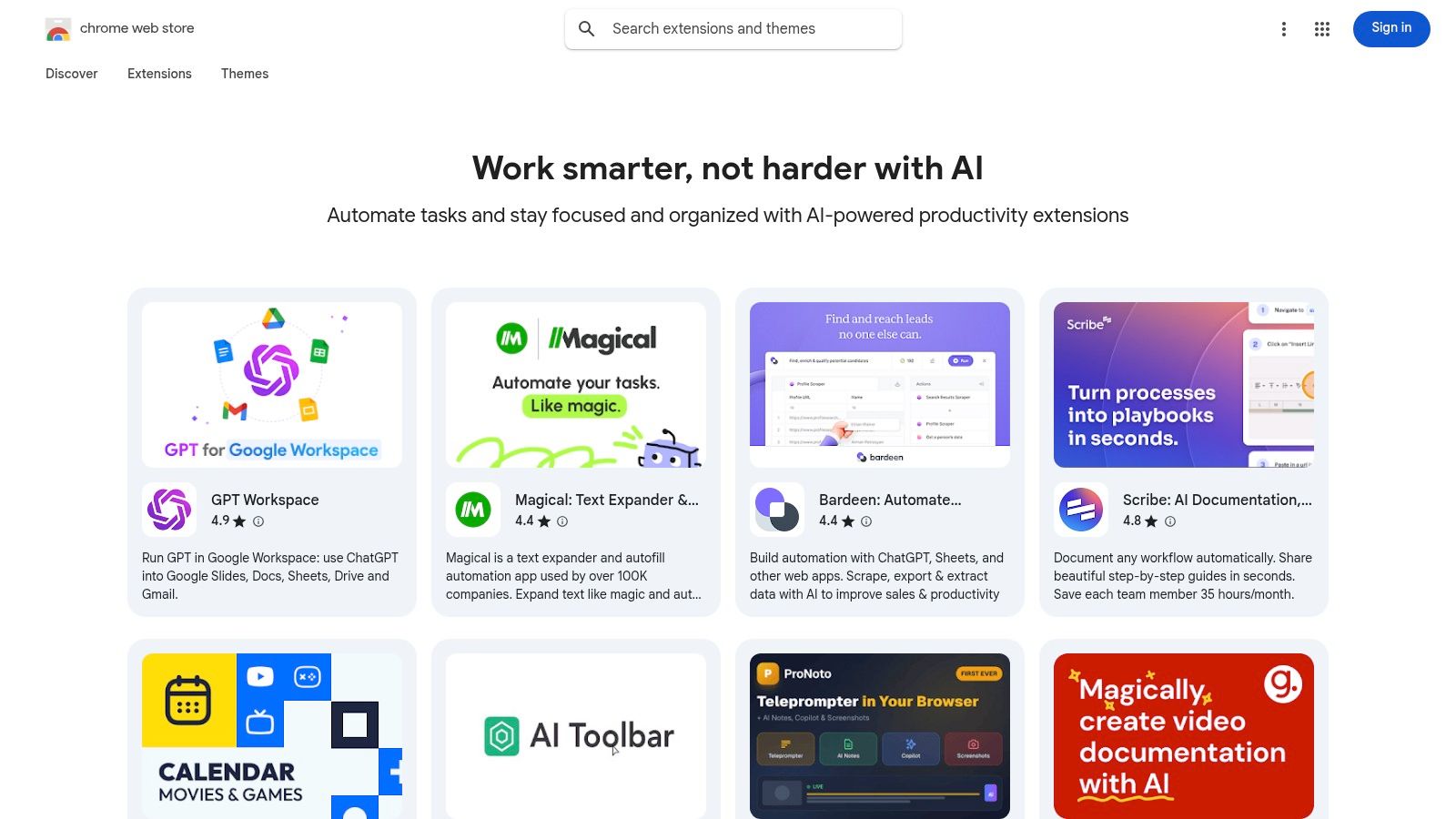
The primary advantage of sourcing tools from the Chrome Web Store is the ease of experimentation. Users can install and test lightweight AI features before committing to a full-fledged application or subscription. Managing these extensions through different Chrome profiles makes it simple to create dedicated work, personal, or project-based browser environments, each equipped with its own set of AI assistants. However, it's crucial to carefully review the permissions each extension requests, as quality and security can vary significantly between different third-party vendors.
Key Features & User Experience
The platform serves as a vetted starting point for enhancing browser-based tasks. The user experience is straightforward, leveraging Chrome's native installation and management system.
- Curated Collections: Simplifies discovery of top-rated AI extensions for common productivity needs.
- One-Click Installation: Seamlessly add and manage tools directly from your browser's toolbar.
- Workflow Integration: Tools are designed to work inside the platforms you already use, like Gmail, Google Docs, and social media sites.
- Real-Life Example: A researcher installs an AI-powered summarizer extension. While browsing a dense academic paper online, they click the extension's icon to get a concise, bulleted summary, helping them decide if the paper is relevant without reading all 30 pages.
- Pricing: Most extensions offer a free tier or trial period, making it a low-risk way to test various AI capabilities. Paid features are typically unlocked via subscriptions managed by the individual extension developer.
Website: https://chromewebstore.google.com/collection/ai_productivity
10. Setapp
Instead of a single application, Setapp offers a unique, curated subscription service that acts as a comprehensive productivity suite. It bundles over 260 high-quality Mac and iOS apps under one monthly fee, effectively providing a powerful arsenal of AI tools for productivity without the need for multiple separate purchases. Its standout feature is an integrated AI assistant that helps you discover the right tool for any task, from drafting emails to generating images, by recommending and installing apps directly from its extensive catalog.
This platform's value lies in its all-in-one approach. For a flat fee, users gain access to a handpicked collection of applications, including a dedicated AI toolkit featuring specialized software for writing, note-taking, and creative work. Setapp simplifies the process of building a powerful software ecosystem, allowing professionals and creatives to experiment with various premium tools and find the perfect workflow without committing to each one individually. It’s an ideal solution for those deeply embedded in the Apple ecosystem who want to maximize their software capabilities efficiently.
Key Features & User Experience
Setapp presents a clean, App Store-like interface where users can browse, discover, and install applications with a single click. The experience is seamless, eliminating the hassle of managing multiple licenses and subscriptions.
- Core Capabilities: Provides access to 260+ Mac and iOS apps, including a curated selection of AI-powered tools for writing, email management, and image editing.
- AI-Assisted Discovery: An in-app AI search assistant helps users find the best application for a specific need by understanding natural language queries.
- Unified Subscription: A single monthly payment unlocks the full functionality of every app in the catalog, offering significant cost savings over individual purchases.
- Real-Life Example: A user needs to batch-resize 50 images for a website. Instead of searching online, they ask Setapp's AI assistant, "Find an app to resize images," which immediately recommends and installs a suitable image editor from its library.
- Pricing: A single subscription model is offered with a 7-day free trial to explore the entire application library before committing.
Website: https://setapp.com/ai
11. AppSumo
While not a single tool itself, AppSumo is a crucial resource for anyone looking to build a powerful suite of AI tools for productivity without breaking the bank. It's a leading digital marketplace that offers lifetime deals (LTDs) and significant discounts on emerging software, including a vast and rotating selection of AI-powered applications. For entrepreneurs and professionals, it provides an opportunity to discover and acquire innovative tools before they hit the mainstream market.
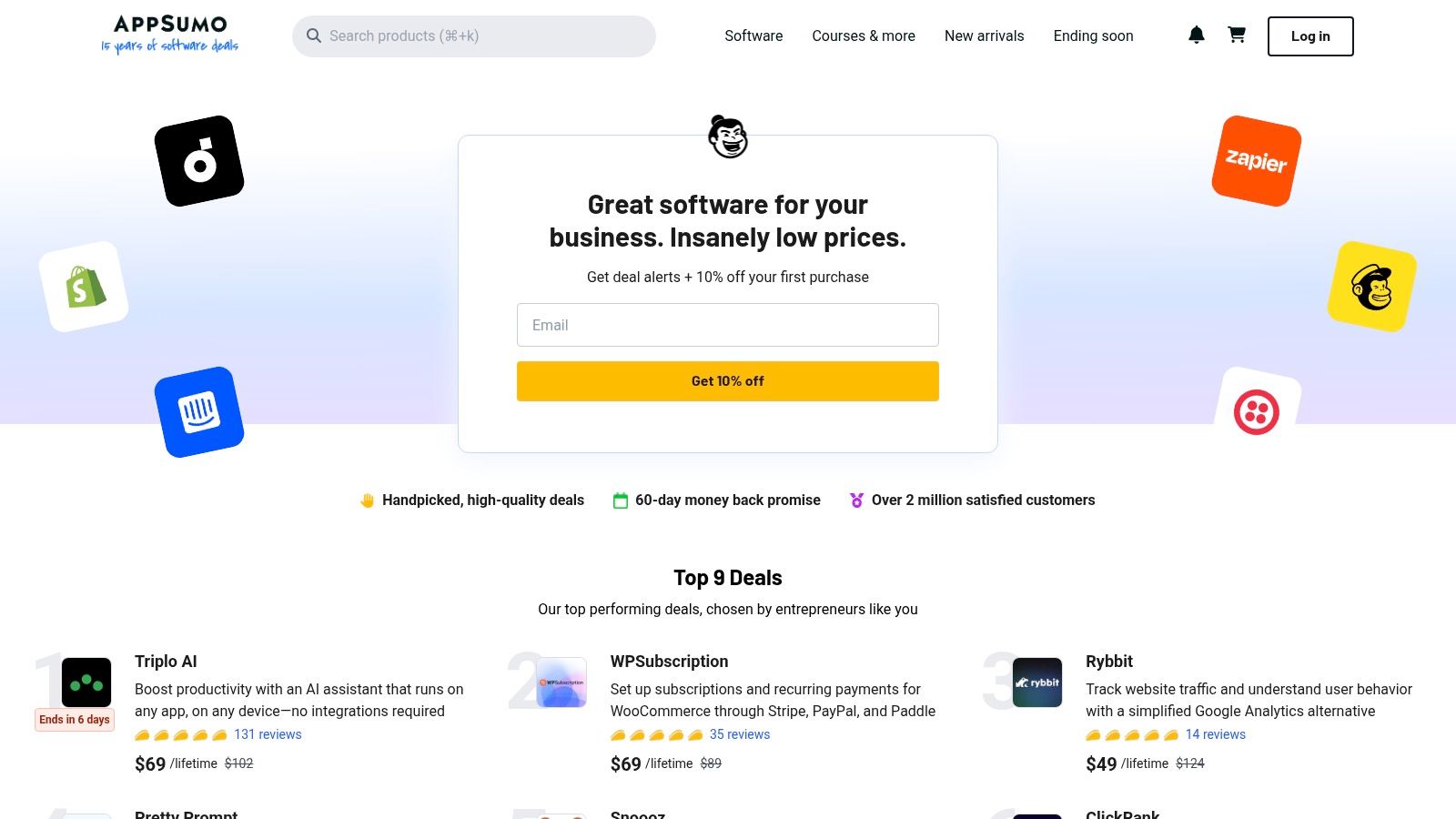
The platform's value lies in its unique deal structure and active community. Instead of recurring monthly subscriptions, many deals are for a one-time payment that grants you lifetime access to the software. This can result in massive long-term savings. Each product listing features extensive Q&A sections and user reviews from the "Sumo-ling" community, offering real-world feedback and practical use cases that help you vet a tool's effectiveness and long-term potential before purchasing.
Key Features & User Experience
AppSumo’s interface is designed for discovery, with curated collections and robust search filters. The deal pages are packed with information, including video demos, founder Q&As, and detailed feature breakdowns.
- Deal Structure: The primary draw is the availability of lifetime deals, providing access to premium software for a single payment.
- Community Vetting: Honest user reviews and active Q&A sections allow you to gauge a tool's quality and the responsiveness of its support team.
- Discovery Engine: A great way to find new and innovative AI productivity tools that are not yet widely known.
- Real-Life Example: A startup founder needs an AI tool for creating marketing videos but has a limited budget. On AppSumo, they find a lifetime deal for a new AI video generator for a one-time fee of $59, saving them from a $30/month subscription.
- Pricing: Deals are product-specific, ranging from freebies to several hundred dollars for robust, multi-code lifetime plans. All purchases are backed by a 60-day money-back guarantee.
Website: https://appsumo.com/
12. G2
When the sheer number of AI tools for productivity becomes overwhelming, a platform for objective comparison is essential. G2 serves as a comprehensive software marketplace and review hub, allowing you to vet and compare various AI solutions based on verified user feedback. Instead of relying on vendor marketing, you can analyze real-world experiences to find the right tool for your specific workflow, whether it's an AI writing assistant, a code generator, or an automated project manager.
The platform's strength lies in its structured data and filtering capabilities. You can sort tools using G2's proprietary Grid reports, which rank software based on user satisfaction and market presence. This allows for a quick, visual assessment of leading and niche players in any AI category. Filtering reviews by company size, role, and industry helps you find feedback from users with needs similar to your own, making your research more relevant and efficient.
Key Features & User Experience
G2 provides a structured, data-driven approach to software discovery, helping you move from a long list of potential tools to a well-researched shortlist. The interface is designed for comparison, with clear layouts and direct links to vendor sites.
- Core Capabilities: In-depth user reviews, side-by-side tool comparisons, and category-specific market reports.
- Data & Filtering: The platform offers robust filtering options, allowing you to narrow down reviews by factors like company size, industry, and user role to find the most relevant feedback.
- Grid® Reports: Visual quadrants that rank tools based on satisfaction and market presence, offering a quick overview of the top players in a specific AI category.
- Real-Life Example: A marketing director is choosing between three AI-powered social media schedulers. On G2, they filter reviews to only see those from mid-market companies in the B2B tech industry, giving them highly relevant insights into which tool performs best for their specific needs.
- Pricing: Free to browse reviews and comparisons. Vendors pay for premium profile features, so always cross-reference information on the official product website.
Website: https://www.g2.com/categories/ai-writing-assistant
Your Next Step Towards Smarter Work
We've journeyed through a comprehensive landscape of modern work, from foundational AI-powered suites like Microsoft 365 Copilot and Google Workspace to specialized assistants like Grammarly and Notion AI. We’ve explored powerful automation engines like Zapier and curated marketplaces such as Setapp and AppSumo that put a universe of innovation at your fingertips. The sheer volume of options can feel overwhelming, but the central message is one of empowerment, not complexity. The era of brute-force productivity, defined by longer hours and manual repetition, is giving way to a new paradigm of intelligent, augmented efficiency.
The core takeaway from this extensive guide is that there is no single "best" tool. Instead, the most effective approach is to build a personalized AI productivity stack. This stack should be a reflection of your unique workflow, your professional role, and your most significant operational bottlenecks. The true power of these platforms is unlocked not in isolation, but in how they integrate and communicate with each other to create a seamless, automated work environment. A writer might combine Notion AI for structuring ideas with Grammarly for polishing prose, while a project manager could link their Google Workspace calendar to a Zapier automation that creates tasks in a project management tool. This strategic integration is where you will find the most significant gains.
How to Choose Your First AI Tool
If you're just starting, resist the temptation to adopt five new tools at once. This often leads to fragmented workflows and abandoned subscriptions. Instead, follow a more methodical approach to select the right AI tools for productivity:
- Identify Your Biggest Time Sink: Before you even look at a tool's feature list, pinpoint the single most repetitive, time-consuming, or frustrating task in your daily or weekly routine. Is it summarizing meeting notes? Is it drafting routine emails? Is it manually transferring data between applications?
- Start with a Single-Point Solution: Find one tool from our list specifically designed to solve that one problem. If email is your biggest challenge, start with the AI features in your existing suite (Gemini or Copilot). If content creation is the bottleneck, begin with a dedicated writing assistant.
- Master, Then Expand: Commit to using that one tool consistently for a few weeks. Learn its shortcuts, explore its advanced features, and integrate it deeply into your existing habits. Once it has become a natural part of your workflow and you are seeing clear benefits, you can then identify the next bottleneck to tackle and select another tool.
Building Your Long-Term Strategy
As you become more comfortable, your focus should shift from solving individual pain points to building an interconnected system. Consider how your chosen tools can work together. For instance, can your AI meeting assistant automatically save transcripts to your knowledge base in Notion? Can your AI scheduler block off focus time in your calendar based on your project deadlines? This system-level thinking transforms you from a user of AI tools for productivity into an architect of your own efficiency.
Ultimately, the goal isn't just to work faster; it's to work smarter and with greater focus. These technologies are designed to handle the cognitive busywork, freeing up your mental bandwidth for creativity, strategic planning, and deep, meaningful work. By thoughtfully curating your toolkit, you are not just adopting new software; you are fundamentally redesigning your relationship with work itself. Embrace the process of experimentation, be patient with the learning curve, and start building your more productive, AI-powered future today.
Frequently Asked Questions (FAQ)
1. What are AI tools for productivity?
AI tools for productivity are software applications and platforms that use artificial intelligence, machine learning, and natural language processing to automate tasks, streamline workflows, and enhance efficiency. They can range from general-purpose assistants like ChatGPT to specialized tools for writing (Grammarly), automation (Zapier), or project management (Notion AI).
2. How can AI improve my daily productivity?
AI can improve productivity by automating repetitive tasks (like data entry or email sorting), summarizing long documents or meetings, generating first drafts of content, providing intelligent suggestions to improve your writing, and helping you find information quickly. This frees up your time and mental energy to focus on more complex, creative, and strategic work.
3. Do I need to be a tech expert to use these AI tools?
No. Most modern AI productivity tools are designed with user-friendly interfaces that do not require any coding or technical expertise. Tools like Microsoft Copilot, Google Gemini, and ChatGPT use natural language, meaning you can interact with them by simply typing or speaking your requests.
4. Are AI productivity tools safe to use with sensitive company data?
This depends on the tool. Enterprise-grade solutions like Microsoft 365 Copilot and Google Workspace with Gemini are built with robust security, privacy, and compliance features, making them suitable for business use. For other third-party tools, it is crucial to review their privacy policies and data handling practices before uploading sensitive or proprietary information.
5. What's the difference between a general AI assistant and a specialized AI tool?
A general AI assistant like ChatGPT is a versatile "Swiss Army knife" capable of handling a wide range of tasks, from writing to coding. A specialized AI tool, like Grammarly for writing or a dedicated AI transcription service, is designed to perform one specific function exceptionally well, often offering deeper features and greater accuracy in its niche.
6. Can AI tools replace human jobs?
While AI tools can automate many tasks previously done by humans, they are more likely to augment human capabilities rather than replace jobs entirely. They excel at handling repetitive, data-intensive tasks, which allows professionals to focus on areas that require critical thinking, emotional intelligence, creativity, and strategic decision-making.
7. How do I choose the best AI tool for my needs?
Start by identifying your biggest productivity bottleneck. Is it writing emails, managing projects, or analyzing data? Then, look for a tool specifically designed to solve that problem. Consider factors like integration with your existing software (e.g., Microsoft Office vs. Google Workspace), pricing, and user reviews on platforms like G2.
8. Are free AI productivity tools good enough to start with?
Yes, many AI tools offer excellent free versions that are perfect for getting started. The free tiers of ChatGPT, Notion, and Grammarly provide significant value and allow you to experience the core benefits of AI assistance. You can then upgrade to a paid plan as your needs become more advanced.
9. What is a "productivity stack"?
An AI productivity stack is a combination of different AI tools that you use together to create a seamless and efficient workflow. For example, you might use an AI meeting transcriber to generate notes, Notion AI to summarize those notes and create action items, and Zapier to automatically add those action items to your project management app.
10. How can I stay updated on the latest AI tools for productivity?
The field of AI is evolving rapidly. To stay informed, you can follow reputable tech news sites, subscribe to newsletters focused on AI and productivity (like Everyday Next), and explore curated marketplaces like AppSumo or Setapp, which often feature new and innovative tools.
Ready to stay ahead of the curve? The world of AI productivity is constantly evolving, with new tools and strategies emerging daily. For curated insights, expert analysis, and the latest news on how technology is shaping our world, subscribe to Everyday Next. We deliver the essential information you need to navigate the future of work and technology, directly to your inbox. Join Everyday Next and never miss a beat.
Previous Post
Next Post









Pingback: 12 Best Project Management Tools for 2026
Pingback: 10 Robotic Process Automation Examples (2026)